Thumbnails not generated for Duplicate Assets | Community
Skip to main content
aanchal-sikka
Community Advisor
Community Advisor
August 29, 2024
Solved

Thumbnails not generated for Duplicate Assets

  • August 29, 2024
  • 4 replies
  • 800 views


Did anyone have an issue with thumbnails when duplicate assets are uploaded? Its for 6.5.21
For us no thumbnails are generated. Only message received is


com.day.cq.dam.core.process.GateKeeperProcess execute: terminated workflow for duplicate asset 


This post is no longer active and is closed to new replies. Need help? Start a new post to ask your question.
Best answer by aanchal-sikka

The issue was due to "DispatcherPassError" config on dispatcher. It was returning generic response for 409. The Duplicates were working when uploaded directly via IP. 


Updated the config to

DispatcherPassError 401-408,410-411,413-417,500-511

Its now working via Domain as well


4 replies

August 30, 2024

Hi @aanchal-sikka, can you try disabling the duplicate detection feature in "Day CQ DAM Create Asset" OSGI configuration (PID - com.day.cq.dam.core.impl.servlet.CreateAssetServlet)?

September 4, 2024

Hi @aanchal-sikka ,

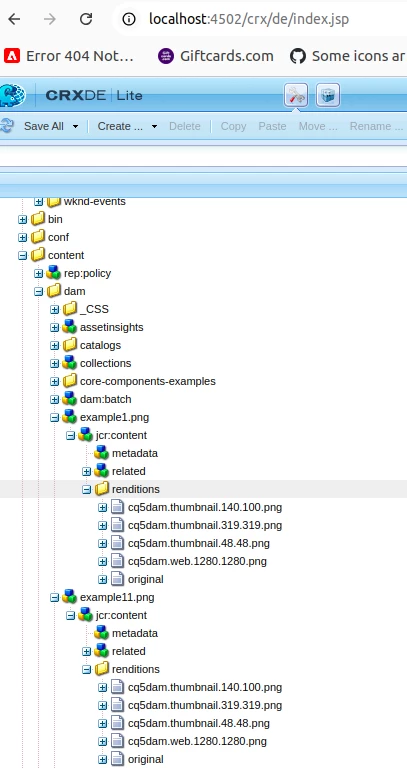
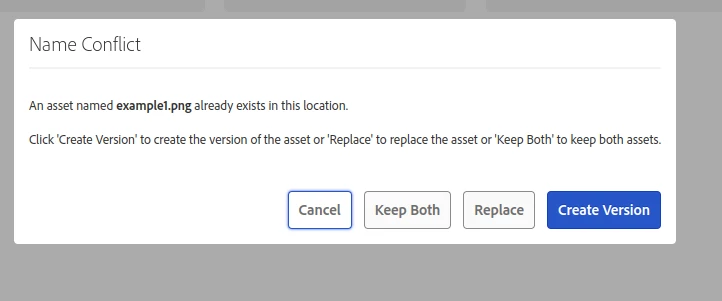
I installed 6.5.21 when I upload duplicates it display below popup.

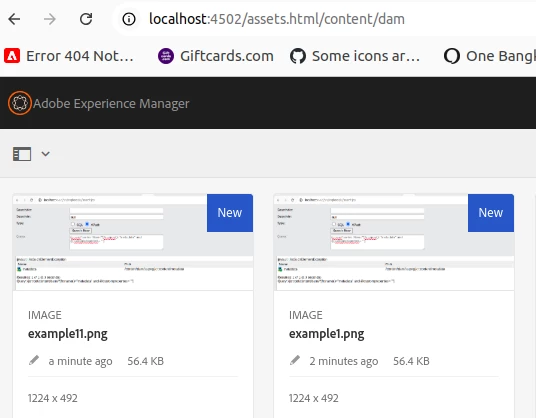
If I click Keep Both it automatically append a number in name and it is generating thumbnail for both.

I checked for png


Thanks


kautuk_sahni
Community Manager
Community Manager
September 13, 2024

@aanchal-sikka Did you find the suggestions helpful? Please let us know if you require more information. Otherwise, please mark the answer as correct for posterity. If you've discovered a solution yourself, we would appreciate it if you could share it with the community. Thank you!

Kautuk Sahni
aanchal-sikka
Community Advisor
aanchal-sikkaCommunity AdvisorAuthorAccepted solution
Community Advisor
September 19, 2024

The issue was due to "DispatcherPassError" config on dispatcher. It was returning generic response for 409. The Duplicates were working when uploaded directly via IP. 


Updated the config to

DispatcherPassError 401-408,410-411,413-417,500-511

Its now working via Domain as well


Aanchal Sikka