Solved
Text field in AEM enhance components does not allow a different h tag after line break
 Hi all,
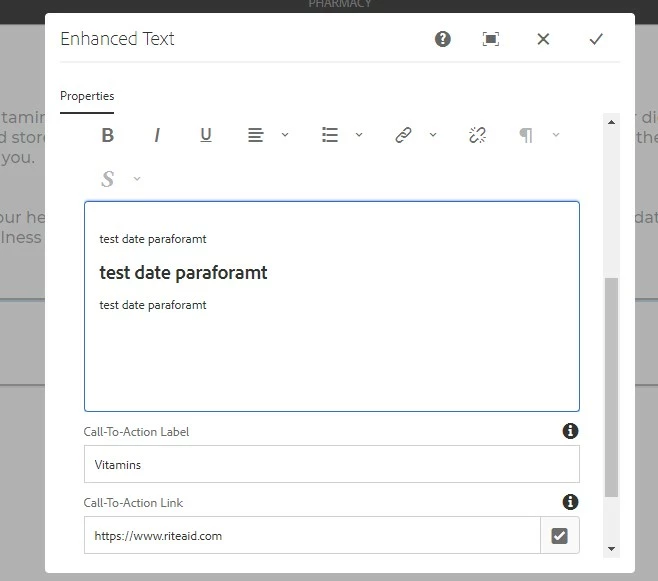
I am facing issue in text component para format icon disabled for below scenario, Any one can help to fix this issue.
- In Text component enter copy in the main text field (not the Title field, if the component has that).
- Create a line break and type more copy.
- Attempt to change the h-tag setting on that new line of copy to a size other than "Paragraph;" Observe that the paragraph icon (¶) in the toolbar above the text field is grayed out and will therefore not allow user to make any changes to the h-tag. See attached screenshot for example.
PFA also.
Thanks,
Mohan