SMTP Configuration | Community
Skip to main content
Adobe Employee
January 9, 2023
Solved

SMTP Configuration

  • January 9, 2023
  • 2 replies
  • 3421 views

Hi Team,


We have SMTP configured in our AEM environment and we are using gmail smtp server for sending emails. We have the below configuration


smtp.host="smtp.gmail.com"
smtp.ssl="{Boolean}true"
smtp.starttls="{Boolean}false"
debug.email="{Boolean}false"
smtp.port="465"
smtp.user="xyz@gmail.com"
smtp.password="password"
from.address="xyz@gmail.com"

When we are performing the below options for assets - like download asset
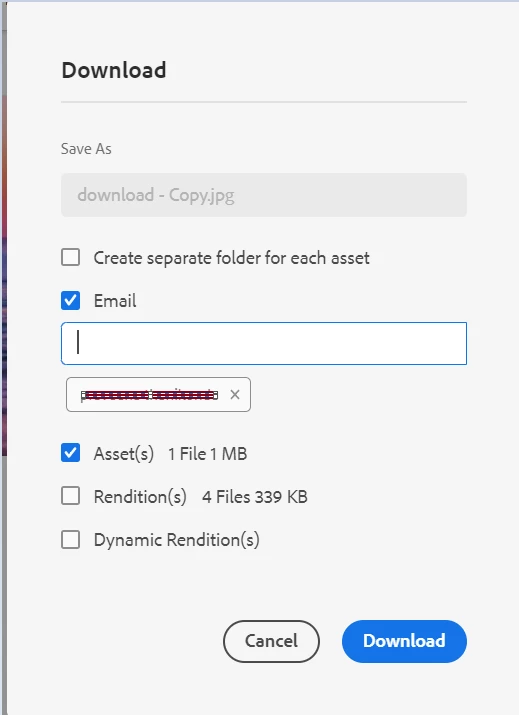
and share link 
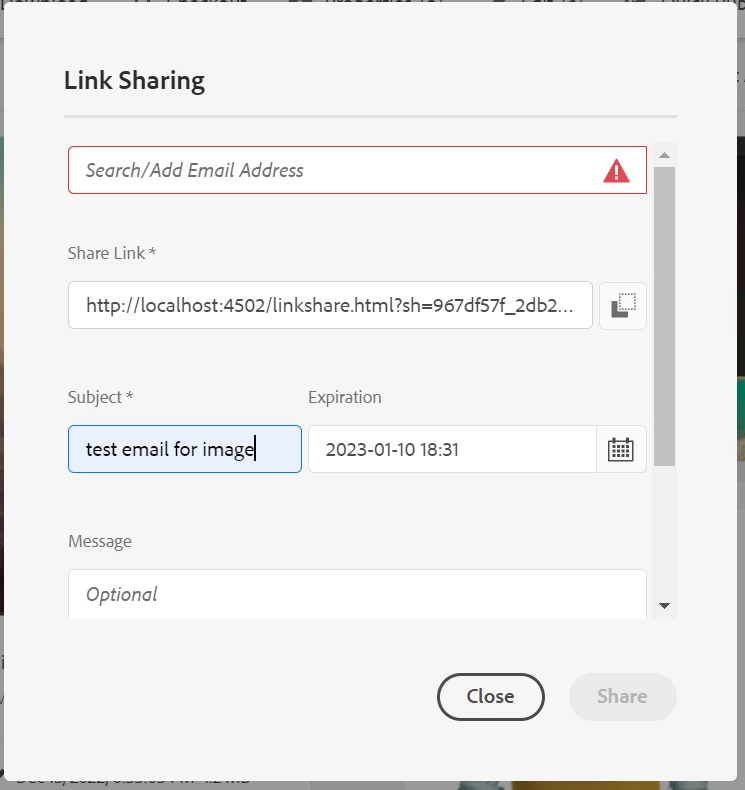
 

from our AEM environment we are receiving error as

Caused by: org.apache.commons.mail.EmailException: Sending the email to the following server failed : smtp.gmail.com:465
at org.apache.commons.mail.Email.sendMimeMessage(Email.java:1469)
at org.apache.commons.mail.Email.send(Email.java:1496)
at com.day.cq.mailer.impl.DefaultMailService.send(DefaultMailService.java:331)
... 11 more
Caused by: javax.mail.AuthenticationFailedException: 535-5.7.8 Username and Password not accepted. Learn more at
535 5.7.8 https://support.google.com/mail/?p=BadCredentials j1-20020a170902c3c100b001891ea4d133sm5479329plj.12 - gsmtp

at com.sun.mail.smtp.SMTPTransport$Authenticator.authenticate(SMTPTransport.java:965)
at com.sun.mail.smtp.SMTPTransport.authenticate(SMTPTransport.java:876)
at com.sun.mail.smtp.SMTPTransport.protocolConnect(SMTPTransport.java:780)
at javax.mail.Service.connect(Service.java:388)
at javax.mail.Service.connect(Service.java:246)
at javax.mail.Service.connect(Service.java:195)
at javax.mail.Transport.send0(Transport.java:254)
at javax.mail.Transport.send(Transport.java:124)
at org.apache.commons.mail.Email.sendMimeMessage(Email.java:1459)
... 13 more


But we are able to login the configured user Gmail account and able to see inbox as well. When i tried to enable secure apps i am not seeing the option for my Gmail account.

Any solution/ pointers for this issue to be fixed.

Thanks,

This post is no longer active and is closed to new replies. Need help? Start a new post to ask your question.
Best answer by Shiv_Prakash_Patel

Hi @thanikon ,

As we all know google put a ban on less secure apps feature last year. 

Sendinblue is an alternative approach to use SMTP in local AEM.

Please check out the full article - https://unlocklearning.in/day-cq-mail-service-configuration-sendinblue/

Hope this could help you to solve the issue !!!

Regards,

Shiv


2 replies

Siva_Sogalapalli
Community Advisor
Community Advisor
January 9, 2023

1. Here is a working configuration for GMail :

smtp.host=smtp.gmail.com
smtp.port=587
smtp.ssl=yes
smtp.user="me@gmail.com"
smtp.password="myPassword"

You must use port 587 (and so activate SSL)

2. Also ensure that Two factor authentication is not activated (otherwise you must generate a new application password)

3. Another cause of connection fail : it can be seemed like a suspect connection.


So check mails received from google on your account to ensure the connection has not been blocked by google. 

thanikonAdobe EmployeeAuthor
Adobe Employee
January 9, 2023

Thanks @siva_sogalapalli for your response. I have tried using 587 port and i am seeing 2 step verification is already OFF.  Now i am seeing error with respect to SSL --

Caused by: javax.net.ssl.SSLException: Unsupported or unrecognized SSL message


Siva_Sogalapalli
Community Advisor
Community Advisor
January 9, 2023

Can you try with port 25 instead of 587 and see if that works? 

smtp.port=25

Also, check below and see if that helps?

 https://www.positioniseverything.net/unrecognized-ssl-message-plaintext-connection/  

Shiv_Prakash_Patel
Community Advisor
Shiv_Prakash_PatelCommunity AdvisorAccepted solution
Community Advisor
January 9, 2023

Hi @thanikon ,

As we all know google put a ban on less secure apps feature last year. 

Sendinblue is an alternative approach to use SMTP in local AEM.

Please check out the full article - https://unlocklearning.in/day-cq-mail-service-configuration-sendinblue/

Hope this could help you to solve the issue !!!

Regards,

Shiv


Shiv Prakash
thanikonAdobe EmployeeAuthor
Adobe Employee
January 11, 2023

Hi @shiv_prakash_patel . Thank you for your response. I have followed the article and created an account in sendinblue.com and i have tested(yesterday) email option in my local AEM instance. It worked. Now the issue with the same configuration i am getting error today.

Caused by: org.apache.commons.mail.EmailException: Sending the email to the following server failed : smtp-relay.sendinblue.com:587
at org.apache.commons.mail.Email.sendMimeMessage(Email.java:1469)
at org.apache.commons.mail.Email.send(Email.java:1496)
at com.day.cq.mailer.impl.DefaultMailService.send(DefaultMailService.java:331)
... 11 more
Caused by: com.sun.mail.util.MailConnectException: Couldn't connect to host, port: smtp-relay.sendinblue.com, 587; timeout 60000;
nested exception is:
java.net.ConnectException: Connection timed out: connect
at com.sun.mail.smtp.SMTPTransport.openServer(SMTPTransport.java:2209)


please share if you have any suggestions/pointers on this issue.


Thanks,