Sling job not being processed by custom consumer
Hello
Currently I have the following situation:
I've made an EventListener that listens for the ReplicationAction.EVENT_TOPIC. To prevent the listener from getting blacklisted, I schedule a sling job in the following way:
String TOPIC = "test/jobHandler";
final Map<String, Object> properties = ImmutableMap.of(
INDEX_ACTION, "ADD",
SlingConstants.PROPERTY_PATH, pagePath,
Job.PROPERTY_JOB_QUEUE_NAME, "test",
Job.PROPERTY_JOB_TITLE, String.format("Consuming page %s", pagePath)
);
jobManager.addJob(TOPIC, properties);
Now, my consumer is created as following:
@Component(
immediate = true,
property = {
JobConsumer.PROPERTY_TOPICS + "=" + TOPIC
})
public class JobHandler implements JobConsumer {
@Override
public JobResult process(final Job job) {
LOGGER.info("Inside process");
return JobResult.OK;
}
}
The weird thing is: the job itself gets added, according to the output of the job manager, but my consumer code never seems to run (I don't see the log statement), except  when I deploy my complete application code again to the AEM instance OR when I stop and start my bundle again. Only stopping and starting the component does NOT work!
I've checked /var/eventing and it shows the job in the "assigned" folder, meaning that there has been a consumer that has picked it up, but it never gets finished. If I disable my JobHandler, then the job gets put in the "unassigned" folder, so that indicates that indeed my consumer is picking them up, but not doing anything with them.
If I check the statistics under /system/console/slingevent, then there is no job being added for that specific topic. The queue "test" is also always empty.
The configuration of the queue:
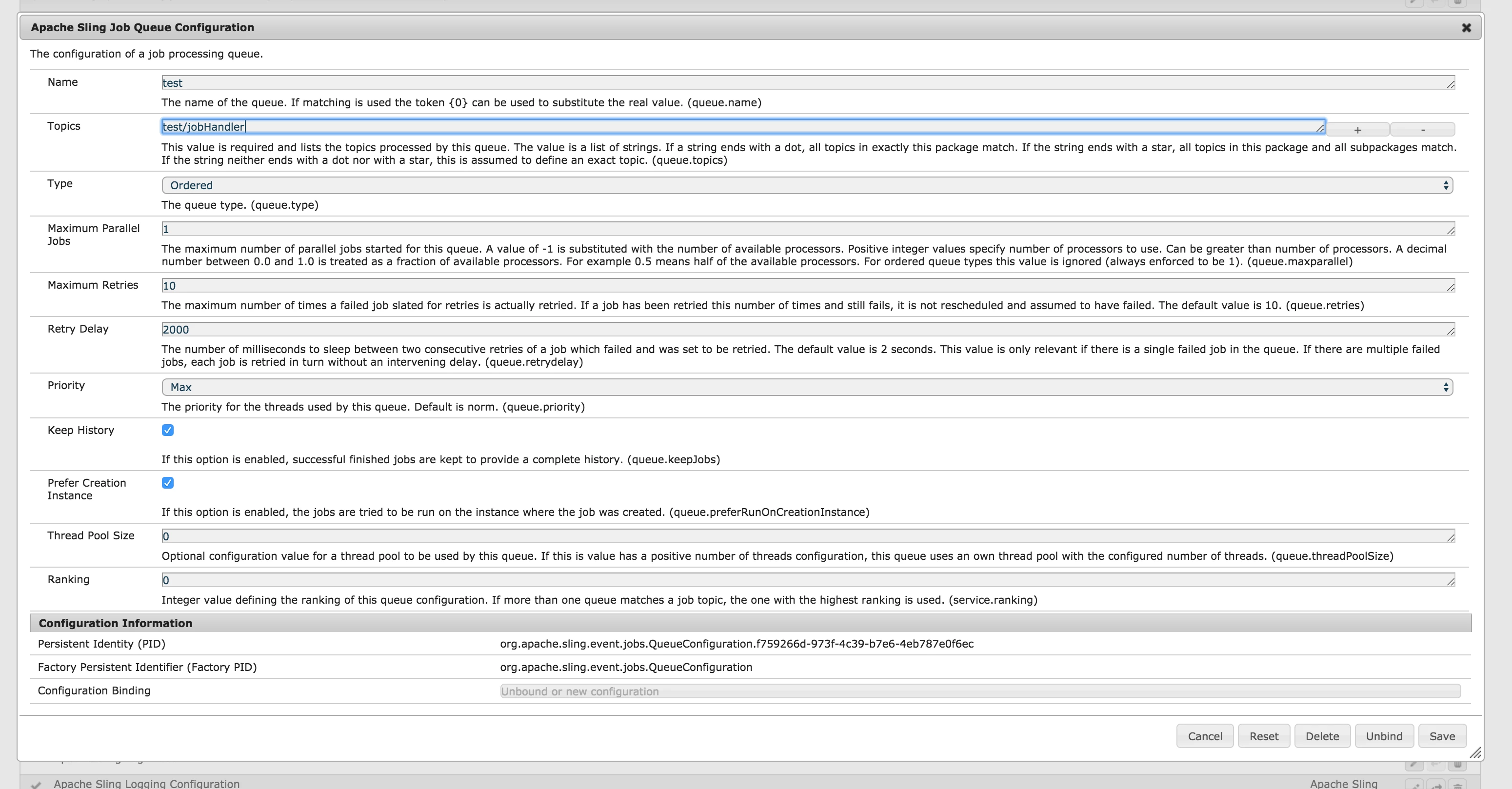
Some logs from the scheduling of the job:
09.02.2018 11:15:50.101 *INFO* [Thread-9] core.publish.scheduler.JobScheduler queue name test
09.02.2018 11:15:50.102 *INFO* [Thread-9] core.publish.scheduler.JobScheduler created instance fa85aace-0d53-46e6-9b93-157d7b76445f
09.02.2018 11:15:50.102 *INFO* [Thread-9] core.publish.scheduler.JobScheduler id 2018/2/9/11/15/fa85aace-0d53-46e6-9b93-157d7b76445f_95
09.02.2018 11:15:50.102 *INFO* [Thread-9] core.publish.scheduler.JobScheduler job state QUEUED
09.02.2018 11:15:50.102 *INFO* [Thread-9] core.publish.scheduler.JobScheduler target instance fa85aace-0d53-46e6-9b93-157d7b76445f
09.02.2018 11:15:50.106 *INFO* [Thread-9] core.publish.scheduler.JobScheduler step count -1
09.02.2018 11:15:50.106 *INFO* [Thread-9] core.publish.scheduler.JobScheduler topic test/JobHandler
Not really sure what the problem here is.
To summarize:
* all components are active
* all of the custom components are active
* jobs are "assigned" but never finished
* jobs get finished after the bundle with the job consumer gets installed/update/package refresh
Environment specs:
Debian Jessie 9
AEM 6.3 SP 1 CFP 2 (6.3.1.2)
OSGi annotations: R6 -> not felix, and please, do not suggest anything with felix annotations
Kind regards
Dylan