Send email notification to business when page gets published not on modified AEMaaCS | Community
Skip to main content
Level 2
February 29, 2024
Solved

Send email notification to business when page gets published not on modified AEMaaCS

  • February 29, 2024
  • 4 replies
  • 1948 views

AEMaaCS - AEM launcher is not working because it is getting initiated for the first replication and it is not sending any notification on next times.
So I tried using Event handler (EVENT.TOPIC), it is sending the notification to the business. But problem here is it is triggering email multiple times(2-3 times).
Onevent  it is triggering the workflow where it has Messagegatewayservice with all hardcoded input(straight forward htmlemail value passing to the message service)
Can you please help me on this? Thanks in Advance
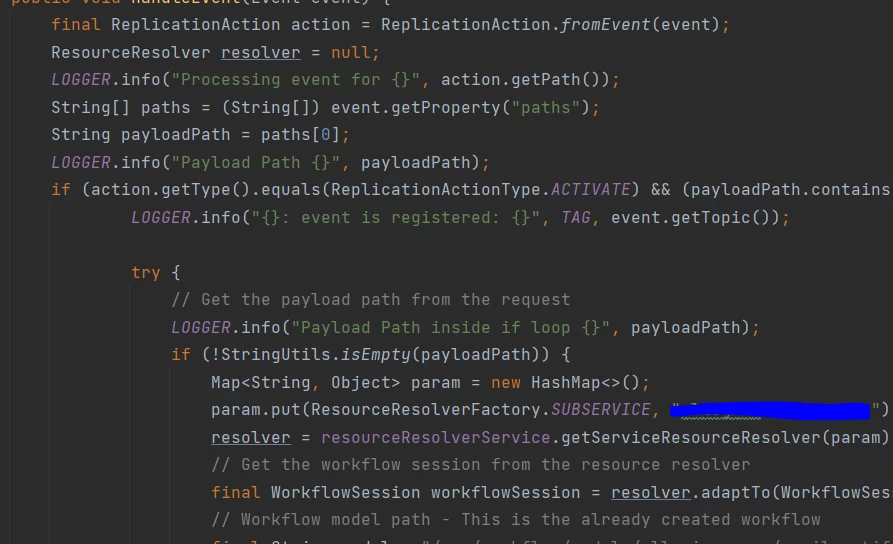
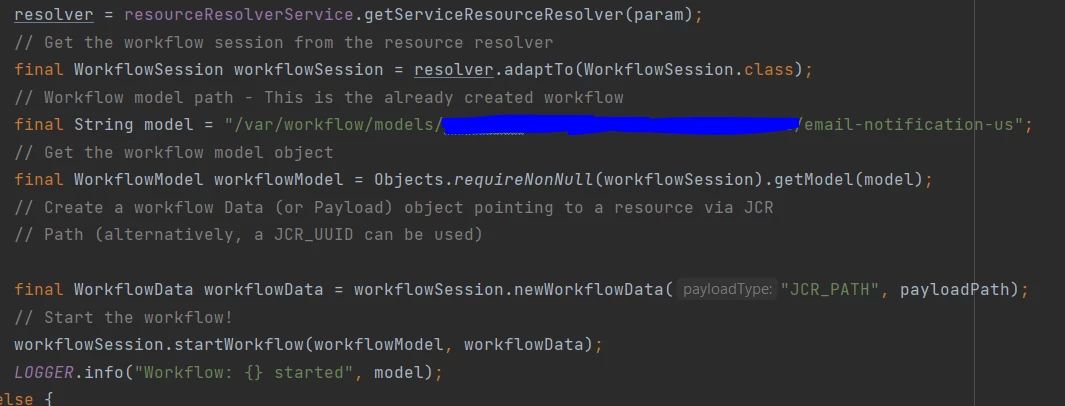
Event Handler:

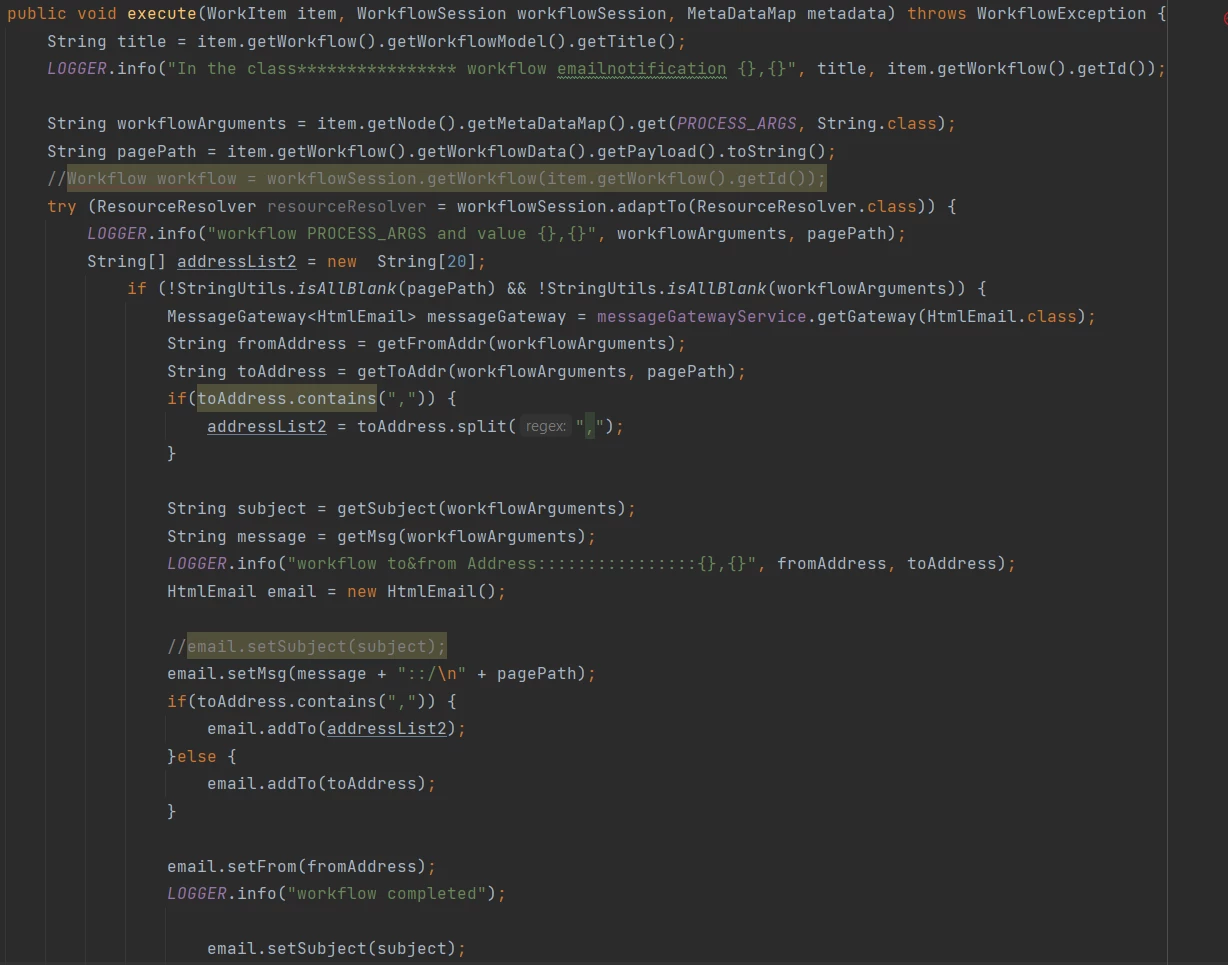
Workflow:


This post is no longer active and is closed to new replies. Need help? Start a new post to ask your question.
Best answer by pulkitvashisth

Hi, the workflow model you will create on page publish will get trigger every time you publish the page, 
So to differentiate the first page publish, you can use an identifier. I have summarized the steps below.
1. Create a custom workflow model that gets triggered on page publish.

2. Create a workflow process class as you have created above


( service = WorkflowProcess.class, property = { "process.label=New Page Publish Email Notification" } ) public class NewPagePublishEmailWorkflowProcess implements WorkflowProcess { private MessageGatewayService messageGatewayService; public void execute(WorkItem workItem, WorkflowSession workflowSession, MetaDataMap args) throws WorkflowException { String pagePath = workItem.getWorkflowData().getPayload().toString(); ResourceResolver resolver = workflowSession.adaptTo(ResourceResolver.class); Page page = resolver.getResource(pagePath).adaptTo(Page.class); // Check if the page is being published for the first time if(!page.getProperties().containsKey("mailTriggered")){ sendEmail(); page.getProperties().put("mailTriggered", false); resolver.commit(); } } private void sendEmail() { try { Email email = new SimpleEmail(); email.addTo("business@example.com"); email.setSubject("A new page has been published"); email.setMsg("A new page has been published on the website."); MessageGateway<Email> messageGateway = messageGatewayService.getGateway(Email.class); messageGateway.send(email); } catch (Exception e) { e.printStackTrace(); } } }


 3. Configure the workflow model with above Workflow process class.
4 replies

Imran Khan
Community Advisor
Community Advisor
February 29, 2024

@dmanibabu You can try below code snippet in case of page publish. But, launcher has one problem as it gets call multiple times. In place launcher we can call event listener to listen particular event on property value modified. It will also allow us to get topic as replication with resource.

From listener we can call our send email workflow model.   


<?xml version="1.0" encoding="UTF-8"?> <jcr:root xmlns:jcr="http://www.jcp.org/jcr/1.0" xmlns:cq="http://www.day.com/jcr/cq/1.0" jcr:primaryType="cq:WorkflowLauncher" condition="cq:lastReplicated" conditions="[]" description="\0" disabledFeatures="[]" enabled="{Boolean}true" eventType="{Long}16" excludeList="\0" features="[]" glob="/content/practice" nodetype="cq:PageContent" runModes="author,publish" workflow="/var/workflow/models/send-mial-workflow"/>


dmanibabuAuthor
Level 2
February 29, 2024

@imran__khan As you said launcher is triggering the workflow only for the first time of page publish. it is not looking for second time when page is published.
Our requirement is whenever page is published under specific path, we have to send mail to business.
Event handler I am using it to look for event . For event listener, do you have any reference code snippet. I am not sure listener wont trigger workflow multiple times. 

Imran Khan
Community Advisor
Community Advisor
February 29, 2024

Please follow below links on the same. It talks about event listeners and email template step by step. Code snippet is also available to consume.
https://javadoubts.com/aem-event-listener/

https://javadoubts.com/aem-email-custom-template/

arunpatidar
Community Advisor
Community Advisor
February 29, 2024
dmanibabuAuthor
Level 2
March 1, 2024

@arunpatidar Tried this but still I am receiving same email more than 3times. Not sure why Mail is triggering multiple times.

arunpatidar
Community Advisor
Community Advisor
March 1, 2024

Hi,
Can you please check how many events are triggered when you publish the page?

http://localhost:4502/system/console/events


Arun Patidar
pulkitvashisth
Community Advisor
pulkitvashisthCommunity AdvisorAccepted solution
Community Advisor
February 29, 2024

Hi, the workflow model you will create on page publish will get trigger every time you publish the page, 
So to differentiate the first page publish, you can use an identifier. I have summarized the steps below.
1. Create a custom workflow model that gets triggered on page publish.

2. Create a workflow process class as you have created above


( service = WorkflowProcess.class, property = { "process.label=New Page Publish Email Notification" } ) public class NewPagePublishEmailWorkflowProcess implements WorkflowProcess { private MessageGatewayService messageGatewayService; public void execute(WorkItem workItem, WorkflowSession workflowSession, MetaDataMap args) throws WorkflowException { String pagePath = workItem.getWorkflowData().getPayload().toString(); ResourceResolver resolver = workflowSession.adaptTo(ResourceResolver.class); Page page = resolver.getResource(pagePath).adaptTo(Page.class); // Check if the page is being published for the first time if(!page.getProperties().containsKey("mailTriggered")){ sendEmail(); page.getProperties().put("mailTriggered", false); resolver.commit(); } } private void sendEmail() { try { Email email = new SimpleEmail(); email.addTo("business@example.com"); email.setSubject("A new page has been published"); email.setMsg("A new page has been published on the website."); MessageGateway<Email> messageGateway = messageGatewayService.getGateway(Email.class); messageGateway.send(email); } catch (Exception e) { e.printStackTrace(); } } }


 3. Configure the workflow model with above Workflow process class.
kautuk_sahni
Community Manager
Community Manager
March 7, 2024

@dmanibabu Did you find the suggestions from users helpful? Please let us know if more information is required. Otherwise, please mark the answer as correct for posterity. If you have found out solution yourself, please share it with the community.

Kautuk Sahni