
SAML SSO redirect loop | Community
Skip to main content
crich2784
August 16, 2023

SAML SSO redirect loop

  • August 16, 2023
  • 3 replies
  • 2902 views


I am using Azure and the SAML instructions from this blog:

https://blog.developer.adobe.com/saml-authentication-in-aem-using-microsoft-azure-active-directory-30d668338a8f

Basically, it is securing down we-retail site.  

In my example, I am trying secure a folder in /content/dam/formsanddocuments/secure-folder.

The URL in the browser is this: /aem/forms.html/content/dam/formsanddocuments/secure-folder - this is another problem to deal with later maybe.

However, I've been trying to secure /aem and I still have an issue with redirects.

I've tried default Redirect in AEM - doesn't have an affect.

In all cases, SSO works and it gets passed the Azure authentication and redirects to the following URLs.

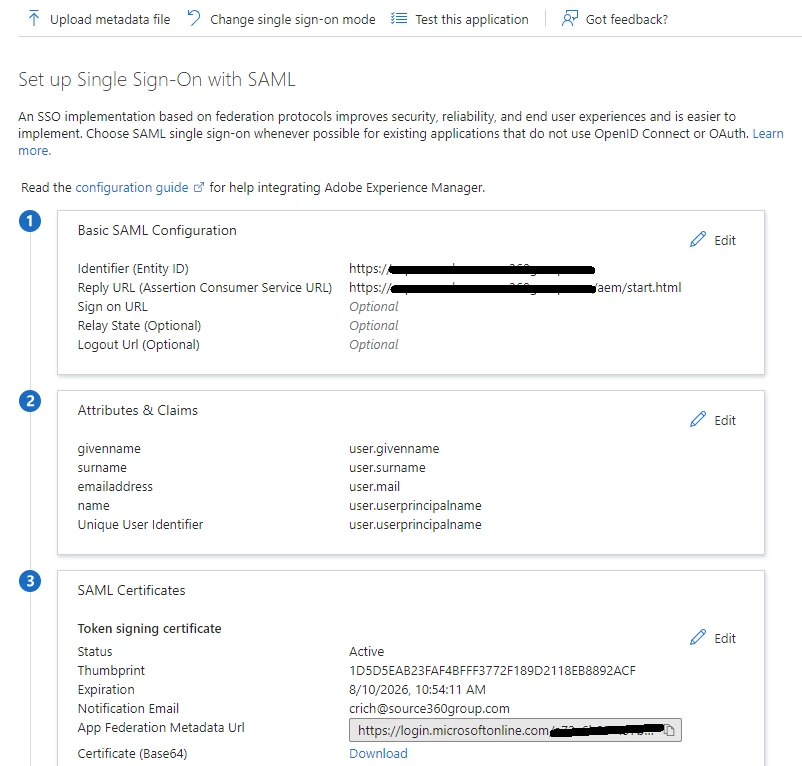
I've tried to configure Azure reply URL with /saml_login as in the instructions - fails at that URL

I've tried to configure Azure reply URL with /aem/start.html - gets into a loop of authenticating and redirecting.


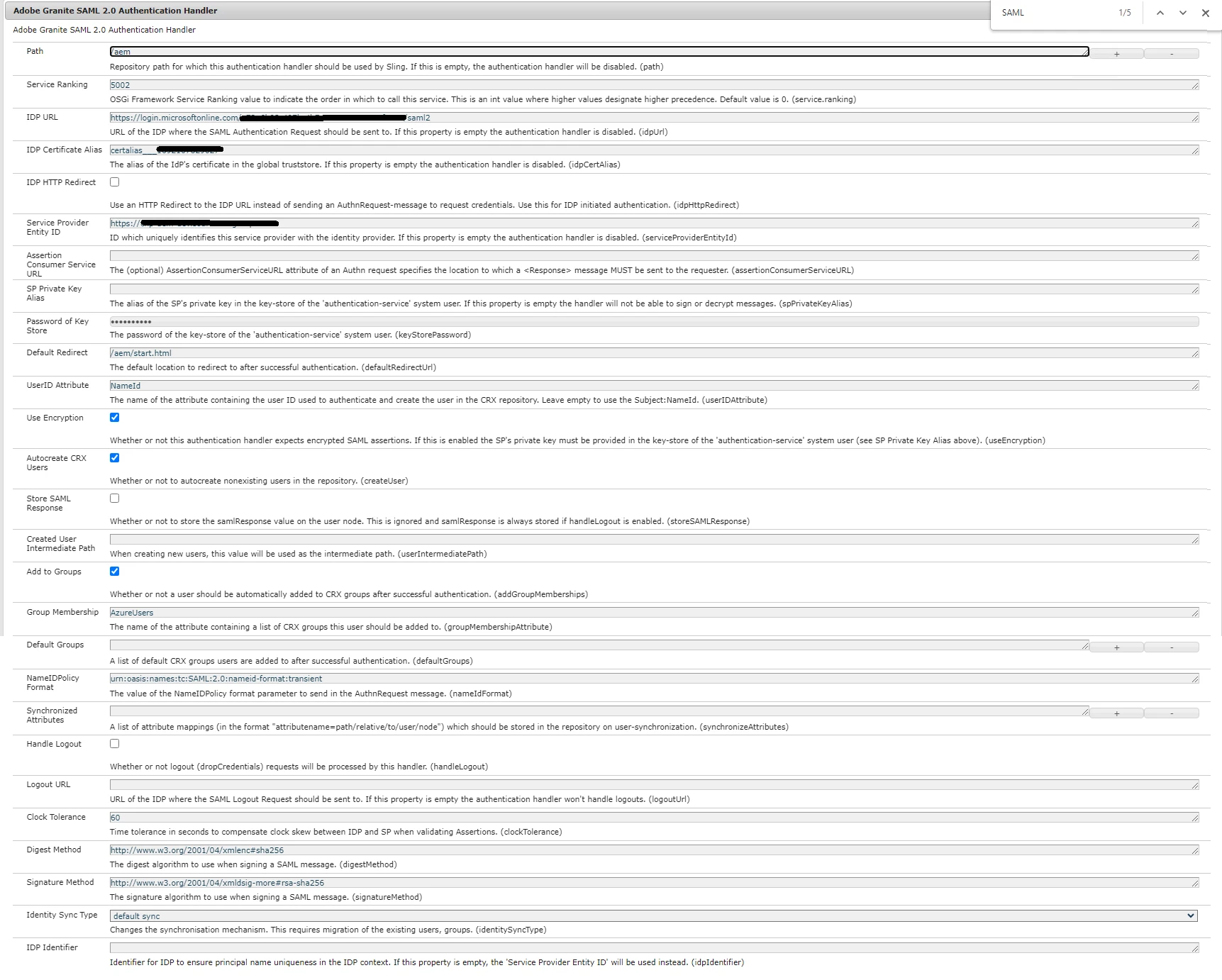
Here is my config on AEM
 

Here is the SSO Azure config:
 

Any help would be appreciated.

 

This post is no longer active and is closed to new replies. Need help? Start a new post to ask your question.

3 replies

crich2784
crich2784Author
August 16, 2023

Just configured logging and see this:


16.08.2023 13:11:06.034 *DEBUG* [qtp1267371568-68] com.adobe.granite.auth.saml.SamlAuthenticationHandler Private key of SP not provided: Cannot sign Authn request.

sherinregi-1
Community Advisor
Community Advisor
August 17, 2023

hi @crich2784 

You can keep the reply URL to https:urdomain/content/saml_login , the successful authentication at azure will send the control back to your AEM instance.

IF you can write a postprocessor class that extends implements AuthenticationInfoPostProcessor and implement the postprocessor method there you can capture the saml_login request and redirect the user to the desired page using response.sendredirect . You can also verify the SAMLResponse is valid if you have installed the SAML extension or deflate the SAMLResponse.


Regarding the specific error you got it looks something to do with the certificate installation to the local store. Please follow the below KB article that talks about similar issue 

https://experienceleague.adobe.com/docs/experience-cloud-kcs/kbarticles/KA-17476.html?lang=en


Hope it helps!


EstebanBustamante
Community Advisor and Adobe Champion
August 17, 2023

The issue is most likely with the password and/or the certificate (from the IdP) you are using, I got the infinite loop once and it resulted in a Trusted Store password issue, the log you are saying is related to this. Please verify both, the TrustStore password which is unique to your AEM instance, and the certificate generated from the IdP.

Esteban Bustamante
