RTE Issue with AEM Cloud | Community
Skip to main content
September 25, 2020
Solved

RTE Issue with AEM Cloud

  • September 25, 2020
  • 2 replies
  • 3202 views

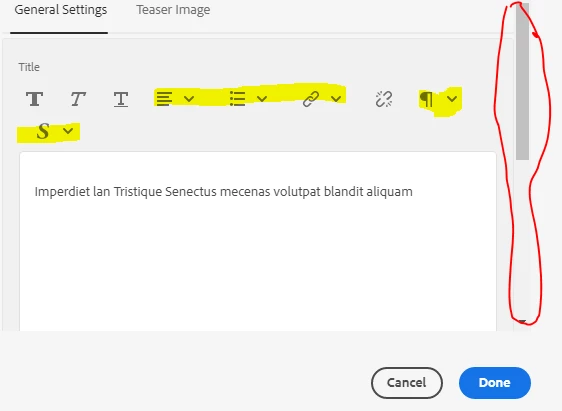
Team , I am facing weird issue while adding a rte component in dialog field.

Issue : If I click on the highlighted feature(i.e. which has dropdown box) it doesn't allow us to scroll down and getting the below error message on console.


`preventOverflow` modifier is required by `hide` modifier in order to work, be sure to include it before `hide`! coralui3.min.js


This post is no longer active and is closed to new replies. Need help? Start a new post to ask your question.
Best answer by ChitraMadan

Hi @sathyaprakasha2 ,


This has been fixed in 6.4.8

Please refer to NPR-27579

AEM 6.4 Service Pack Release Notes


Workaround, just in case you can't install SP at the moment:

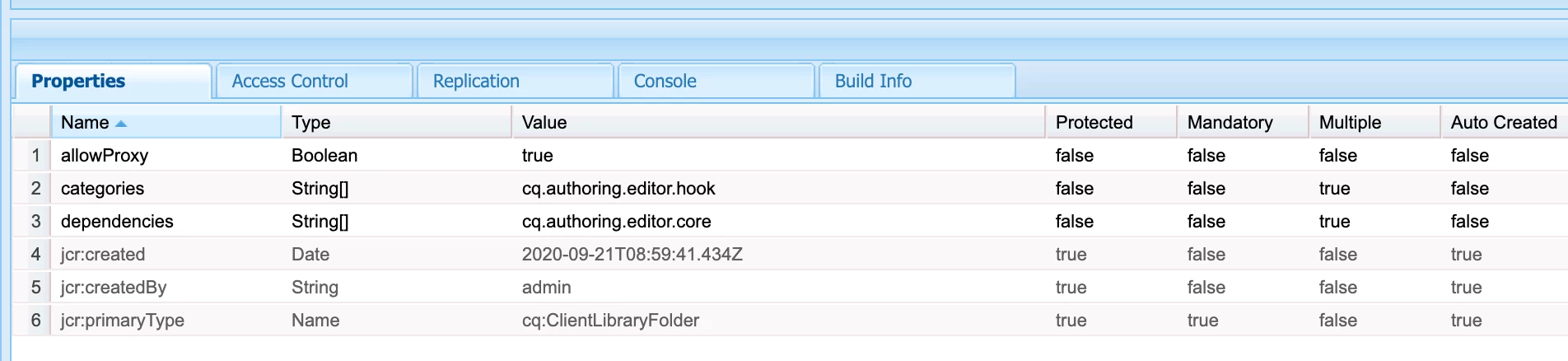
Create a clientlib


Create a css file with this code

.cq-Dialog:not([fullscreen]) .cq-RichText-editable {
height: 20rem !important;
}

2 replies

ChitraMadan
Community Advisor
ChitraMadanCommunity AdvisorAccepted solution
Community Advisor
September 25, 2020

Hi @sathyaprakasha2 ,


This has been fixed in 6.4.8

Please refer to NPR-27579

AEM 6.4 Service Pack Release Notes


Workaround, just in case you can't install SP at the moment:

Create a clientlib


Create a css file with this code

.cq-Dialog:not([fullscreen]) .cq-RichText-editable {
height: 20rem !important;
}

September 25, 2020
Hi, Still I am facing the issue.. the above css is loading....
arunpatidar
Community Advisor
Community Advisor
September 27, 2020

what version of SDK are you using? I am using  2020.6.3800.20200626T210738Z-200604

and did not see the issue.

Arun Patidar
AEMLearner-1989
September 28, 2020
Hi Arun , Thanks for your reply ..I am using 2020.7.3981.20200731T205128Z.... I thought the issue du to popper.js but when we inject the same component on fresh instance.. it not working... its working fine on aem 6.5 and 6.4