RTE Anchor tag in aem 6.5. | Community
Skip to main content
Level 2
May 18, 2021

RTE Anchor tag in aem 6.5.

  • May 18, 2021
  • 3 replies
  • 5196 views

Hi folks,

 I am Working in AEM 6.5 . My requirement is to add the Anchor tag in RTE. I have installed the latest configuration file(core.wcm.components.config-2.15.2.)

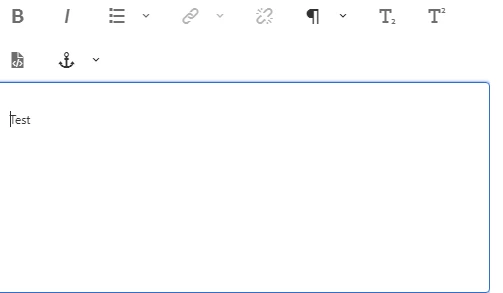
Anchor plugin is showing in the edit mode dialog.

Included the anchor toolbar under UI settings ->cui->inline->in toolbar  : links #anchor

But adding the anchor tag in the plugin, the tag is not getting created. Did I miss anything as a part of anchor Tag functionalities.
Help would be much appreciated. Thanks in advance.

This post is no longer active and is closed to new replies. Need help? Start a new post to ask your question.

3 replies

Vijayalakshmi_S
Level 10
May 18, 2021

Hi @bhavani_b,

  • Cross check if you have enabled "Link Formatting" in Policy/Design dialog of Text component. 
  • Select the complete text for which you need to associate the anchor and provide name -> You should be able to see the same in markup. (Cross check in WCMMode disabled)
  • Then hyperlink the desired text(say from other text component) to this created anchor as above using regular "link"/modify link option where the path will be "#textyouprovidedinprevioustep" 
Bhavani_BAuthor
Level 2
May 19, 2021
Hi Vijayalakshmi_S, I am using static template for the page. so couldn't able to give the permission for link formatting for the policies.
Community Advisor
May 18, 2021

Please refer to the following URL to get more details on enabling Anchor - https://youtu.be/EVXOqv6b3lU

Regards

Albin I

www.albinsblog.com

Bhavani_BAuthor
Level 2
May 19, 2021
hi Albin, I have followed the same steps in the video to meet my requirement. Still, facing the issue mentioned above
Vijayalakshmi_S
Level 10
May 20, 2021

Hi @bhavani_b,

Anchor feature is available as part of Link Plugin OOTB. (No need of any JS) The way the plugin is activated is through Policy for core Text components in Editable templates. 

Given that you are using static templates, you cannot make use of Core Text component/your custom project component cannot inherit from Core Text component. 


The way forward is to make your project text component inherit from /libs/wcm/foundation/components/text and override the cq:dialog and cq:editConfig with all desired plugins and uiSettings.


Please update this thread if you have issues enabling plugin this way. 

Bhavani_BAuthor
Level 2
May 24, 2021
 
 
Thanks for your Reply. This issue persist because of no Anchor tag (<a id="xxx"></a>)

is appended on click of anchor/Jump icon in the RTE. This issue is solved once the useFixedInlineToolbar Property is added in the dialog/component.

Appreciate your suggestions.