Rich text editor plugins not visible on touch UI dialog in AEM 6.3 | Community
Skip to main content
cqsapientu69896
Level 4
September 7, 2017
Solved

Rich text editor plugins not visible on touch UI dialog in AEM 6.3

  • September 7, 2017
  • 15 replies
  • 7226 views

All the rich text plugins that are present in the classic UI dialog are not getting rendered in the touch UI dialog in AEM 6.3 .

I have added the rtePlugins node under text node and activated all plugins similar to the classic UI dialog, but all the plugins which are in classic UI do not render in touch ui dialog
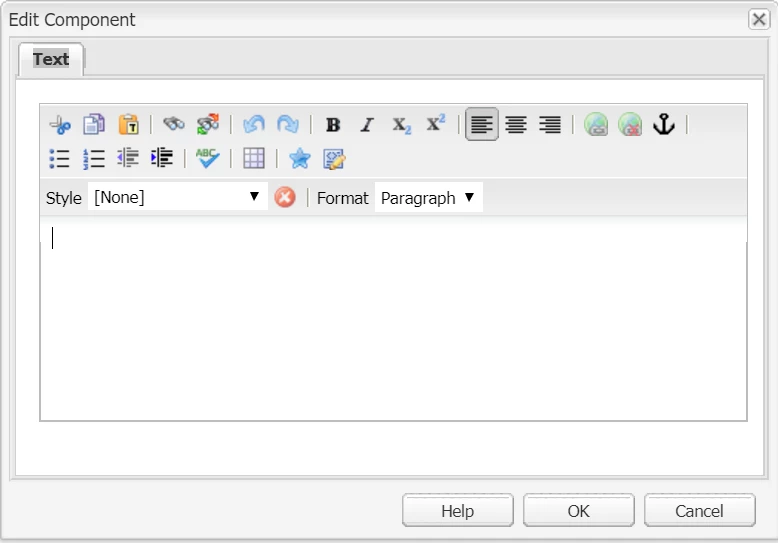
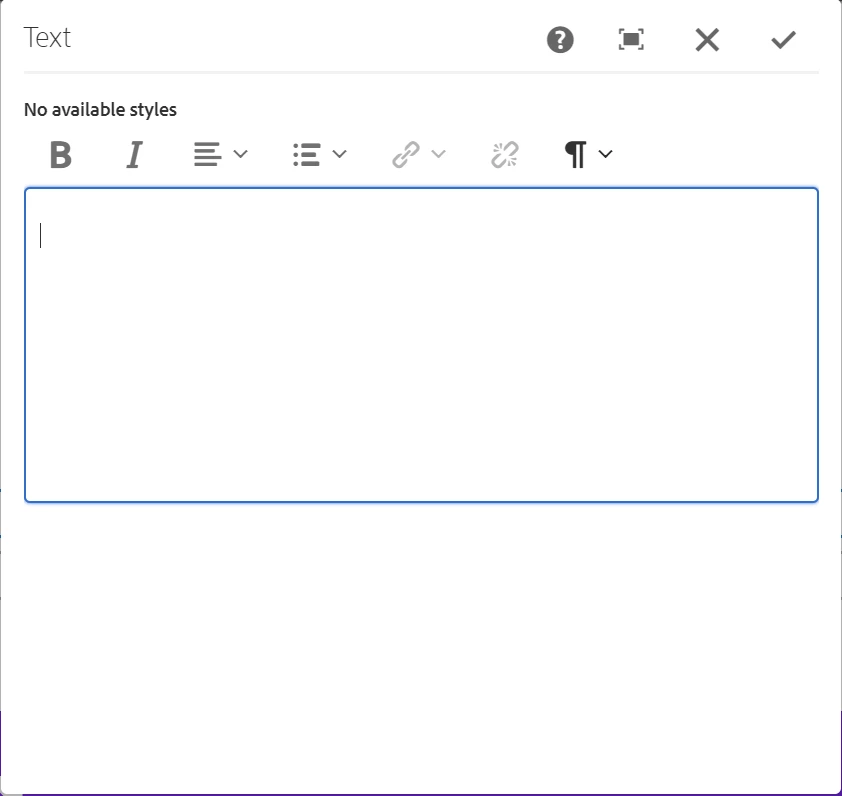
I followed this link - Configuring Experience Manager Rich Text Editor Plugins in a Touch UI Component Dialog ; but even using the package in this link; all the plugins are not visible on the touch ui dialog.

how can I enable all rich text plugins of classic UI in touch UI dialog? Has anyone been successful in doing it ?

Please let me know.
This post is no longer active and is closed to new replies. Need help? Start a new post to ask your question.
Best answer by Ratna_Kumar

Hi,

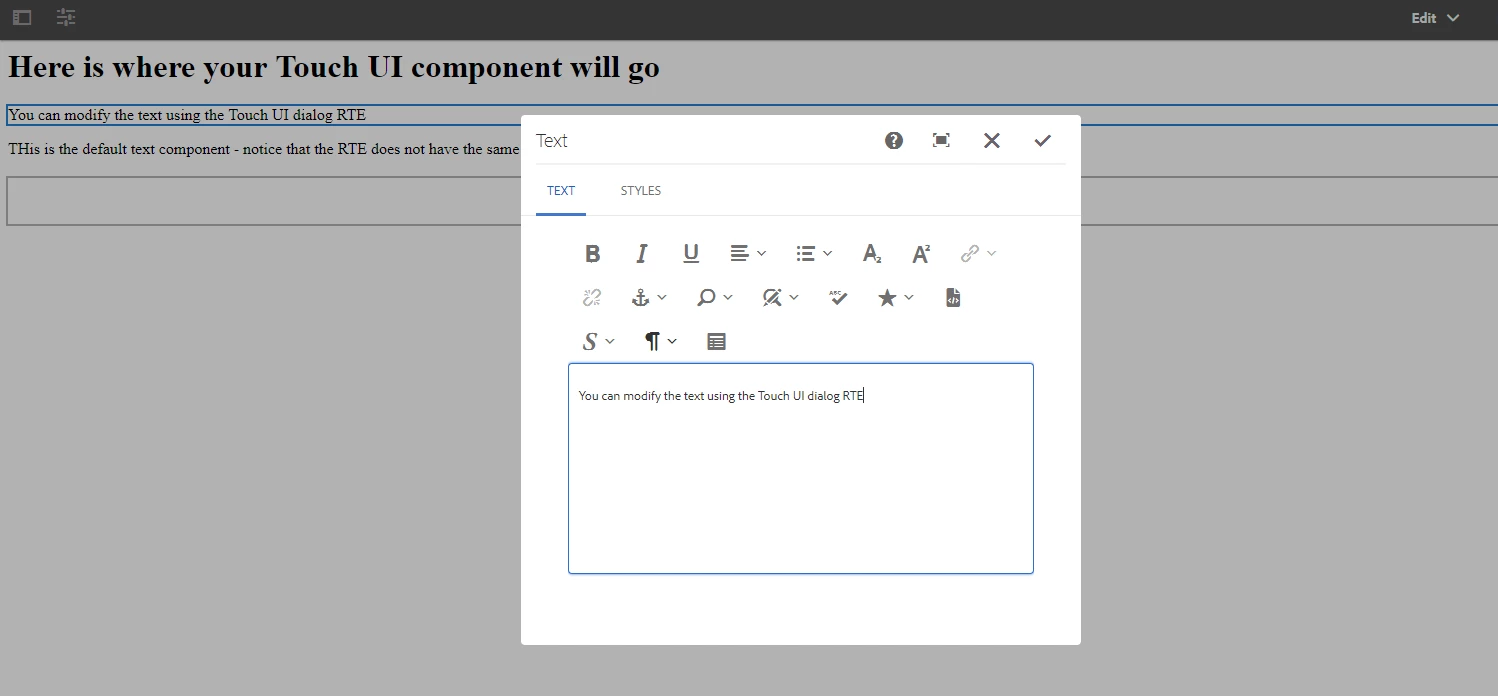
I re-tested just now with the HELPX article package. It works!! Please find the below screenshot.

smacdonald2008​ - Can you also please test in 6.3?

Also this thread also relates to same: https://forums.adobe.com/message/9812906#9812906

Thanks,

Ratna.

15 replies

Ratna_Kumar
Level 10
September 7, 2017

Hi,

Configuring RTE plugins in Touch UI dialog is not same in Classic UI and Touch UI.

Check this HELPX article for configuring RTE plugins in Touch UI dialog: https://helpx.adobe.com/experience-manager/using/touchUI_RTE_configure.html

I tested the package in this article and see all.the plugins available!!

Hope this Helps!

~Ratna.

Ratna_Kumar
Ratna_KumarAccepted solution
Level 10
September 7, 2017

Hi,

I re-tested just now with the HELPX article package. It works!! Please find the below screenshot.

smacdonald2008​ - Can you also please test in 6.3?

Also this thread also relates to same: https://forums.adobe.com/message/9812906#9812906

Thanks,

Ratna.

Ratna_Kumar
Level 10
September 7, 2017

Hi,

If still it is not working..I suggest you to deploy the HELPX Article package in new fresh instance and check the same.

Hope this helps!!

Thanks,

Ratna

smacdonald2008
Level 10
September 7, 2017

This works as stated on AEM 6.3.

smacdonald2008
Level 10
September 7, 2017

This is for the Touch UI - not classic UI.

cqsapientu69896
Level 4
September 13, 2017

Hi guys Ratna Kumar, smacdonald2008

Thanks for your response.

This is correct; the plugins are available in rich text editor on AEM 6.3. But the plugins do not show up until the touch ui dialog is clicked upon. Could you please let me know if this is a known issue with rich text editor's touch ui dialog ? Also, 'no available styles'

is displayed as no styles have been added. If the styles tab is deleted from the cq:dialog; 'no available styles'  is displayed above the text tab. Could you please let me know how can this message be removed completely? Would appreciate your response.

Thanks

Sean-McK
Level 4
December 20, 2017

I have a fresh install of 6.3 and installed TestTouchRTE and it doesn't show up. Has anyone gotten this to work?

smacdonald2008
Level 10
December 20, 2017

You click on it!

Sean-McK
Level 4
December 20, 2017

yes i did....when I open dialog box, I see nothing. I see space above the text box but nothing. If I click inside, it doesn't pop up. if I max the dialog box it pops up but a lot of space inbetween. I am also getting a javascript error:

Uncaught TypeError: Cannot read property 'addClass' of null

    at instanceGenerator.construct [as _construct] (richtext.js:40615)

    at instanceGenerator.Class.prototype.construct (richtext.js:292)

    at new instanceGenerator (richtext.js:303)

    at instanceGenerator.createToolbar (richtext.js:42484)

    at instanceGenerator.addBackgroundToolbar (richtext.js:4931)

    at switchToolbar (all.js:2463)

    at HTMLDivElement.<anonymous> (all.js:2441)

    at Function.each (jquery.js:370)

    at jQuery.fn.init.each (jquery.js:137)

    at HTMLElement.<anonymous> (all.js:2438)

Sean-McK
Level 4
December 20, 2017

I have uploaded a video of my issue:

RTE - YouTube