reposition site.js script call | Community
Skip to main content
This post is no longer active and is closed to new replies. Need help? Start a new post to ask your question.
Best answer by narendiran_ravi


  • Check the Inclusion Source:

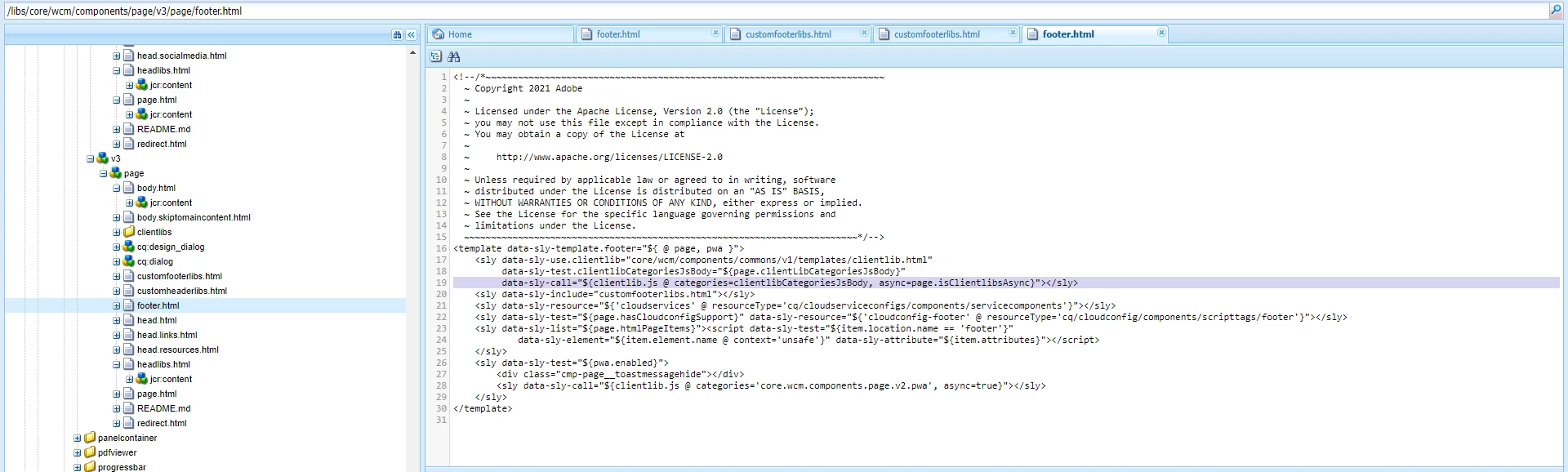
    • Identify where the site clientlibs are being included from. Typically, this is done in the template page policy and included by the core page component in footer.html.


  • Modify the Inclusion:

    • If the site clientlibs are loaded from the page policy, remove them from there.
    • Add the site clientlibs (both JS and CSS) in customheaderlibs.html and customfooterlibs.html after your dependencies, clientlibs are injected.
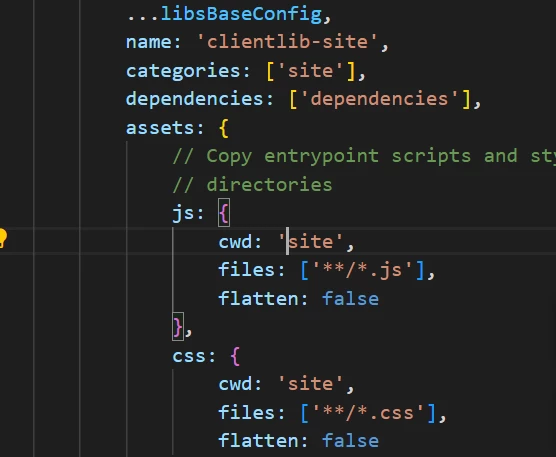
  • Additionally, you can add the required clientlibs as dependencies to the site clientlibs in the ui.frontend project config file -ui.frontend/clientlib.config.js. The aem-clientlib-generator uses this config file. 
  •  


3 replies

EstebanBustamante
Community Advisor and Adobe Champion
August 22, 2024

Hi,


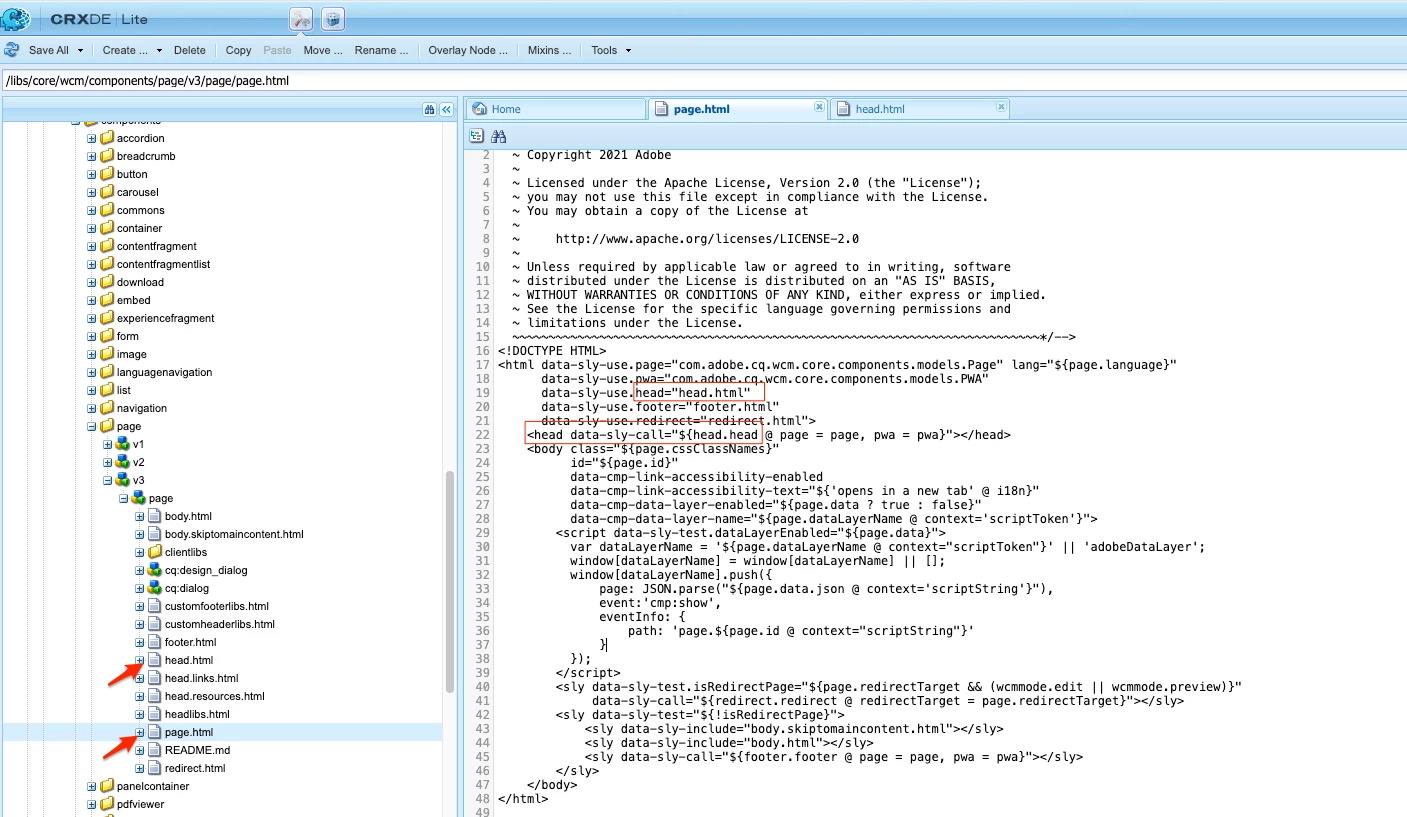
Are you asking if you could place the script in a different part of the document? If so, absolutely yes. You just need to identify which "page" component you are using. From there, you will see a series of "files" being included. For example:

1. My "page" component inherits from core/wcm/components/page/v3/page.

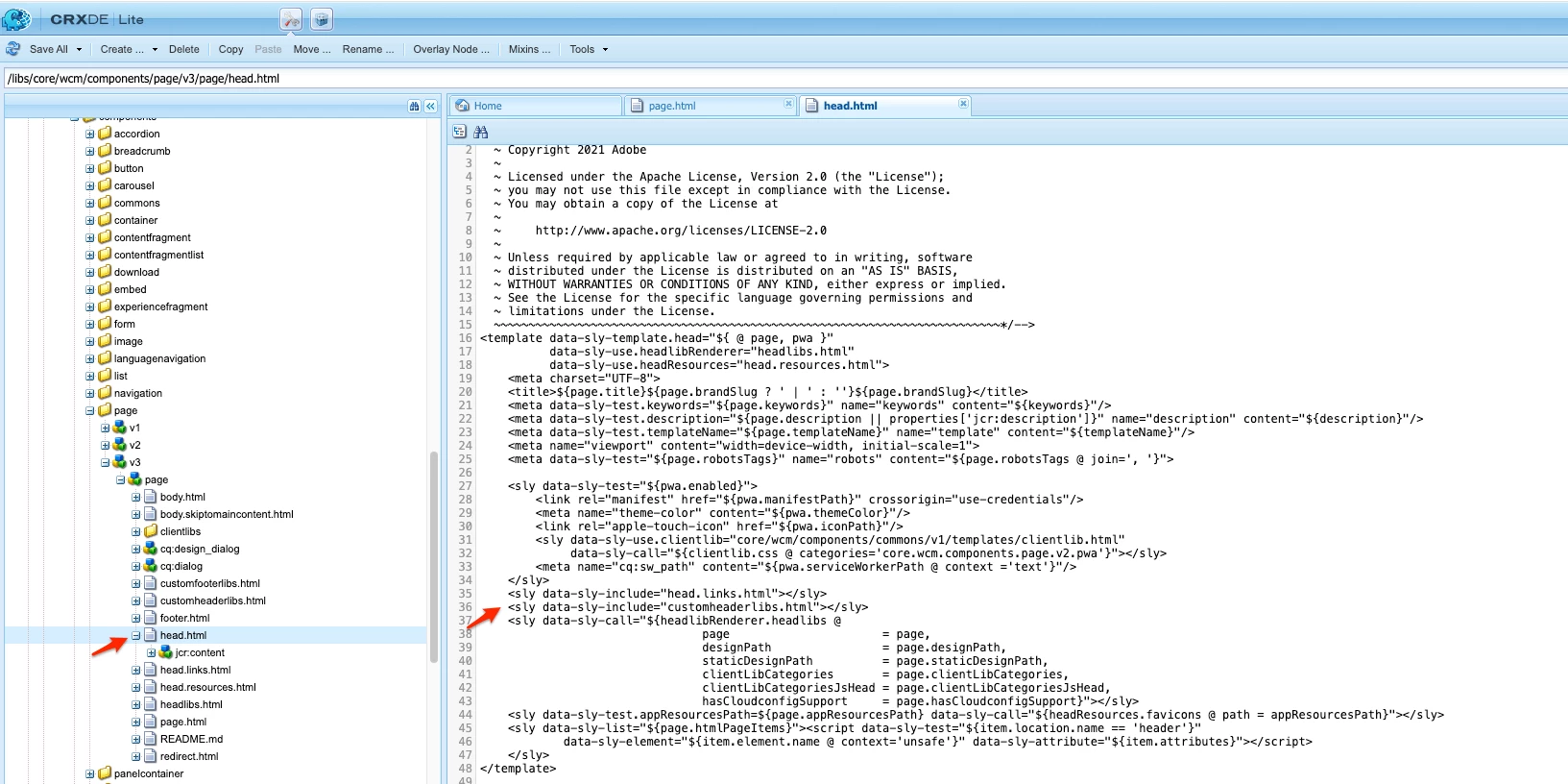
2. This component has the Page.html file, which includes head.html.


3. The head.html file includes customheaderlibs.html (which is most likely part of your page component).


If you need to place it elsewhere, you could, for example, overlay the head.html file and move your scripts where needed.


Hope this helps!

Esteban Bustamante
MukeshYadav_
Community Advisor
Community Advisor
August 22, 2024

Hi @devendrabhn ,

Try to keep clienlibs js in footer & ensureit is last in the order

Use defer and async attributes on site.js which may also some extent ensure delay
<meta data-sly-call="${clientLib.js @ categories='your.clientlib', loading='defer'}" data-sly-unwrap></meta>

Refernce:- https://github.com/nateyolles/aem-clientlib-async


Apart from that  setTimeout or setInterval is another way 

const intervalId = setInterval(() => {
console.log("This will be logged every 2 seconds");
}, 2000);

// To stop the interval
clearInterval(intervalId);


Thanks


narendiran_ravi
narendiran_raviAccepted solution
August 22, 2024


  • Check the Inclusion Source:

    • Identify where the site clientlibs are being included from. Typically, this is done in the template page policy and included by the core page component in footer.html.


  • Modify the Inclusion:

    • If the site clientlibs are loaded from the page policy, remove them from there.
    • Add the site clientlibs (both JS and CSS) in customheaderlibs.html and customfooterlibs.html after your dependencies, clientlibs are injected.
  • Additionally, you can add the required clientlibs as dependencies to the site clientlibs in the ui.frontend project config file -ui.frontend/clientlib.config.js. The aem-clientlib-generator uses this config file. 
  •  


August 23, 2024

Nice, I will try these