Removing /content/project from URL | Community
Skip to main content
Level 3
February 27, 2019
Solved

Removing /content/project from URL

  • February 27, 2019
  • 4 replies
  • 3542 views

Hy Guys,

I was trying to remove the "/content/project" from URL.

I've configured on the Apache Sling Resource Resolver Factory in the URL Mappings field.
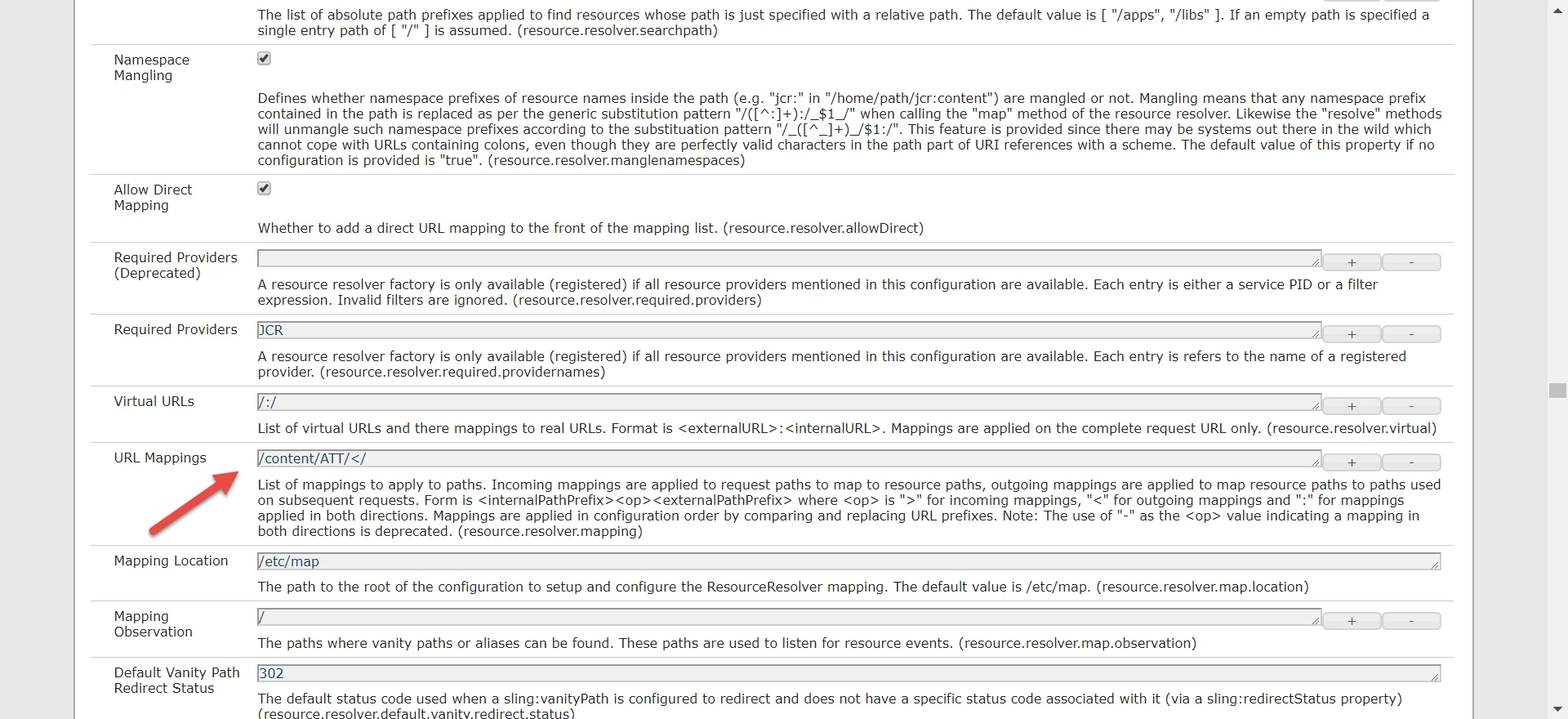
When I'm accessing the URL http://localhost:4502/content/ATT/en.html it was returning 200, but when I'm accessing the URL http://localhost:4502/en.html it was returning 404.

Does anyone have an opinion about that configuration?

Thanks

Alisson Xavier

This post is no longer active and is closed to new replies. Need help? Start a new post to ask your question.
Best answer by Prince_Shivhare

you can make use of sling:internalredirect as described in below article:

Resource Mapping

so suppose if my url is http://localhost:4502/content/foxtel/login.html

http://localhost:4502/content/project/login.html

then it will change it http://localhost:4502/login.html

check if that works for you.

~ Prince

4 replies

Prince_Shivhare
Community Advisor
Prince_ShivhareCommunity AdvisorAccepted solution
Community Advisor
February 27, 2019

you can make use of sling:internalredirect as described in below article:

Resource Mapping

so suppose if my url is http://localhost:4502/content/foxtel/login.html

http://localhost:4502/content/project/login.html

then it will change it http://localhost:4502/login.html

check if that works for you.

~ Prince

Level 3
February 27, 2019

Thanks Prince!!

It works.

Level 3
February 27, 2019

Another question.

Can I configure this on the dispatcher also?

Gaurav-Behl
Level 10
February 28, 2019

You can configure it "apache" via mod_rewrite  - mod_rewrite - Apache HTTP Server Version 2.4

E.g.    RedirectMatch ^/en.html$ /content/ATT/en.html [PT,L]