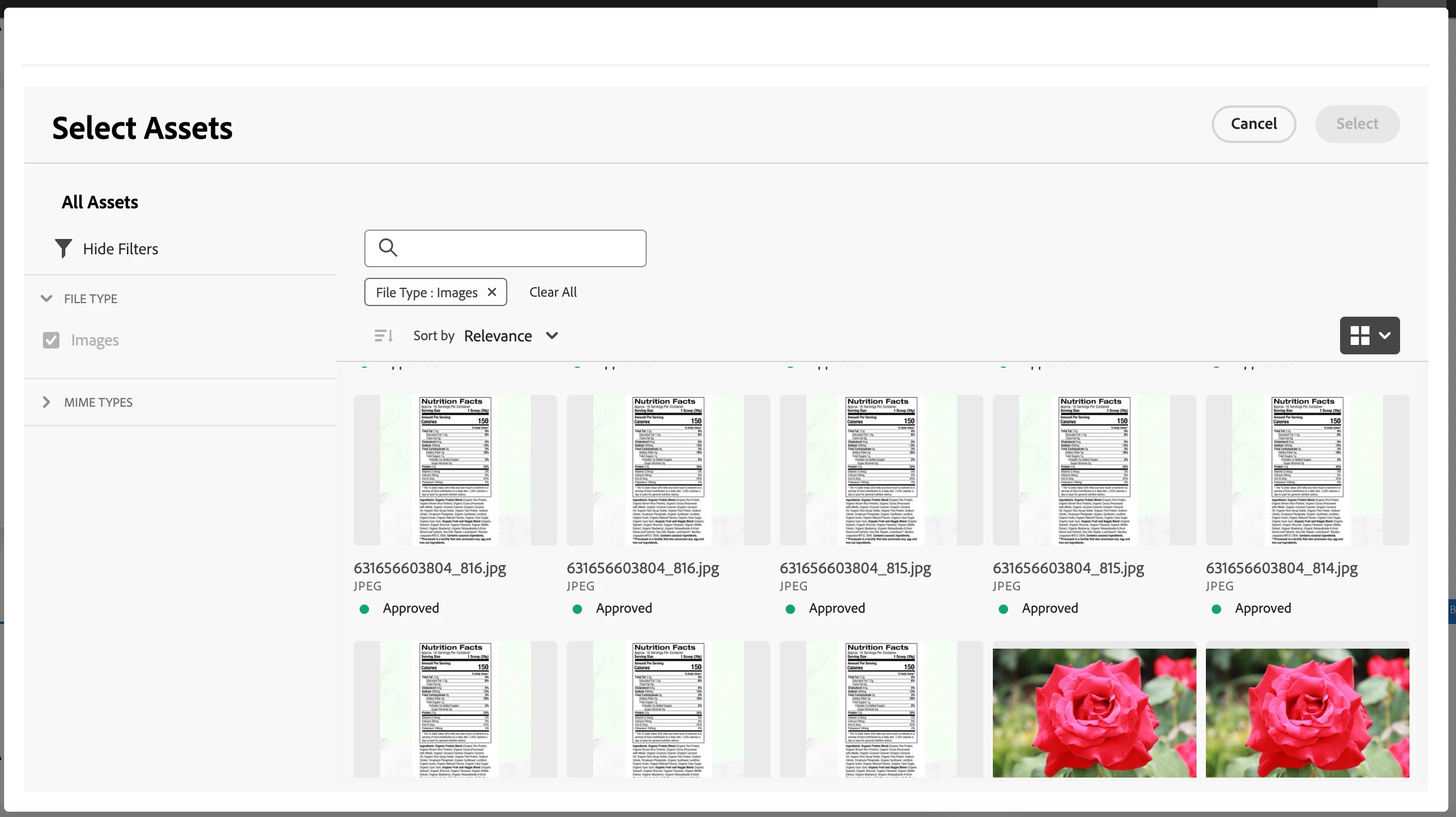
HI @ishaja ,
In Adobe Experience Manager (AEM), the Remote Asset Selector allows you to select assets from Adobe Experience Manager Assets directly within the AEM authoring interface. By default, it supports selecting images from Dynamic Media (formerly Scene7). However, you can configure it to support other file types such as PDFs by adjusting the configuration settings.
To enable other file types like PDFs in the Remote Asset Selector, you'll need to:
Configure Asset Metadata Schema: Ensure that your Asset Metadata Schema allows for the appropriate file types to be selected. You may need to update the schema to include fields for PDFs or other file types if they are not already present.
Update Component Dialog: If you're using a custom component or dialog that utilizes the Remote Asset Selector, make sure it allows for the selection of PDFs or other file types. Check the dialog definition to ensure it's configured to accept the desired file types.
Dynamic Media Configuration: If you're specifically using Dynamic Media, ensure that your Dynamic Media configuration allows for the retrieval and selection of PDFs. You may need to adjust settings in your Dynamic Media configuration to include PDFs.
Asset Search Configuration: Check the configuration for asset search to make sure it includes PDFs or other file types. This ensures that the Remote Asset Selector can search for and retrieve assets of those types.
Asset MIME Type Configuration: Verify that your AEM instance is configured to recognize and handle PDF MIME types properly. If necessary, adjust MIME type mappings in your AEM configuration to include PDFs.
Permissions: Ensure that the user or group permissions allow for the selection of PDFs or other file types. Check permissions on the assets themselves as well as any related components or dialogs.
Testing: After making any necessary configuration changes, thoroughly test the Remote Asset Selector to ensure that it allows for the selection of PDFs and other desired file types.
By following these steps and adjusting the appropriate configurations, you should be able to enable the selection of PDFs and other file types in the Remote Asset Selector in Adobe Experience Manager.