Refresh the page in Workflow | Community
Skip to main content
January 25, 2023

Refresh the page in Workflow

  • January 25, 2023
  • 2 replies
  • 1739 views

May be a basic question, but is it possible to trigger a page refresh either in a workflow process, or using any workflow step?


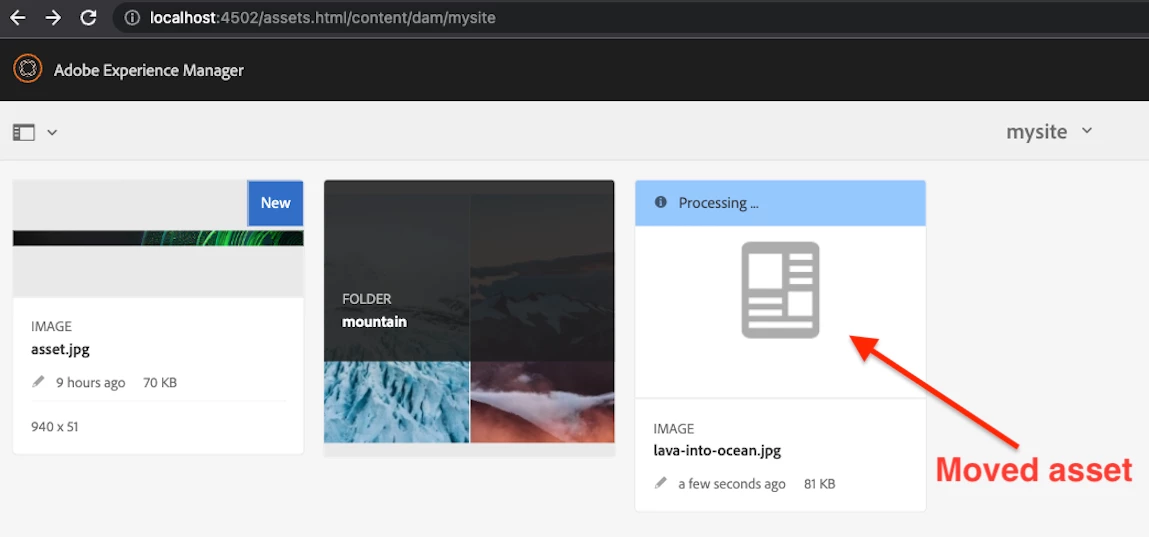
I have this custom workflow process that, when an asset is uploaded to the DAM, takes it and sorts it in another folder per its metadata. I want to trigger another page refresh once that workflow process is ran, so that the moved asset reflects to the correct folder. 


Thank you, 

This post is no longer active and is closed to new replies. Need help? Start a new post to ask your question.

2 replies

Varun_Shakya
Community Advisor
Community Advisor
January 25, 2023

Check all OOTB component if any component can help you run a script. OR

  •  What you can try is create your own component(This component will only do the reload of the page).
  • Put this component in "workflow" group, then You might see this component workflow console. 
  • Add this component in your workflow model. This should work I have not done that but you can give it a try and check
Mani_kumar_
Community Advisor
Community Advisor
January 25, 2023

I think refresh page is not proper solution to handle something like this

How many pages will you refresh and which user page will be refreshed?

Can you explain the what type of Metadata how frequently this will happen based on that we can think of solution

sean12341Author
January 25, 2023

Actually, I just want to refresh the current page I am on. So the page shown in the screenshot. If I manually refresh it, the .jpg image will be shown in the /mountain folder as it was moved by the workflow. But I don't want the manual refresh, I want the .jpg to be shown in the correct /mountain folder as soon as it is being uploaded, so an automatic refresh after the workflow has run is the best way I can think of.