@shiv_prakash_patel You are using wrong way of command please check
package=@/etc/packages/my_packages/sample.zip
It should be
package=@"/etc/packages/my_packages/sample.zip"
double quote after @
Passing you servlet which I have tested along with result.
@Override
	protected void doGet(SlingHttpServletRequest request, SlingHttpServletResponse response)
			throws ServletException, IOException {
		try {
			//Curl Command for Uploading the Package
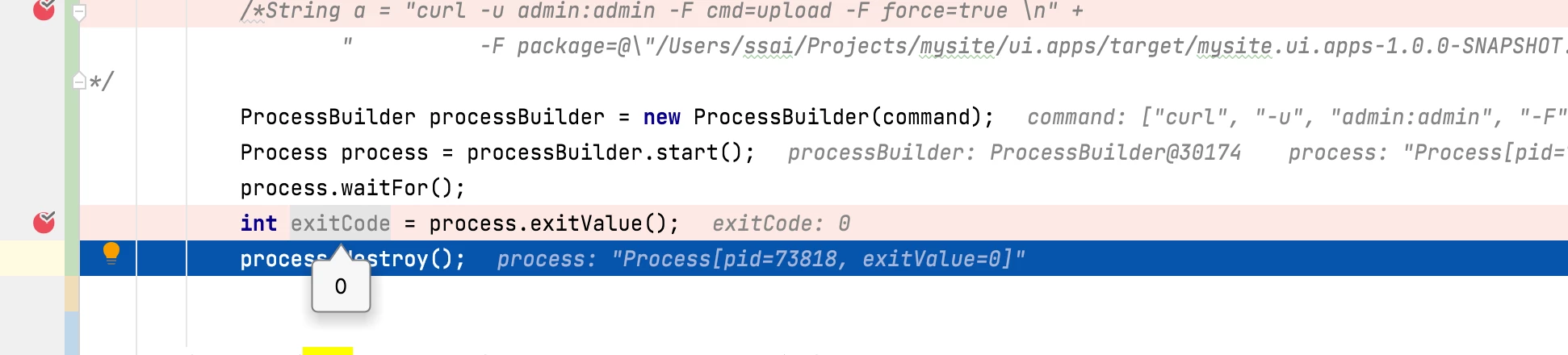
			String[] command = {"curl", "-u", "admin:admin", "-F", "cmd=upload", "-F", "force=true", "-F", "package=@\"/Users/ssai/Projects/mysite/ui.apps/target/mysite.ui.apps-1.0.0-SNAPSHOT.zip\"", "http://localhost:4502/crx/packmgr/service/.json"};

			ProcessBuilder processBuilder = new ProcessBuilder(command);
			Process process = processBuilder.start();
			process.waitFor();
			int exitCode = process.exitValue();
			process.destroy();

		} catch (JSONException | InterruptedException e) {
			e.printStackTrace();
		}
	}
Why don’t you use Java PackageManager API instead, it’s recommended- please check ready to use solution:https://www.albinsblog.com/2018/01/how-to-upload-and-install-packages-through-java-api-in-aem.html?m=1
Hi @santoshsai ,
Thank you so much for suggesting the code changes. I made the changes and it is working fine with Windows or Mac file paths.
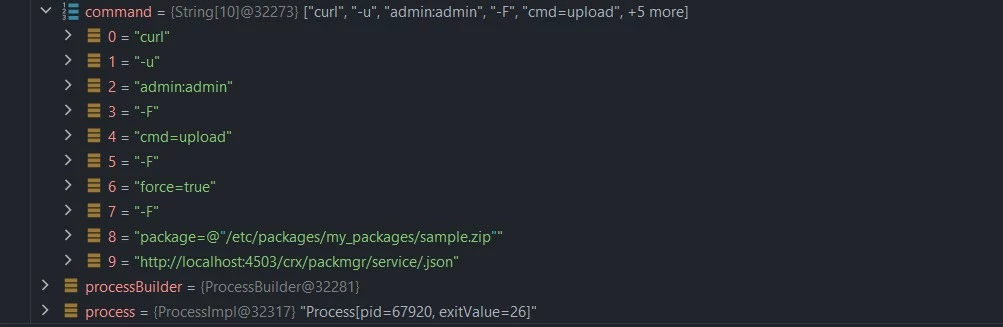
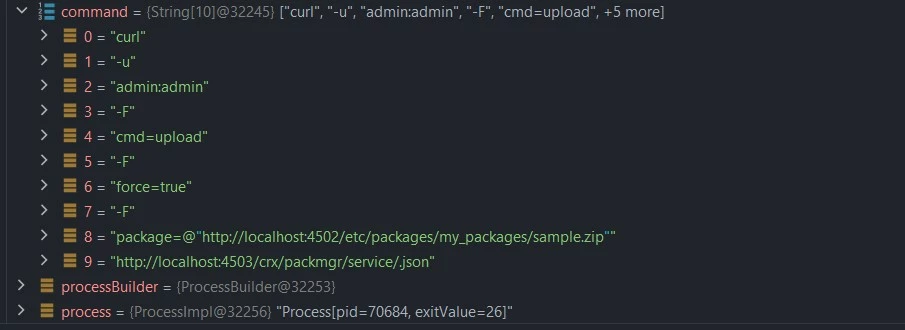
Even though I added a double quote after @, it is not working with AEM relative path or full path.
Please see the below screenshot.

I can use JcrPackageManager to upload the package, but for that I need a session of QA AEM instance in Dev.
//Getting JcrPackageManager with the help of session
JcrPackageManager jcrPackageManager = PackagingService.getPackageManager(session);

//Package upload with help of JcrPackageManager
JcrPackage inputPackage = jcrPackageManager.upload(new File(packagePath), false, true, "sample.zip");
Basically, I am trying to migrate a package from one AEM instance to another AEM instance in the approval workflow. I tried to get the session of AEM Publish into AEM Author but getting null Repository - https://experienceleague.adobe.com/docs/experience-manager-65/developing/platform/access-jcr.html?lang=en
It suggest us to use jackrabbit-standalone-2.4.0.jar, but it didn't work when I downloaded the jar and uploaded it in AEM Author. If I will use same jar and code with standalone java project It will work.
The recommended solution, which you are suggesting, uses the same instance session and also uploads the package to it.
Regards !