Problems with AEM 6.5.0 on promise projects. | Community
Skip to main content
Level 2
June 26, 2023
Solved

Problems with AEM 6.5.0 on promise projects.

  • June 26, 2023
  • 2 replies
  • 1857 views

Hello, recently i have been trying to solve some problems with my AEM instance i dont know what is causing the problem.


Me and my team received this file which i run with the comand java -jar, the crx-quickstart and the instance starts.
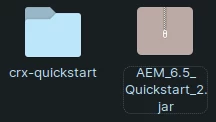
 

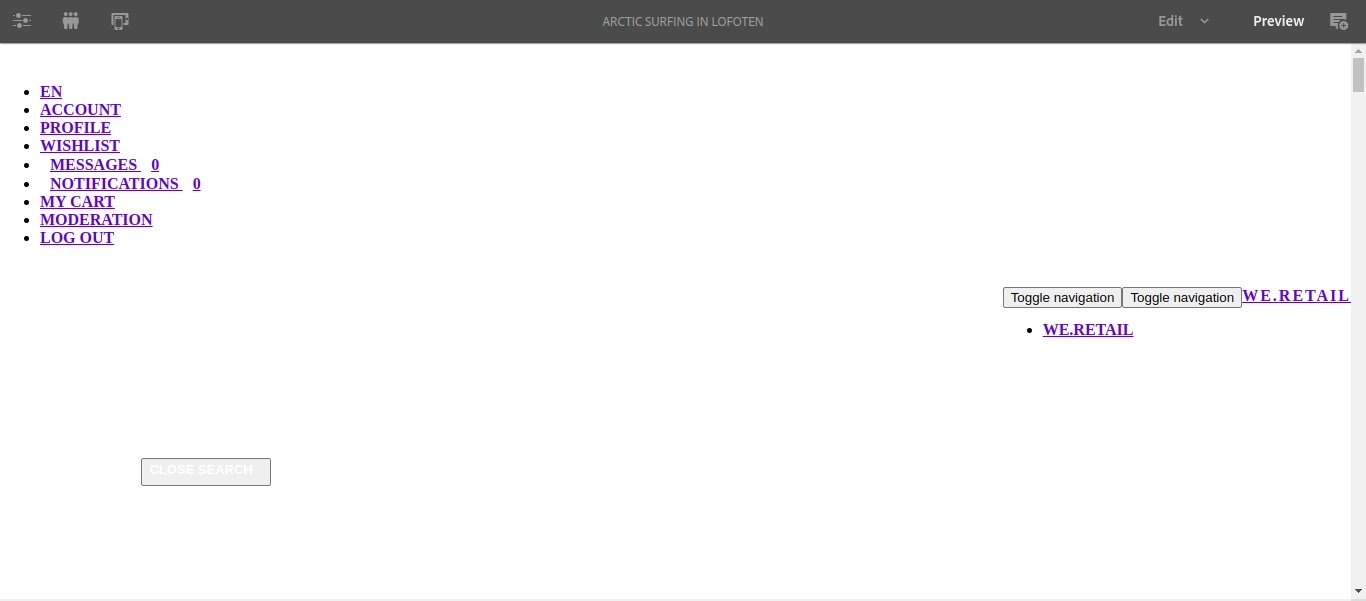
The problem is that i can properly edit the projects becase the page looks aas following 
 

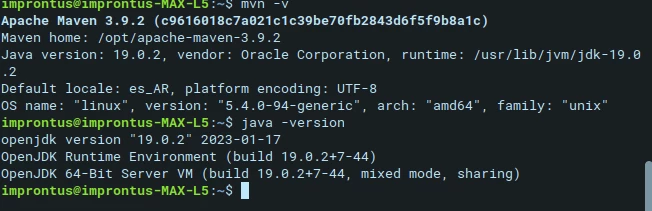
 I read that you need to install a certain version of java and apach maven to creato proejct so currently: 
 

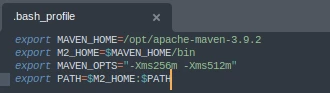
I have also set these variables but noting changed
 

Am i missing something? Maybe im missing some installation or the java version is incorrect.
 

This post is no longer active and is closed to new replies. Need help? Start a new post to ask your question.
Best answer by SantiagoAlba

Hola Santi!, 


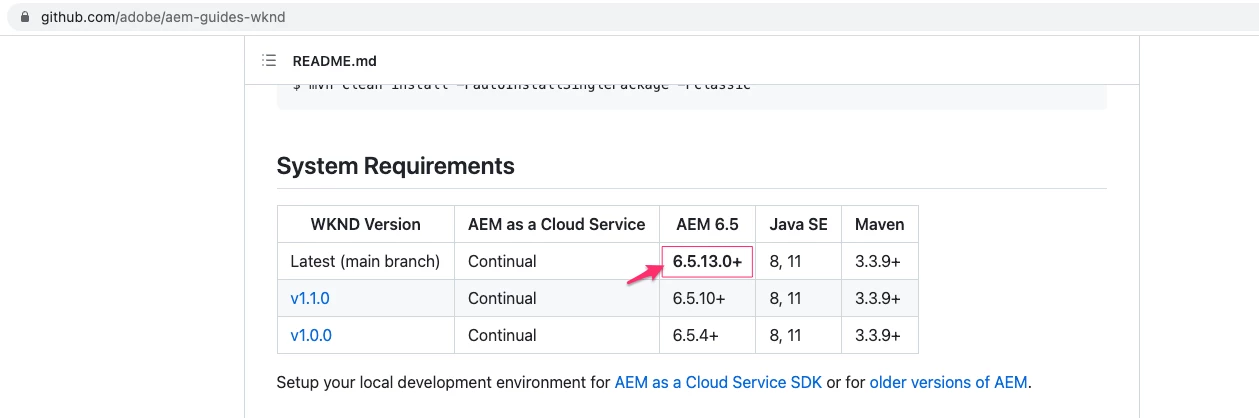
Yes, the maven archetype will only download the "project" (a website that runs on AEM) but the service pack contains core AEM functionality. You need to install at least[1] the SP13 to properly run the "wknd" project, you can find the available SP here: https://experience.adobe.com/#/downloads/content/software-distribution/en/aem.html,  just download the package and install it through the package manager.

[1].


Thanks everyone for the answers, i guess the only way to achive this is to first do the developer exam and become a full adobe partner.


Is there any useful guide that you guys know to take the AEM front end dev exam? 

I have been studying from solution partners training, the front end section.

But you might know other cool guides.


Anyway thanks everyone for the help 🙂

2 replies

Tanika02
Level 7
June 26, 2023

Hello @santiagoalba - 


Can you get the AEM logs to get more insights here? 


  • Navigate to the AEM Web Console by appending "/system/console" to the AEM instance URL. For example, if your AEM instance URL is "http://localhost:4502", the Web Console URL would be "http://localhost:4502/system/console".
  • On the Web Console page, you'll find a menu on the left-hand side. Click on "Logs" under the "Apache Sling" section.
  • The "Logs" page will display a list of log files available in AEM. You can select the log file "error.log".

and then you can share potential errors to understand this issue better.

EstebanBustamante
Community Advisor and Adobe Champion
June 26, 2023

Hi @santiagoalba , 

The usage of Java and Maven is to enable AEM to run properly and be able to run any project (website). The issue you are seeing is specific to the WeRetail project which is deprecated, instead, you can download the Wknd project which is the demo website Adobe has put together for starters and learning purposes.


You can download the Wknd project from here: https://github.com/adobe/aem-guides-wknd

In case you don't know how to install a package, you can refer to this documentation: https://experienceleague.adobe.com/docs/experience-manager-65/administering/contentmanagement/package-manager.html?lang=en#installing-packages or watch this video https://www.youtube.com/watch?v=Zq5YO2XlWdA  (its old but still works the same way)

Esteban Bustamante
Level 2
June 27, 2023

Hola esteban!


I uploaded and installed the package, this one:

the installation lasted about 10min and it showed no errors


In port 4502 i can see the WKND project but i cant edit or do aything, pages are blank.

In the OSGI bundle console i have a problem, but i dont know the cause


Am i missing something? whats the next step? the next step in the git shows

But thats not fot this kind of package installation right?


Thanks in advance.

Level 2
June 27, 2023

@santiagoalba ,


The AEM service pack is only available from Adobe Software distribution site. You may need to work with your Adobe representative to get access.

Based on the WKND project version you installed, you need Service Package 13 or higher.


Thanks for the quick answer.


What about installing a new project from scratch with the maven archetype command do i still need the service pack?


For example: 

mvn -B org.apache.maven.plugins:maven-archetype-plugin:3.2.1:generate \
-D archetypeGroupId=com.adobe.aem \
-D archetypeArtifactId=aem-project-archetype \
-D archetypeVersion=42 \
-D appTitle="My Demo" \
-D appId="mydemo" \
-D groupId="com.my.demo" \
-D aemVersion=6.5.0 \
-D singleCountry=n


Correct me if i am totally wrong since im new but i think i should be able to create a project like that, but probably im missing some requierements like the service pack you mention.


🙂