Problem with externallink on the granite/ui/components/coral/foundation/form/pathfield on Adobe 6.4 | Community
Skip to main content
Level 3
April 1, 2019
Solved

Problem with externallink on the granite/ui/components/coral/foundation/form/pathfield on Adobe 6.4

  • April 1, 2019
  • 10 replies
  • 6800 views

Hi Guys,

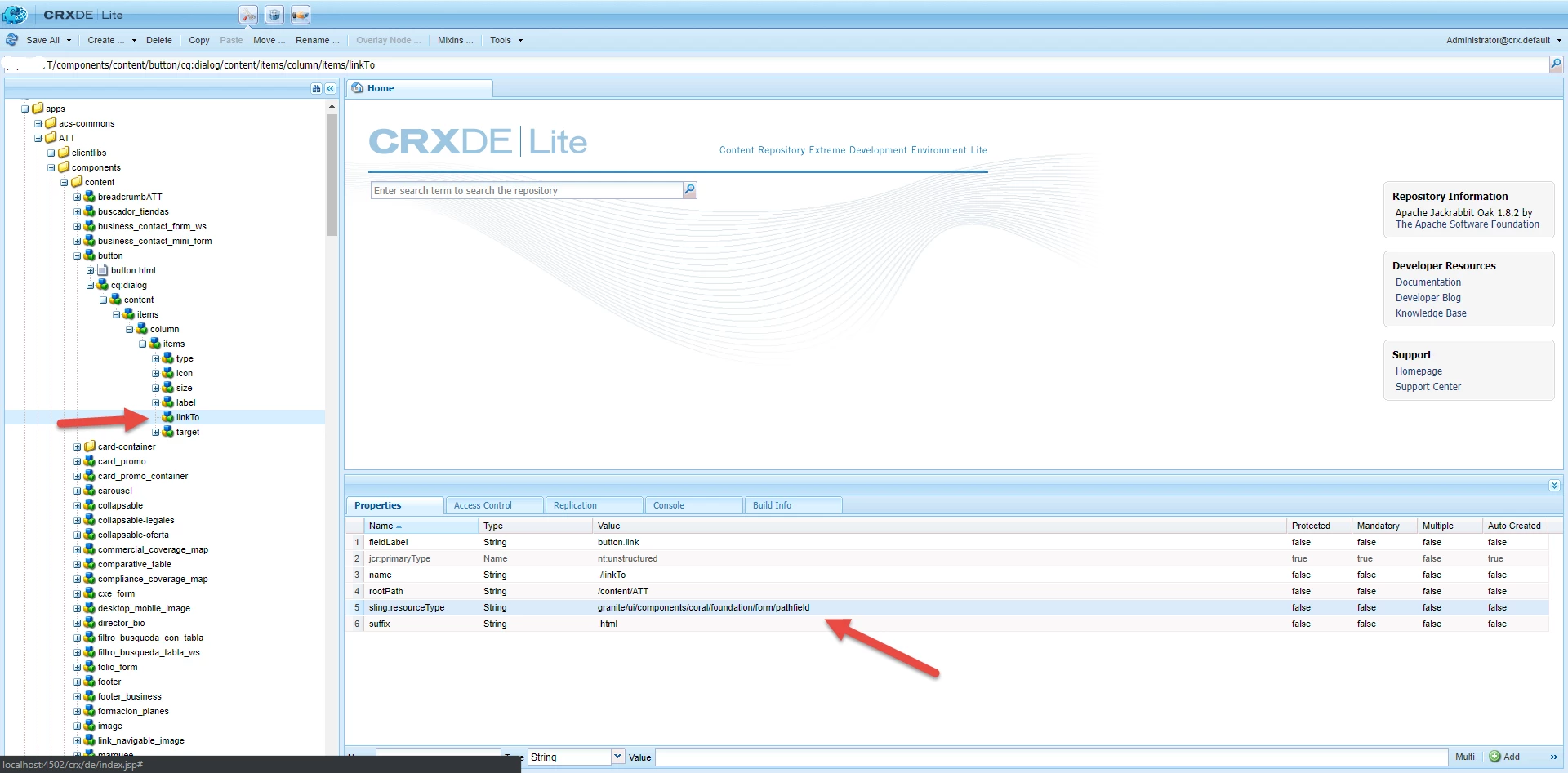
I'm using the granite/ui/components/coral/foundation/form/pathfield in cq:dialog.

see screenshot below.
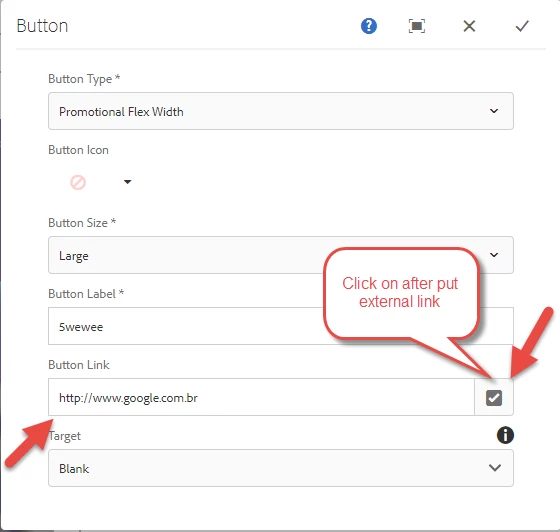
When I put the external link on the field and after that click on the icon the javascript problem happen.
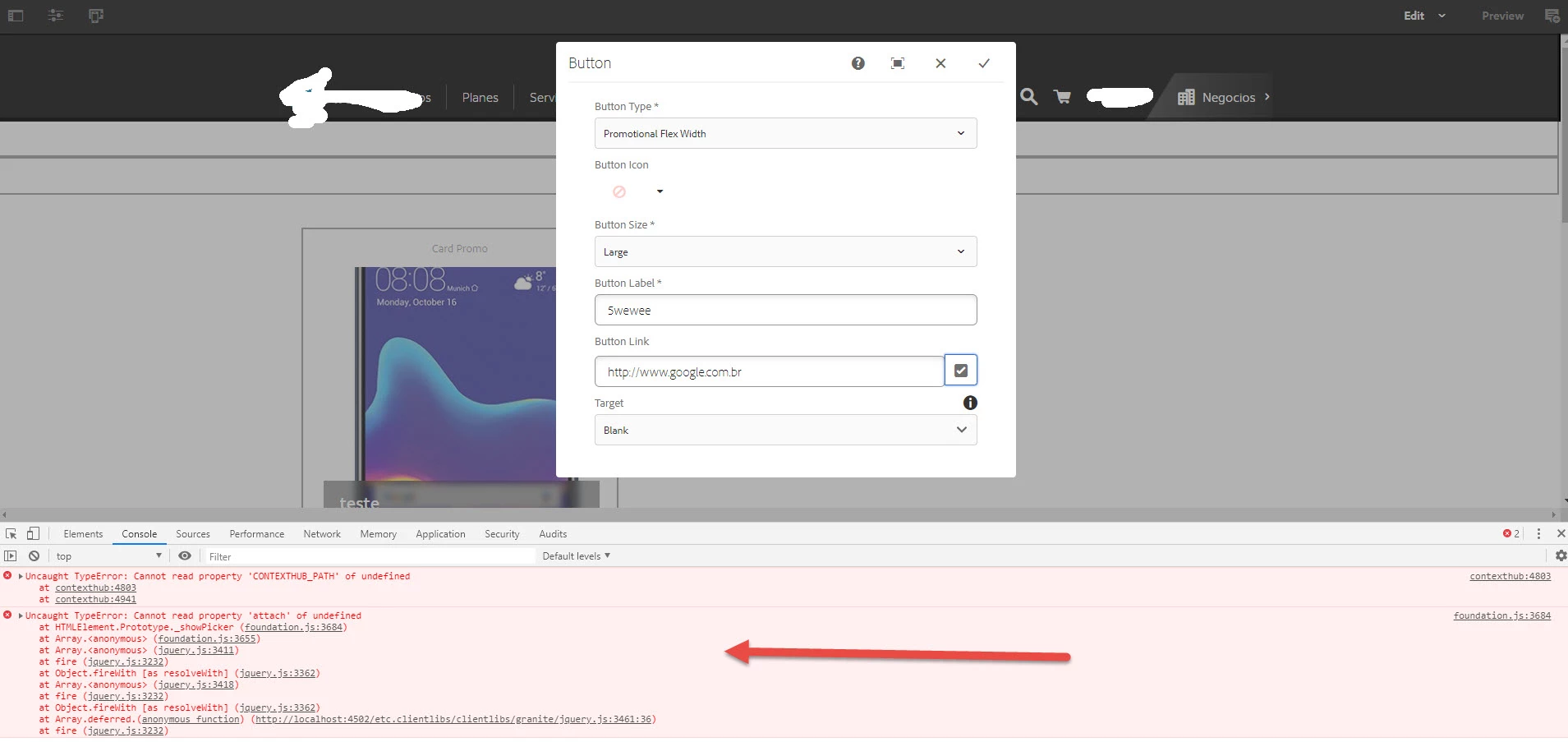
has anyone solutions for that?

Thanks

Alisson Xavier

This post is no longer active and is closed to new replies. Need help? Start a new post to ask your question.
Best answer by aemmarc2

1) Go to /system/console/configMgr

2) Apache Sling Java Script Handler

3) For Source VM & Target VM it needs to be auto. If it's set to some other value, eg 1.5, then you'll get these odd JS undefined errors on a path picker.

You may want to manually purge the client libs cache and sightly cache as well.

- Under \crx-quickstart\launchpad\felix grep for "Outputcache" -- delete the contents of this folder. -- client library cache

- Under \crx-quickstart\launchpad\felix grep for "Classes"  -- delete the contents of this folder. -- sightly cache

10 replies

smacdonald2008
Level 10
April 1, 2019

A Pathfield resource type is to open a path in the AEM JCR - when you click on a PathField - you will see something like:

Level 3
April 1, 2019

Which is the field that I can use to open AEM JCR and write the external link?

Could be pathbrowser?

Thanks

Alisson Xavier

smacdonald2008
Level 10
April 1, 2019

What exactly are you looknig to do - you want to write a URL that points to an extenal site to a node property?

Level 3
April 1, 2019

I want to write a url that point to an external site or to internal site (AEM).

smacdonald2008
Level 10
April 1, 2019

A PathField or PathBrowser lets you search the JCR - not write external URLS. Where do you want the URL to show up - in an AEM web page?

Level 3
April 1, 2019

Yes In an AEM web page,

When the user clicks on <a> redirect to URL AEM or to an external website.

Thanks

Alisson Xavier

aemmarc2Adobe EmployeeAccepted solution
Adobe Employee
April 2, 2019

1) Go to /system/console/configMgr

2) Apache Sling Java Script Handler

3) For Source VM & Target VM it needs to be auto. If it's set to some other value, eg 1.5, then you'll get these odd JS undefined errors on a path picker.

You may want to manually purge the client libs cache and sightly cache as well.

- Under \crx-quickstart\launchpad\felix grep for "Outputcache" -- delete the contents of this folder. -- client library cache

- Under \crx-quickstart\launchpad\felix grep for "Classes"  -- delete the contents of this folder. -- sightly cache

smacdonald2008
Level 10
April 2, 2019

IF you want a reference to another site in your web page - assuming in the page's text - you can simply link to an outside URL using the RTE.

Level 2
July 25, 2019

This answer worked for me to.. should this be done only on the author or both auth, pub?

Adobe Employee
July 25, 2019

This is only needed in author.