Problem when export experience fragment to Adobe Target | Community
Skip to main content
September 19, 2019
Solved

Problem when export experience fragment to Adobe Target

  • September 19, 2019
  • 14 replies
  • 19504 views

Hello Guys,

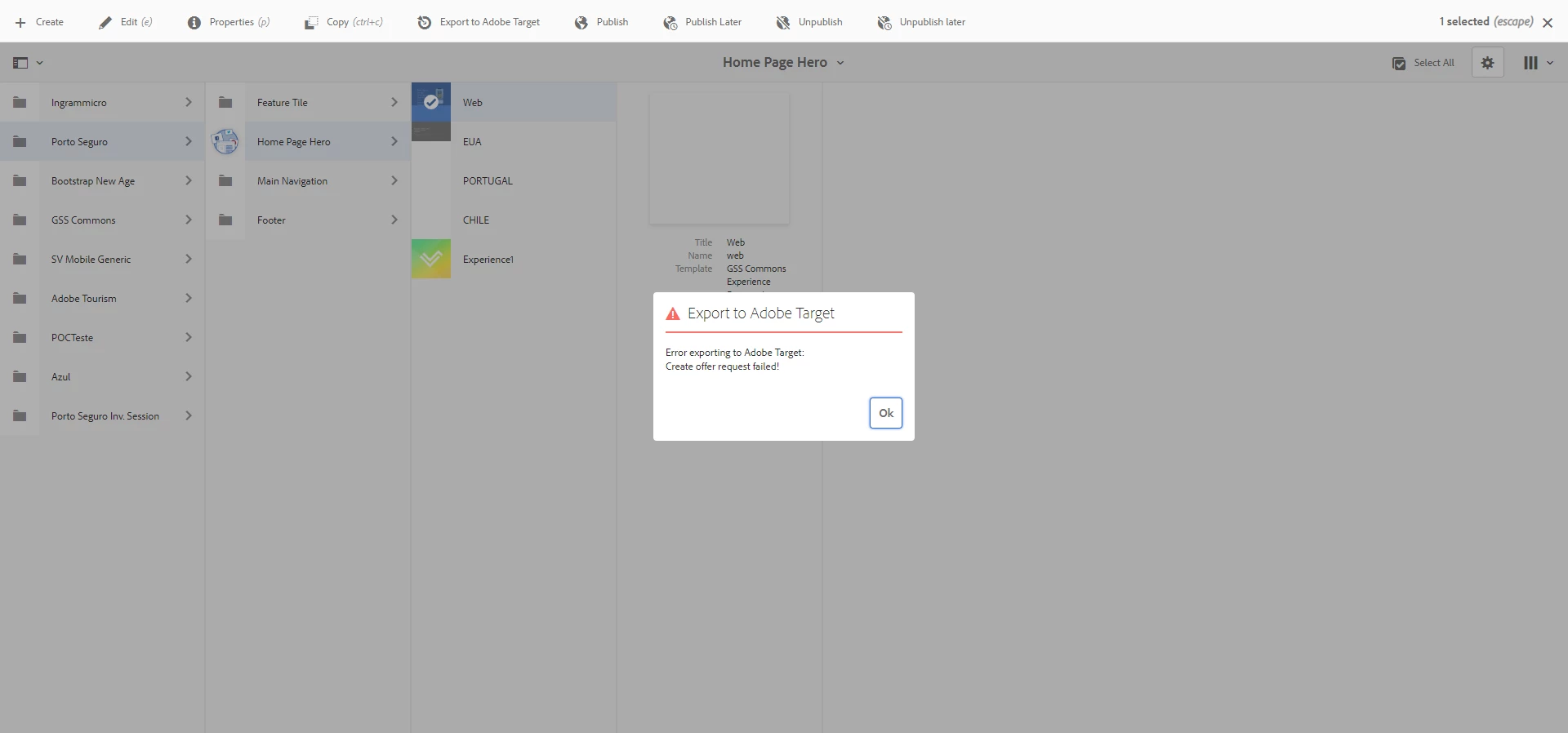
I am having a problem when I am trying to export experience fragment to Adobe Target.

Does anyone have a similar problem?

Thanks

Alisson Xavier

This post is no longer active and is closed to new replies. Need help? Start a new post to ask your question.
Best answer by leoberliant

Is it a Target via Adobe IO integration?

If yes, you need to get to Experience Cloud Admin Console Admin Console

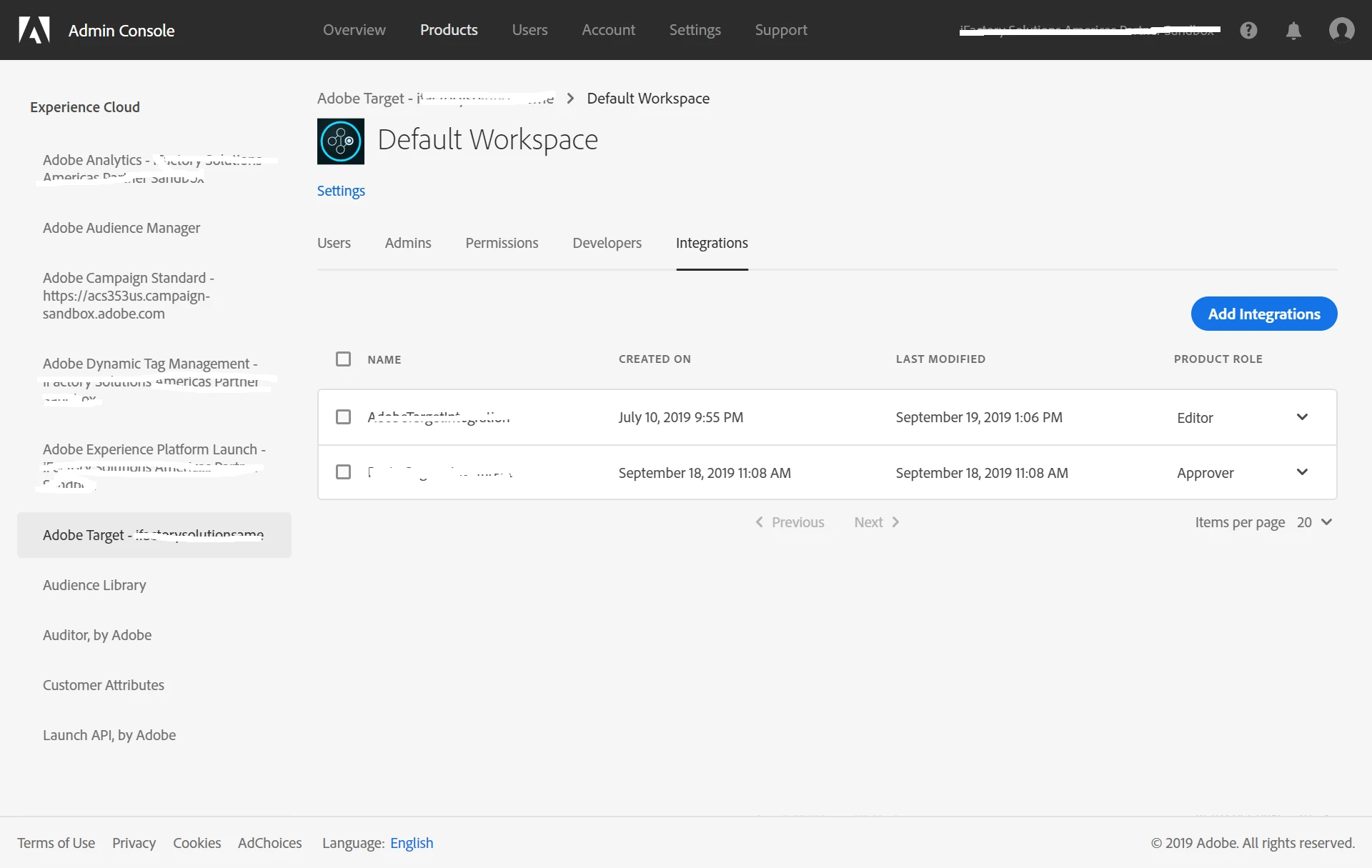
From Product select Workspace -> Integration and add your Adobe IO integration with Approver product role

14 replies

Adobe Employee
September 19, 2019

Check error.log file for any errors when you try to export. Also, open Developer options "network" tab to check the failing requests.

You can also set up a DEBUG logger on the following classes to get more info about the error:

com.day.cq.personalization

com.day.cq.analytics.testandtarget

September 19, 2019

Hi JaideepBrar​,

I see this error in error.log.

Caused by: com.day.cq.analytics.testandtarget.impl.service.WebServiceException: API request failed

at com.day.cq.analytics.testandtarget.impl.service.WebServiceImpl.request(WebServiceImpl.java:607) [com.adobe.cq.cq-target-integration:1.3.22]

at com.day.cq.analytics.testandtarget.impl.service.WebServiceImpl.request(WebServiceImpl.java:562) [com.adobe.cq.cq-target-integration:1.3.22]

at com.day.cq.analytics.testandtarget.impl.service.WebServiceImpl.createOffer(WebServiceImpl.java:264) [com.adobe.cq.cq-target-integration:1.3.22]

at com.day.cq.analytics.testandtarget.impl.RestApiAdapter.create(RestApiAdapter.java:108) [com.adobe.cq.cq-target-integration:1.3.22]

... 143 common frames omitted

Caused by: java.lang.Exception: Unexpected response status code [403] for request [https://mc.adobe.io/ifactsolamericasptrsd/target/offers/content].

{"httpStatus":403,"requestId":"boE280AKewYYRVHQIyHwuMbaZFbd9dZH","requestTime":"2019-09-19T15:38:45.817Z","errors":[{"errorCode":"Forbidden.Resource","message":"Access denied. To perform this operation, all of the following privileges are required \"[editor]\"."}]}

at com.day.cq.analytics.testandtarget.impl.service.WebServiceImpl.request(WebServiceImpl.java:604) [com.adobe.cq.cq-target-integration:1.3.22]

... 146 common frames omitted

Is there any configuration to create in target?

Do you have any ideia?

Thanks
Adobe Employee
September 19, 2019

"

Caused by: com.day.cq.analytics.testandtarget.impl.service.WebServiceException: API request failed

at com.day.cq.analytics.testandtarget.impl.service.WebServiceImpl.request(WebServiceImpl.jav a:607) [com.adobe.cq.cq-target-integration:1.3.22]

at com.day.cq.analytics.testandtarget.impl.service.WebServiceImpl.request(WebServiceImpl.jav a:562) [com.adobe.cq.cq-target-integration:1.3.22]

at com.day.cq.analytics.testandtarget.impl.service.WebServiceImpl.createOffer(WebServiceImpl .java:264) [com.adobe.cq.cq-target-integration:1.3.22]

at com.day.cq.analytics.testandtarget.impl.RestApiAdapter.create(RestApiAdapter.java:108) [com.adobe.cq.cq-target-integration:1.3.22]

... 143 common frames omitted

Caused by: java.lang.Exception: Unexpected response status code [403] for request [https://mc.adobe.io/ifactsolamericasptrsd/target/offers/content].

{"httpStatus":403,"requestId":"boE280AKewYYRVHQIyHwuMbaZFbd9dZH","requestTime":"2019-09-19 T15:38:45.817Z","errors":[{"errorCode":"Forbidden.Resource","message":"Access denied. To perform this operation, all of the following privileges are required \"[editor]\"."}]}

"

This looks like an access issue.

August 6, 2021

Hi jbrar, I have configured IO and enabled integration through IMS in my local AEM 6.5.4 environment. I have changed my role to "Editor" as suggested by the error.log.

I am not using experience fragments export option yet, and using tutorial activities, audiences and offers creation.

When I reach the final step of  saving the created activity configuration, I keep getting this issue that I need to have the "Editor" role assigned.

Should I reconfigure the whole Target integration from scracth (IMS Config/ Target Config) when the role gets changed?

September 19, 2019

Hi,

Where can I configure access to integration?

Thanks

leoberliantAdobe EmployeeAccepted solution
Adobe Employee
September 19, 2019

Is it a Target via Adobe IO integration?

If yes, you need to get to Experience Cloud Admin Console Admin Console

From Product select Workspace -> Integration and add your Adobe IO integration with Approver product role

Adobe Employee
November 2, 2022

*Update*

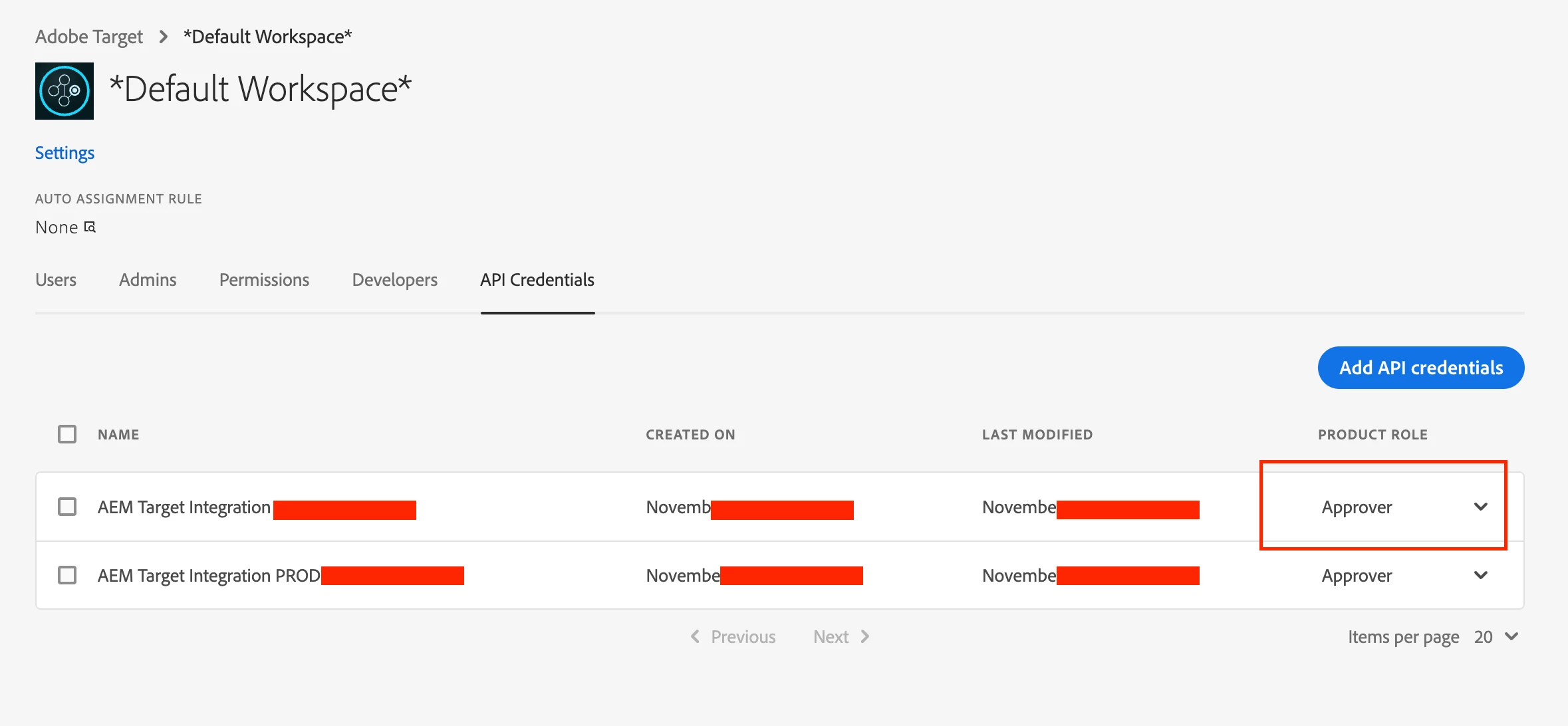
The integrations tab now seem to appear as API credentials tab. Set the product role as Approver in this tab and you should be good to go.


Adobe Employee
September 19, 2019

Adding to Leo's comment, If you are not using IO, you can follow the steps below:

Manually Configuring the Integration with Adobe Target

September 19, 2019

My integration is using observer permission. I have changed to approver and it is working now.

Thanks, guys

September 20, 2019

Hi All,

I have set my integration permission to Approver and also tried with Editor but it is still failing for me. I get the same error as previously mentioned. Is there something required from Adobe to enable?

anurag-wyndham
September 25, 2019

Hi,

I'm also experiencing the same issue - could you please post a screenshot of the adminconsole

September 25, 2019

Hi,

Follow my screenshot of the adminconsole.