Problem in page creation | Community
Skip to main content
Level 2
July 24, 2021
Solved

Problem in page creation

  • July 24, 2021
  • 4 replies
  • 2166 views

Hi All,


I am unable to create a page in AEM

version 6.4

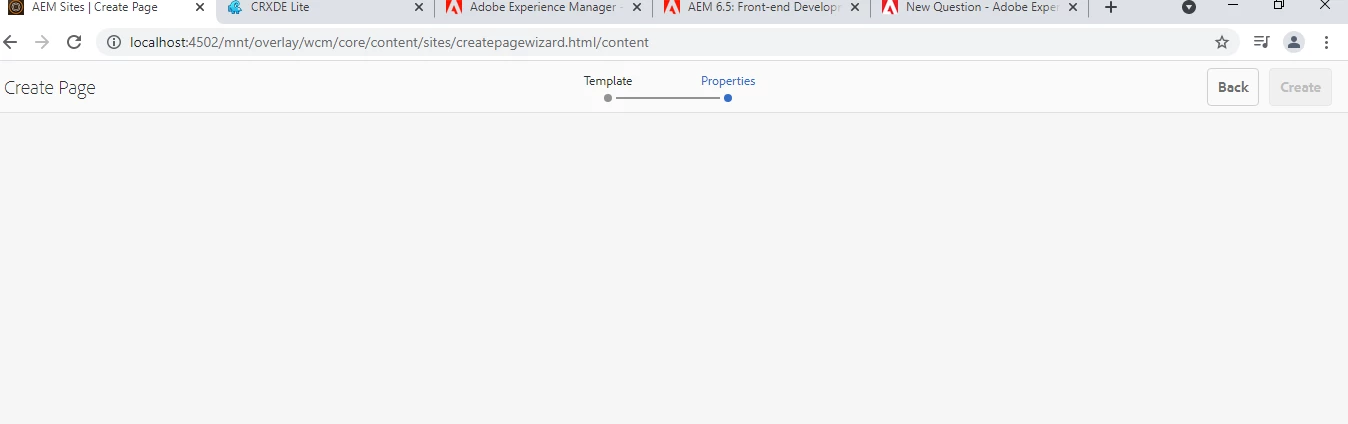
On clicking create a page it is coming blank 


Any pointers wil help.


error screenshot 


This post is no longer active and is closed to new replies. Need help? Start a new post to ask your question.
Best answer by MarkusBullaAdobe

Hi @akank_23!

As @kiran_vedantam already pointed out, please check your cq:allowedTemplates [1] (for editable templates), allowedPaths, allowedParents and/or allowedChildren [2] (for static templates) settings. Are you using static or editable templates?


But looking at your screenshot, you are already beyond the step of template selection. Is this assumption correct?

If so: does this behavior occur for all your templates or just for specific ones?


Also: have you checked the error log file if there are any entries that may give insights on the root cause? Are there any exceptions while trying to create a page?


The observed behavior may be caused by some issue with the page properties definition of the selected template. AEM is not able to load/display the page properties and thus the page can't be created.

Another approach to analyze this would be to remove any customizations from the page properties definition of the template in question (make a backup before doing so) and replace them with the default ones. If this works, start adding your customizations one by one and verify proper functionality after each change. This way you can identify the problematic entry of your page properties definition.


Hope that helps!


[1] https://experienceleague.adobe.com/docs/experience-manager-65/developing/platform/templates/page-templates-editable.html?lang=en#enabling-and-allowing-a-template-for-use

[2] https://experienceleague.adobe.com/docs/experience-manager-65/developing/platform/templates/page-templates-static.html?lang=en#properties-and-child-nodes-of-a-template

4 replies

Kiran_Vedantam
Community Advisor
Community Advisor
July 25, 2021

Hi @akank_23,


Please add the templates allowed under the page using "allowedTemplates" property under the advance tab for the parent node.


Reference link: https://blog.3sharecorp.com/creating-editable-templates-adobe-experience-manager


Hope this helps.


Thanks,

Kiran Vedantam.

MarkusBullaAdobe
Adobe Employee
MarkusBullaAdobeAdobe EmployeeAccepted solution
Adobe Employee
July 26, 2021

Hi @akank_23!

As @kiran_vedantam already pointed out, please check your cq:allowedTemplates [1] (for editable templates), allowedPaths, allowedParents and/or allowedChildren [2] (for static templates) settings. Are you using static or editable templates?


But looking at your screenshot, you are already beyond the step of template selection. Is this assumption correct?

If so: does this behavior occur for all your templates or just for specific ones?


Also: have you checked the error log file if there are any entries that may give insights on the root cause? Are there any exceptions while trying to create a page?


The observed behavior may be caused by some issue with the page properties definition of the selected template. AEM is not able to load/display the page properties and thus the page can't be created.

Another approach to analyze this would be to remove any customizations from the page properties definition of the template in question (make a backup before doing so) and replace them with the default ones. If this works, start adding your customizations one by one and verify proper functionality after each change. This way you can identify the problematic entry of your page properties definition.


Hope that helps!


[1] https://experienceleague.adobe.com/docs/experience-manager-65/developing/platform/templates/page-templates-editable.html?lang=en#enabling-and-allowing-a-template-for-use

[2] https://experienceleague.adobe.com/docs/experience-manager-65/developing/platform/templates/page-templates-static.html?lang=en#properties-and-child-nodes-of-a-template

Shubham_borole
Community Advisor
Community Advisor
July 26, 2021

Hello @akank_23 

Please check/compare your page template's page properties dialog xml (touchui) with a working one. Some structure mismatch might not be rendering the properties option. Please check for any console errors or warnings during build too..


Otherwise please also check if the desired tab/properties have a "cq:showOnCreate" set to false and that is hindering the view of properties.

Level 2
July 28, 2021

Hi @akank_23 


I have faced the same issue a while ago. In my case, there was a servlet registered on the same resourceType (on page component), the mistake I made was mentioning absolute path(/apps/proj/components/page/...) in the servlet code. Changing it to relative path(proj/components/page/..) had resolved the issue.