Solved
Preselect Style System
Is there a way for me to pre-select style system from my aem components via editable templates? I am not able to do this.
Is there a way for me to pre-select style system from my aem components via editable templates? I am not able to do this.
Hi @supportmember,
I am afraid this is not possible to be achieved using editable templates. What you can configure there, is only set of default classes for given component that will be added in case no other style is selected.
However you can utilize other AEM OOTB mechanism. This can be done using cq:template for component. In this approach you can define which style(s) will be applied automatically. On content level styles selected form style system are stored as part of cq:styleIds property. Below is an example for we retail Text component.

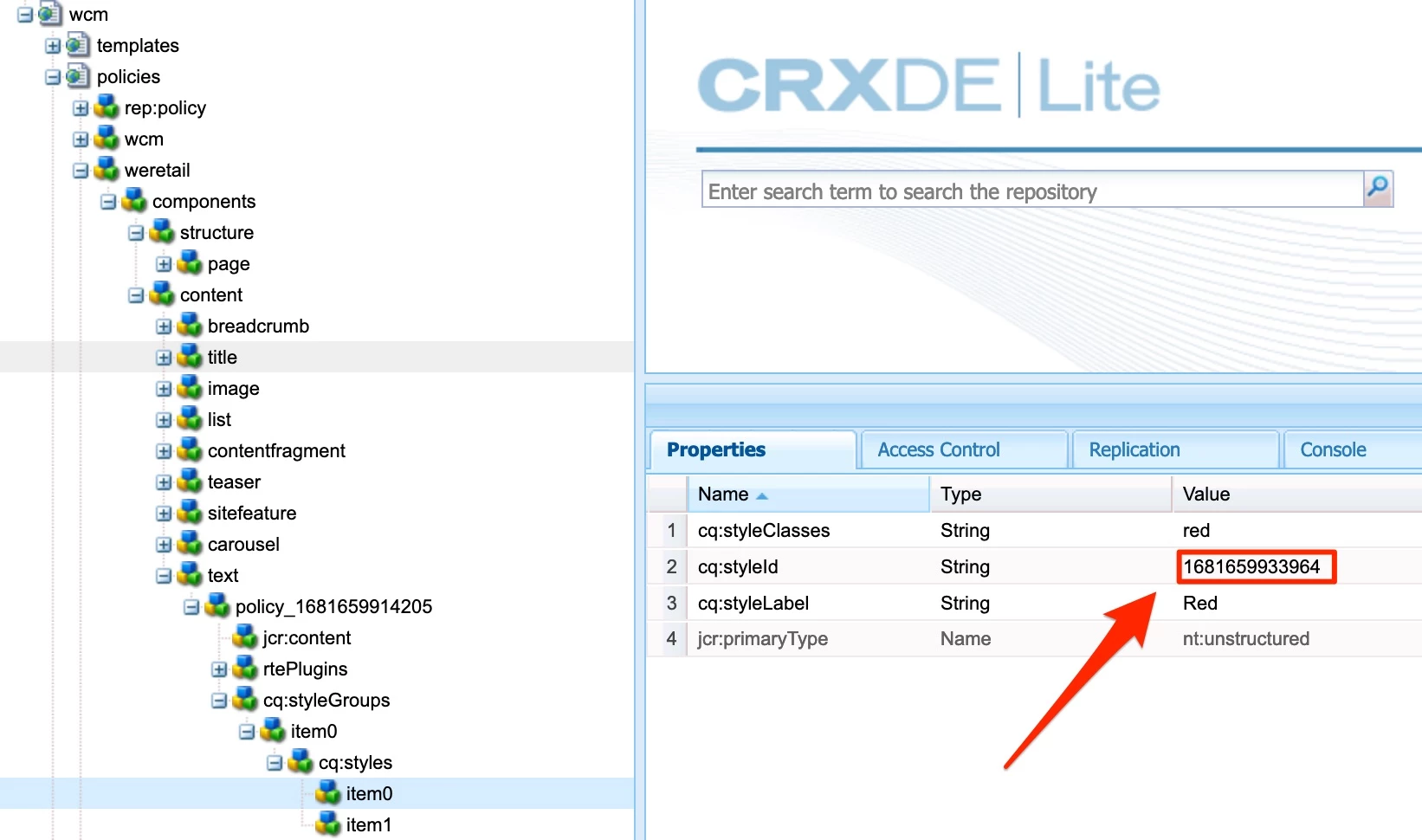
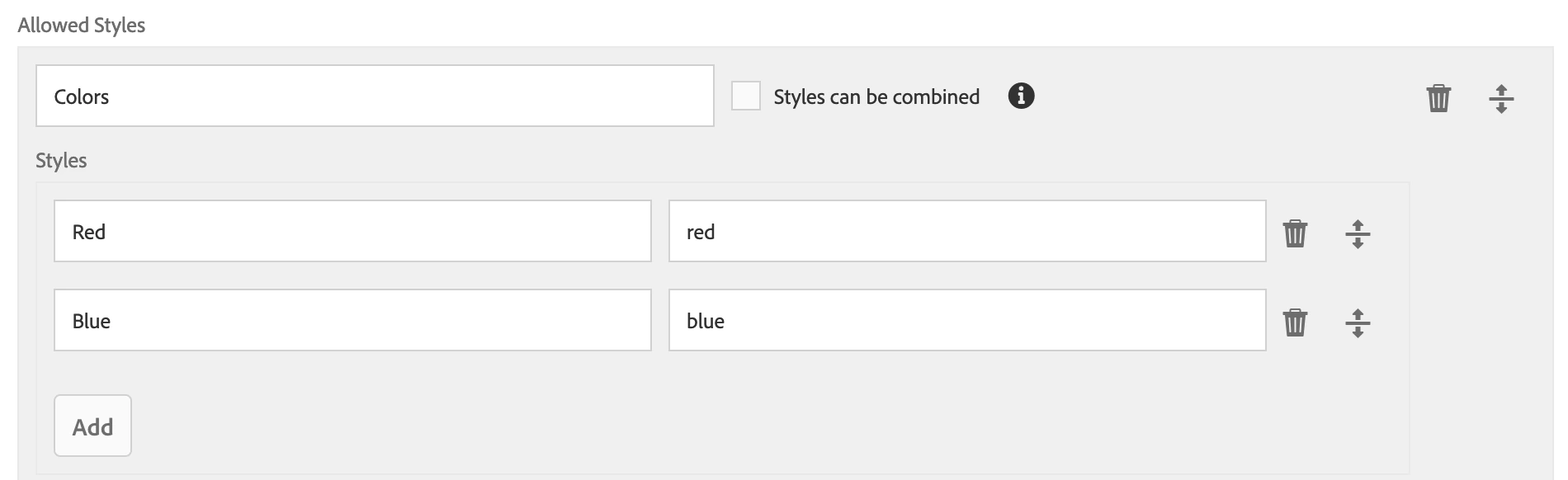
As you can see there are 2 styles available and base on style id configured in cq:template style representing red color class will be applied by default, when author adds component into page.
Enter your E-mail address. We'll send you an e-mail with instructions to reset your password.


