Position of cq-Editable-placeholder element changes after edit. | Community
Skip to main content
akashs51893872
Level 3
February 6, 2018
Solved

Position of cq-Editable-placeholder element changes after edit.

  • February 6, 2018
  • 7 replies
  • 6258 views

Hello,

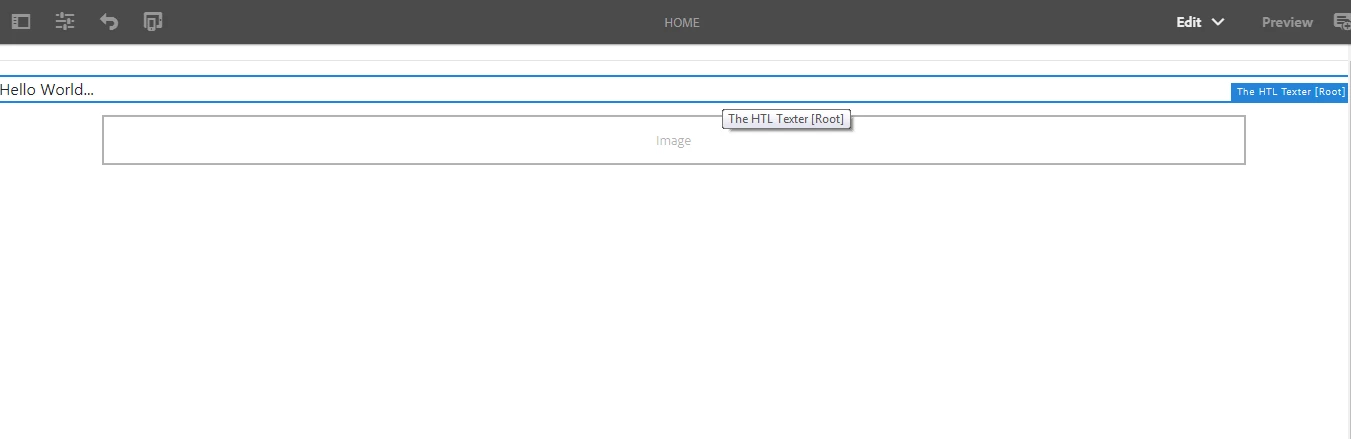
The component-placeholder extends to full-width after editing and without page-refresh.  It retains to original width after page-refresh but is there any way we can retain the original-design after-edit?  Please help.

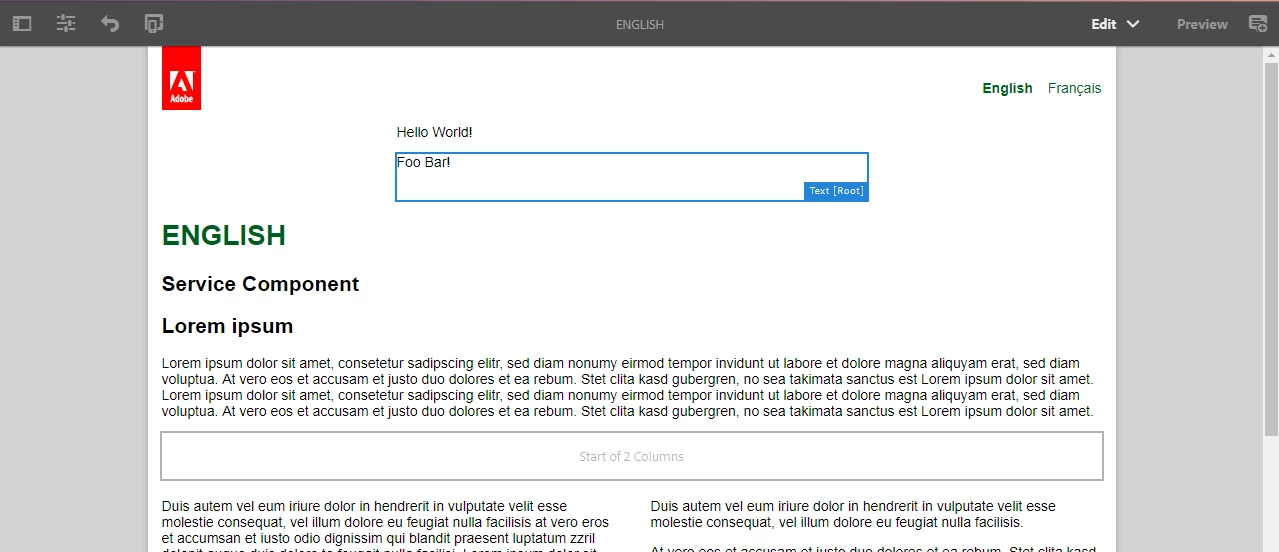
Screenshot BEFORE editing the component:

Screenshot AFTER editing the component:
Thanks & Regards,

Akash
This post is no longer active and is closed to new replies. Need help? Start a new post to ask your question.
Best answer by akashs51893872

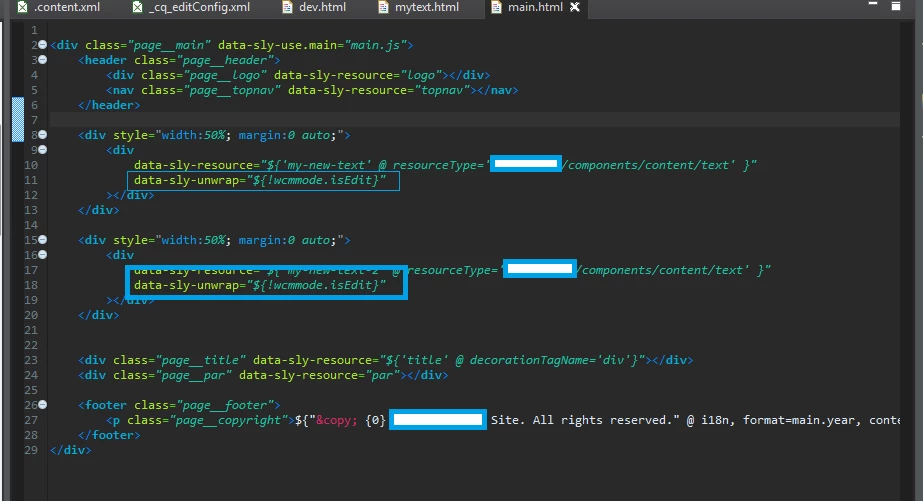
I think i will work with the following solution until there's another more appropriate way to do it.  Basically, we will work with <div> instead of <sly /> and will data-sly-unwrap only if it is not wcmmode.isEdit as shown in the screenshot below:

The following screenshot is taken after the above implementation and AFTER editing inline:

Thanks & Regards,

Akash

https://forums.adobe.com/message/10159324#10159324

7 replies

kautuk_sahni
Community Manager
Community Manager
February 6, 2018

Do you see some error in the browser?

And what are the steps to reproduce it? Also share the AEM version!!

Kautuk Sahni
akashs51893872
Level 3
February 6, 2018

Hi Katuksahni,

Thank you for your response.

No, there are no errors on the browser.

The method to isolate it is quite simple:

<div class="container"

    data-sly-resource="${ 'myImage' @ resourceType='wcm/foundation/components/text' }"

    data-sly-unwrap="${properties.text}">

        ${properties.text @ context='html' }
</div>

If you don't have the Bootstrap "container" class in your css, please add the following style:

<style>

   .container {

          width: 75%;

          margin: 0 auto;

    }

</style>

I'm working with AEM v6.3 (fully updated).

Regards,

Akash

smacdonald2008
Level 10
February 6, 2018

If you place an image and look at the page in Preview mode - are you seeing an issues. My guess is no.

akashs51893872
Level 3
February 7, 2018

hi smacdonald2008​,

Yes, i'm still seeing the issue in Preview mode.

Thanks & Regards,

Akash

smacdonald2008
Level 10
February 7, 2018

This is strange issue. Looks like a CSS issue or conflict. What extra CSS are you using?

akashs51893872
Level 3
February 7, 2018

Hi smacdonald2008​,

I am working with Bootstrap 4 in my project; however, it may not be CSS related issue since it occurs on the sample project in archetype11 project.

BEFORE edit:

AFTER edit:

The yellow rectangle is the new code add in the Archetype11 project.  The path of the file where it is added is: ~/components/structure/page/partials/main.html


Thanks & Regards,

Akash

akashs51893872
akashs51893872AuthorAccepted solution
Level 3
February 7, 2018

I think i will work with the following solution until there's another more appropriate way to do it.  Basically, we will work with <div> instead of <sly /> and will data-sly-unwrap only if it is not wcmmode.isEdit as shown in the screenshot below:

The following screenshot is taken after the above implementation and AFTER editing inline:

Thanks & Regards,

Akash

https://forums.adobe.com/message/10159324#10159324