picker.html related to "cq:conf" property doesn't see children under /conf folder | Community
Skip to main content
arturl43391132
Level 4
September 29, 2020
Solved

picker.html related to "cq:conf" property doesn't see children under /conf folder

  • September 29, 2020
  • 3 replies
  • 1607 views

Hello Adobe Community,


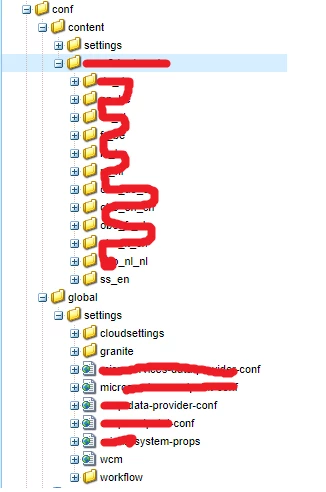
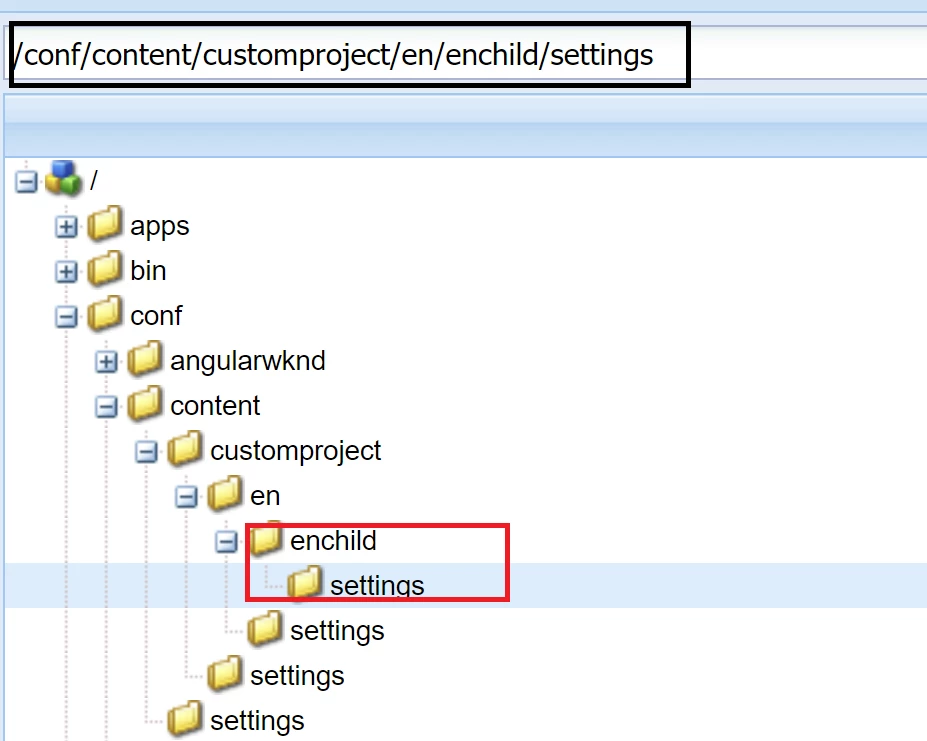
Wer're using AEM 6.5 and faced the problem that picker.html doesn't see the children under /conf/{someFolder}. E.g. this is the structure in crxde:
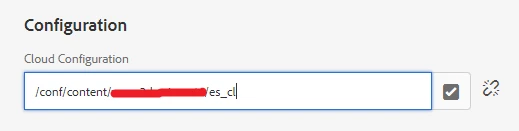
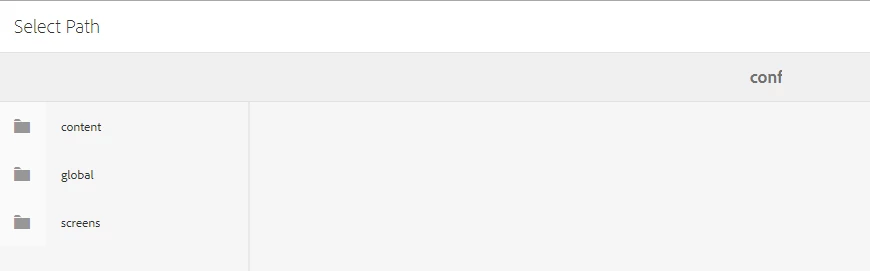
And this is the result in UI (no children under these folders) (page properties, advanced):
Console errors (not sure that they can affect it because I see these errors every time I open dialog but other fields work good):
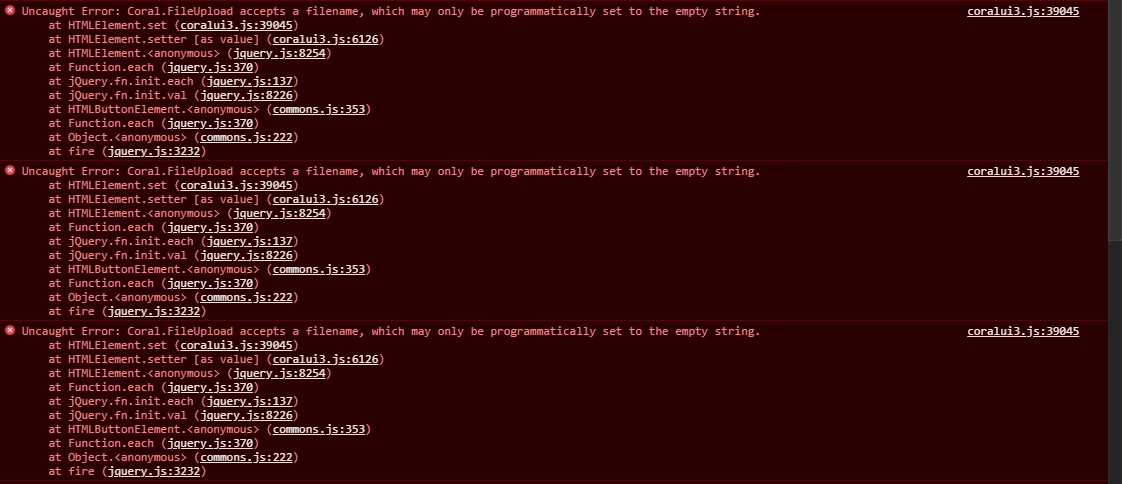
Does anybody have any idea what's the problem of it?

Thanks in advacne.


This post is no longer active and is closed to new replies. Need help? Start a new post to ask your question.
Best answer by Vijayalakshmi_S

Hi @arturl43391132,

Config path browser lists the configs under /conf which has folder named settings.

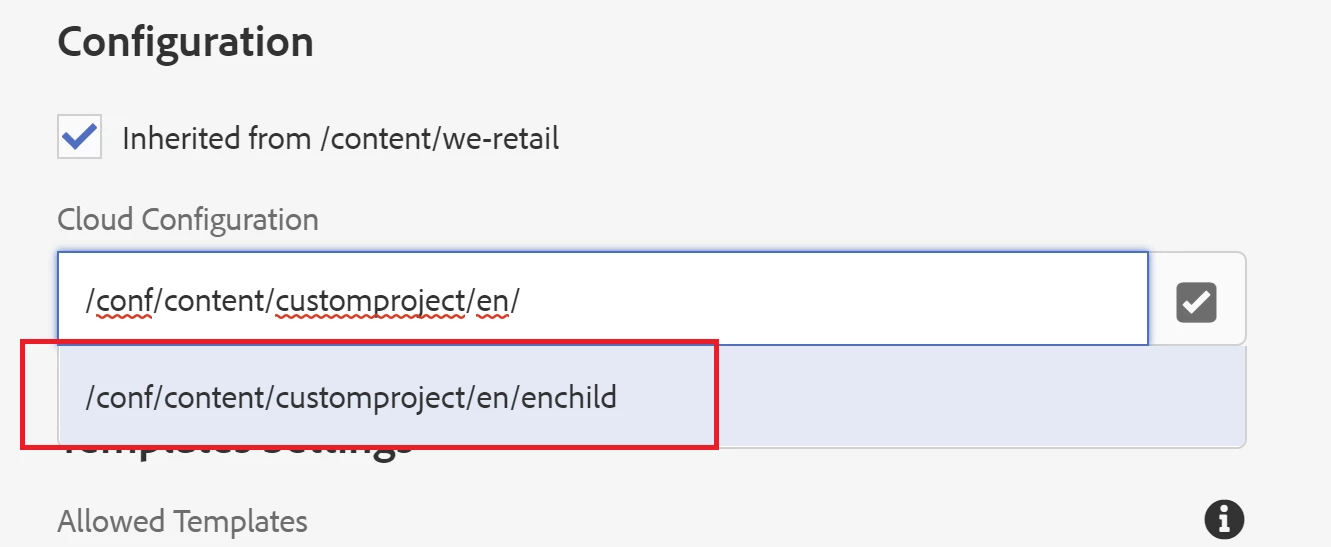
Per the screenshot shared, if you are expecting child configs under es_cl, then those child configs should have "settings" folder within.

Cross check if you have one. 

Have created similar structure in my local for testing.

Screenshot for reference:

3 replies

arturl43391132
Level 4
September 29, 2020

/

arturl43391132
Level 4
September 29, 2020
Hi once again. We made some investigations and it turned out that every folder should have "settings" folder under it. If "settings" folder doesn't exist under some folder, chain is broken and you don't see it in UI. Can we overlay this behaviour somehow?
Vijayalakshmi_S
Vijayalakshmi_SAccepted solution
Level 10
September 29, 2020

Hi @arturl43391132,

Config path browser lists the configs under /conf which has folder named settings.

Per the screenshot shared, if you are expecting child configs under es_cl, then those child configs should have "settings" folder within.

Cross check if you have one. 

Have created similar structure in my local for testing.

Screenshot for reference:

arturl43391132
Level 4
September 29, 2020
Hi, @vijayalakshmi_s. Thanks for your answer. Is there any workaround to overlay/override behaviour in such way that it will work without "settings" folder. The situation is that we've migrated our configuration to use Sling Context Aware Configuration and its structure is logical without this folder. Thanks