Personalization with Context hub custom store candidate
Hi Team,
I would like to create a custom store object and use them for segmentation resolve.
Where as I'm able to create the custom store object and that custom store object is available in the browser contextHubPersistence object.
After creating the store object I went ahead and check for the audience creation where I'm not able to see the custom store object mappings in the property comparison component drop down.
I have overlayed the /libs/granite/contexthub/components/modules and /libs/granite/contexthub/components/stores in ours
/apps/granite/contexthub/components/stores and modules.
And registered the contexhub. Still am not able to see the drop down value in the component.
Could you please help us on this. And is there any proper documentation where we can get the how to populate the dropdown value in the property comparison value component.
Screen shot attached for reference.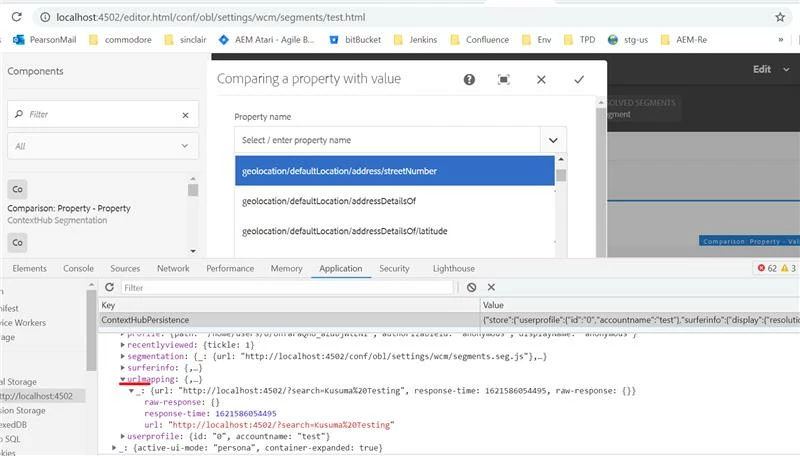
Regards
Paramesh C
9731113639