Pathfield doesn't recognise the path assigned by js | Community
Skip to main content
Level 3
April 27, 2022
Solved

Pathfield doesn't recognise the path assigned by js

  • April 27, 2022
  • 3 replies
  • 1393 views

Dear community,


I'd like to build my own custom carousel that allows the user to not only choose the file in pathfield from rootPath,

but also upload the file from local to the given asset folder and automatically fill the pathfield with the asset path just created.


Yes now I can upload files onto asset and yes I can get the path and assign it to pathfield input.

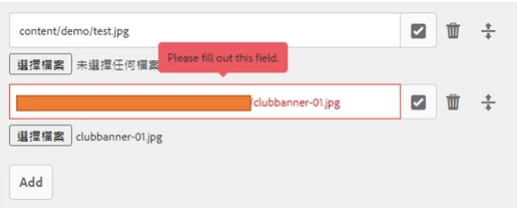
But, pathfield cannot recognise the value assigned by js.. (I use required property to testify it)  
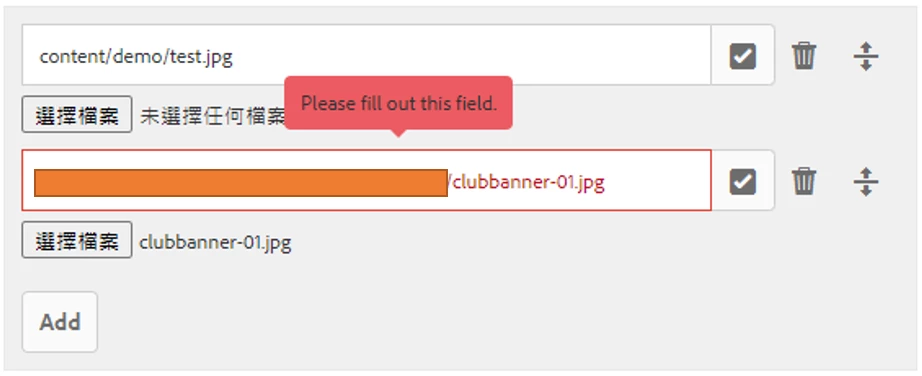


Interestingly, I backspaced the last g and typed that g back again, the path worked.
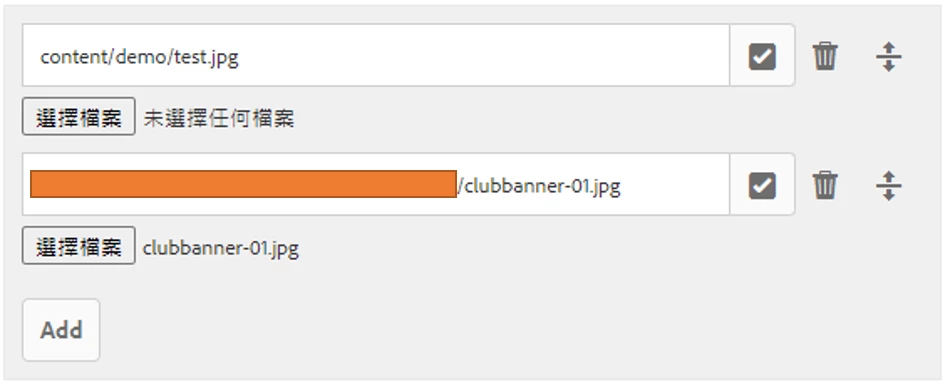


Would like to know how to fix this, any comments or suggestions are welcome 🙂
This post is no longer active and is closed to new replies. Need help? Start a new post to ask your question.
Best answer by YuSheng

Issue solved update:


In brief, the problem was about I cannot assign value to pathfield input by using js.

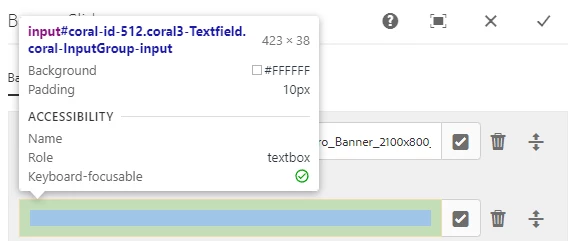
Yes, the value had been put into the input (by getting its AEM original class ".coral-InputGroup-input"),

but AEM doesn't recognise it (see below).


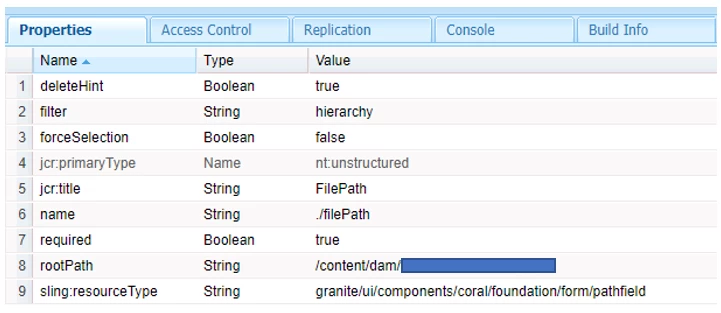
If you see the pathfield properties, there is a name property (./filePath),

and that property is actually the key to solved this.

Get back to the page, F12 and find the name in the elements.


Use js to find this element and assign value to it then it works, input is not the right target.

3 replies

Kiran_Vedantam
Community Advisor
Community Advisor
April 27, 2022

HI @yusheng 


How are you setting the value into the dialog? Is it after the upload happens and then JS gets the path and pastes it?

If yes, you also need to write JS logic to validate if the field is empty and remove the error message and submit the dailog.


Hope this helps!


Thanks,
Kiran Vedantam.

YuShengAuthor
Level 3
April 28, 2022

Dear Kiran,


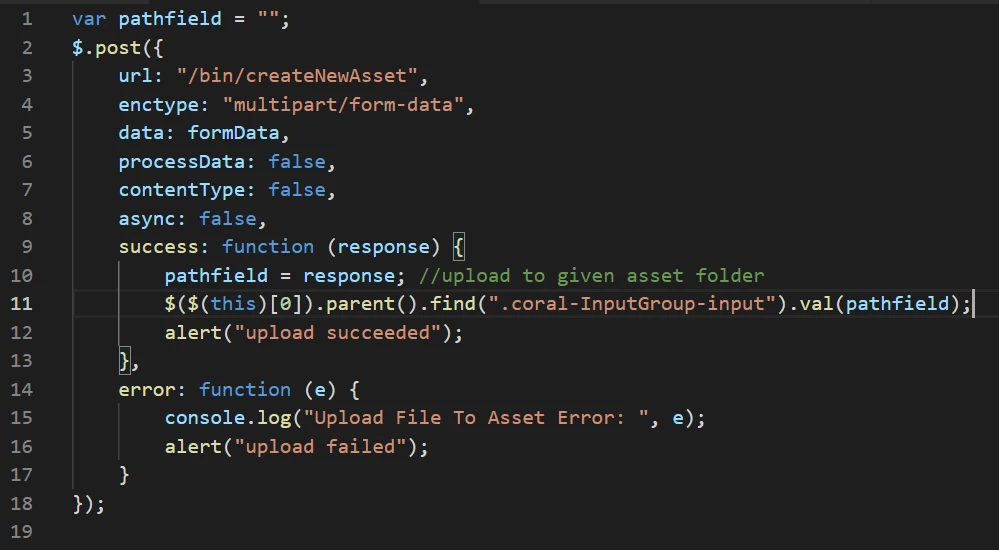
Here is my js, I use a servlet to upload the file to given asset folder:


So basically even there's a path selected in the pathfield input, new file's path will just replace it.

Am still trying modifying my js to make it work...


Thanks for the feedback!


=============== Update after 2 hrs ===============


With some brain-storming with my friends we fixed this! It's not about validation, will update the solution later :)))

DEBAL_DAS
April 27, 2022

As you have mentioned pathfield cannot recognise the value assigned by js.

Are you getting something like /content/dam/yourproject/clubbanner-01.jpg by js?

Just a random thought any extra space is getting appended while the assigning the value by js.

YuShengAuthor
Level 3
April 28, 2022

Hi DEBAL_DAS

Haha I did examine it several times to make sure no extra space.


Thanks for the comment!

YuShengAuthorAccepted solution
Level 3
April 29, 2022

Issue solved update:


In brief, the problem was about I cannot assign value to pathfield input by using js.

Yes, the value had been put into the input (by getting its AEM original class ".coral-InputGroup-input"),

but AEM doesn't recognise it (see below).


If you see the pathfield properties, there is a name property (./filePath),

and that property is actually the key to solved this.

Get back to the page, F12 and find the name in the elements.


Use js to find this element and assign value to it then it works, input is not the right target.