Pages seem to be publishing immediately upon editing. How do we disable that? | Adobe Higher Education
Skip to main content
Level 4
May 1, 2023
Respondido

Pages seem to be publishing immediately upon editing. How do we disable that?

  • May 1, 2023
  • 6 respostas
  • 1340 Visualizações

Hi,


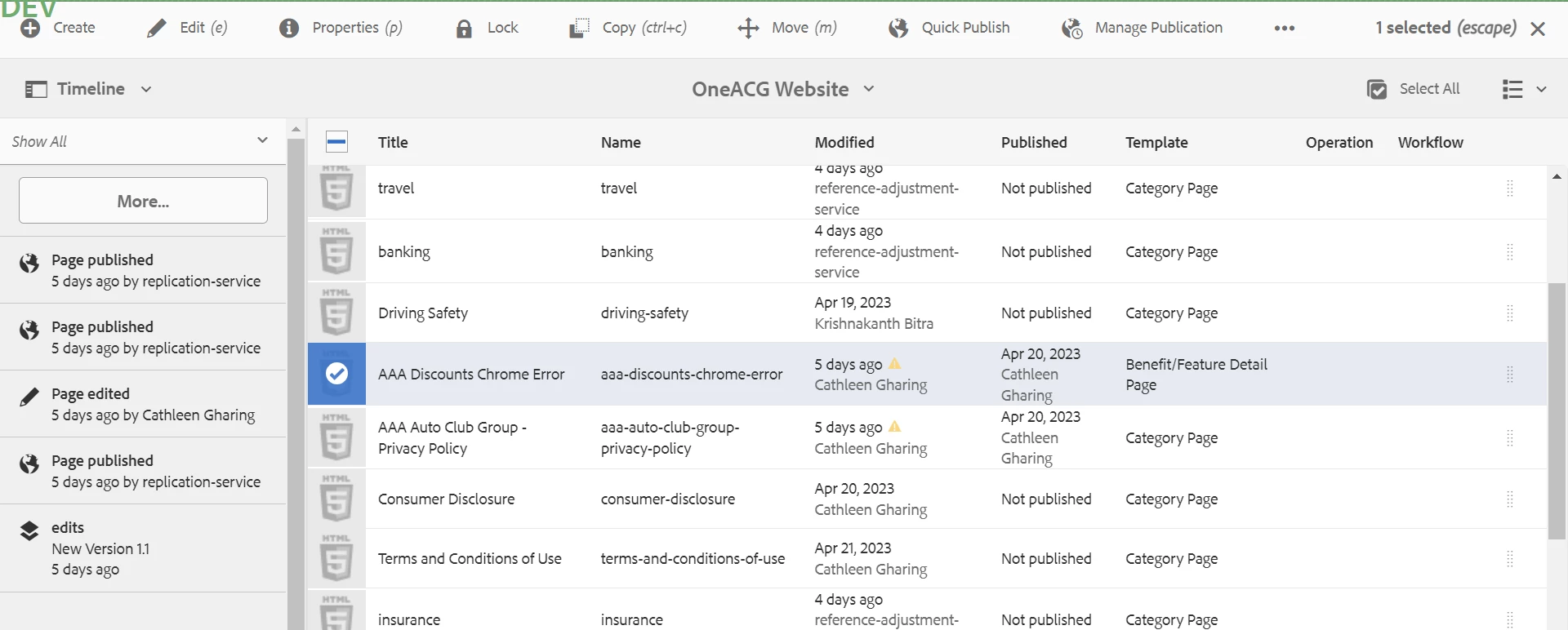
Pages seem to be publishing immediately upon editing (see timeline). How do we disable that? 
 

Este tópico foi fechado para respostas.
Melhor resposta por ManviSharma

Hello,


To disable immediate publishing of pages upon editing in AEM, you need to modify the "Replication Agent" configuration by unchecking the "Enabled" option for the "Activate" and "Deactivate" triggers

6 Respostas

ManviSharma
Adobe Employee
ManviSharmaAdobe EmployeeResposta
Adobe Employee
May 1, 2023

Hello,


To disable immediate publishing of pages upon editing in AEM, you need to modify the "Replication Agent" configuration by unchecking the "Enabled" option for the "Activate" and "Deactivate" triggers

ibishika
Level 4
May 1, 2023

@kbitra1998 

Can you please check if there is any listener or launcher set for those pages?


kaikubad
Community Advisor
Community Advisor
May 2, 2023

Please check if there is any workflow launcher or event listener for publishing it. Disable the launcher/event listener will solve your problem.

Event listener/launcher are the only two things that can do this

Rohit_Utreja
Community Advisor
Community Advisor
May 2, 2023

By default, AEM doesn't provide auto-replication. There should some a launcher or listener active to support this activity. 
Please check it and try de-activating.

Nikhil-Kumar
Community Advisor
Community Advisor
May 2, 2023

@kbitra1998 - OOTB it shouldn't happen. If you have done any customization using Launchers or Eventlisteners, please look for that. (Definitely it's because of custom implementation)

Level 4
July 21, 2023

Hi,


While configuring the dispatcher flush agent or Replication agent, we enabled the "ReplicateOnModification" trigger.