Page Template OverLapping with old | Community
Skip to main content
ashikg3
Level 2
August 16, 2023

Page Template OverLapping with old

  • August 16, 2023
  • 1 reply
  • 1356 views

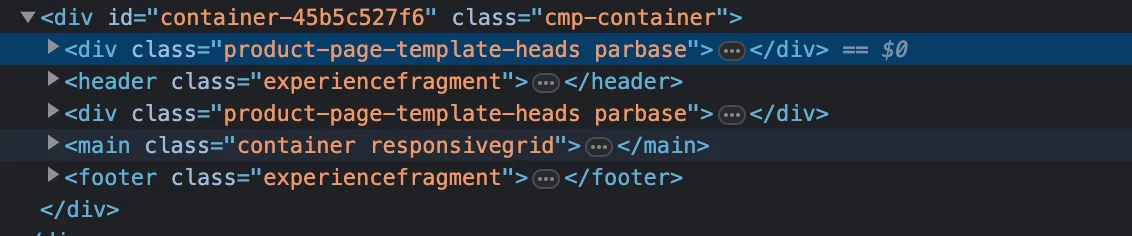
Recently I update my Page Template. I removed a Component and added another component. In Local It's working fine. But in the AEM Cloud It's showing me old and new component both together.

As I found out that it's overlapping each other


Page Template Structure
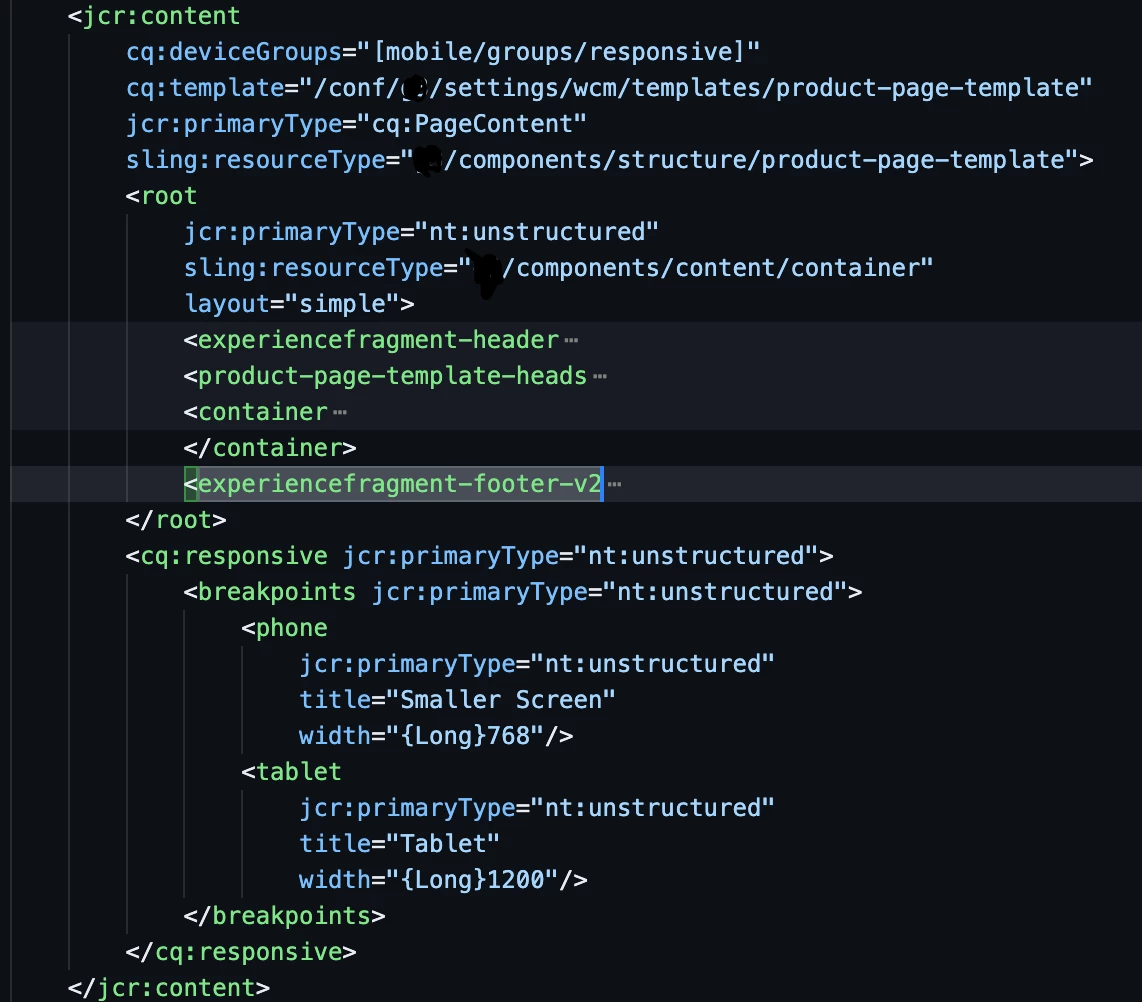


So before experiencefragment that is old component over there. We don't have CRXDE in AEM Cloud to remove that.


In the ui.content filter.xml I added this code

<filter root="/conf/[site-name]/settings/wcm/templates/product-page-template" mode="replace"/>
But still not working. Anyone please recommend to me how I can remove that?
Thanks
This post is no longer active and is closed to new replies. Need help? Start a new post to ask your question.

1 reply

sherinregi-1
Community Advisor
Community Advisor
August 16, 2023

Hi @ashikg3 

Along with your component update can you also update the cq:lastModified property. With your new filter ideally the code should have been replaced and in this case new last modified date should be available while you navigate through the sites console. This will ensure that you filter is working fine and then you can check with adobe for any possibly caching issues at the server level.


If the lastModified is also not getting updated then it could another include or exclude filter that overrides this one with a different mode.


Hope this helps to start your troubleshooting

ashikg3
ashikg3Author
Level 2
August 16, 2023

Hey Thank You. I just troubleshoot LastModified not showing. It's say update one month ago

I just found another code in filter.xml

<filter root="/conf/[site-name]" mode="update"/>
It's coming 1st then 
<filter root="/conf/[site-name]/settings/wcm/templates/product-page-template" mode="replace"/> this code coming in
should i replace them like make this code 1st then other code?
Mahedi_Sabuj
Community Advisor
Community Advisor
August 16, 2023

Hi @ashikg3

You can try to filter out the parent-page-template from the /conf/[site-name] filter.

<filter root="/conf/[site-name]" mode="update"> <exclude pattern="/conf/[site-name]/settings/wcm/templates/product-page-template" /> </filter> <filter root="/conf/[site-name]/settings/wcm/templates/product-page-template" mode="replace"/>


Mahedi Sabuj