Package Manager, what is Extract Only | Community
Skip to main content
Level 6
September 8, 2022
Solved

Package Manager, what is Extract Only

  • September 8, 2022
  • 3 replies
  • 2215 views

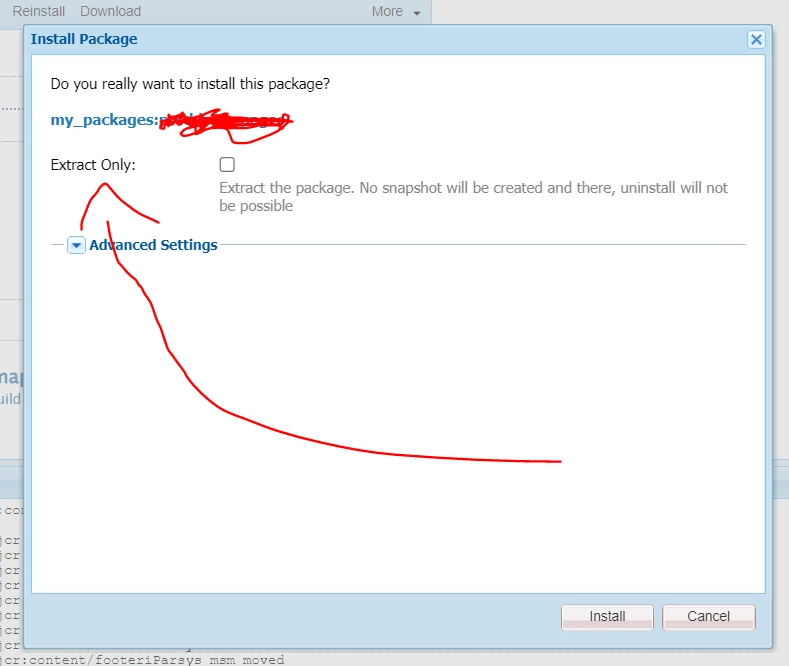
Adobe's documentation gives very basic details about AEM Packager Manager's new extract only checkbox. Whar does it actually do?

Can someone please shed some more light?
This post is no longer active and is closed to new replies. Need help? Start a new post to ask your question.
Best answer by joerghoh

"Extract only" will not create a snapshot. That means you cannot uninstall the package.


If you know exactly that you never want that, then check that box. Not having a snapshot will improve the installation performance; the improvements depends on a few factor, but mostly on the filters in your packages. I have seen cases where the snapshot contained the complete /content/dam area, even if the package contained just a few assets; that was because the filters of that package were not a good match.

3 replies

Chandra_Hire
Level 4
September 9, 2022

Hi @supportmember 

When we install a package without checking Extract only checkbox, as the information suggest on the dialog, snapshot will not be created. It means, it creates a copy of the package under /etc/packages/<package-group>/.snapshot (please see screen-shot attached), later it is being referred for installation if needed. Otherwise, if we check the checkbox, copy will not get created under .snapshot and uninstallation of the installed package will not be possible.


Hope this helps.


joerghoh
Adobe Employee
joerghohAdobe EmployeeAccepted solution
Adobe Employee
September 9, 2022

"Extract only" will not create a snapshot. That means you cannot uninstall the package.


If you know exactly that you never want that, then check that box. Not having a snapshot will improve the installation performance; the improvements depends on a few factor, but mostly on the filters in your packages. I have seen cases where the snapshot contained the complete /content/dam area, even if the package contained just a few assets; that was because the filters of that package were not a good match.

Adobe Employee
May 5, 2023

To use "extract Only" with a CURL command installation, use the "extractOnly=true" flag in the URL-parameters:

curl -X POST "${AUTHOR_URL}/crx/packmgr/service/.json${urlencpath}?cmd=install&extractOnly=true