Hi @goyalkritika ,
According to my knowledge, the possible cases where you may experience this behavior:
1. When you created and deployed your service for the first time without any configuration, you opened the OSGi Configuration Console (http://localhost:4502/system/console/configMgr), where you wanted to test the configuration, and manually created (updated) the configuration. This way, the console created the configuration file automatically in the CRX folder /apps/system/config, so all new configurations for the same service are not getting processed because of the prevalence of configurations in /apps/system/config. To resolve this case, remove the configuration from that folder using CRX/DE and your config will start working.
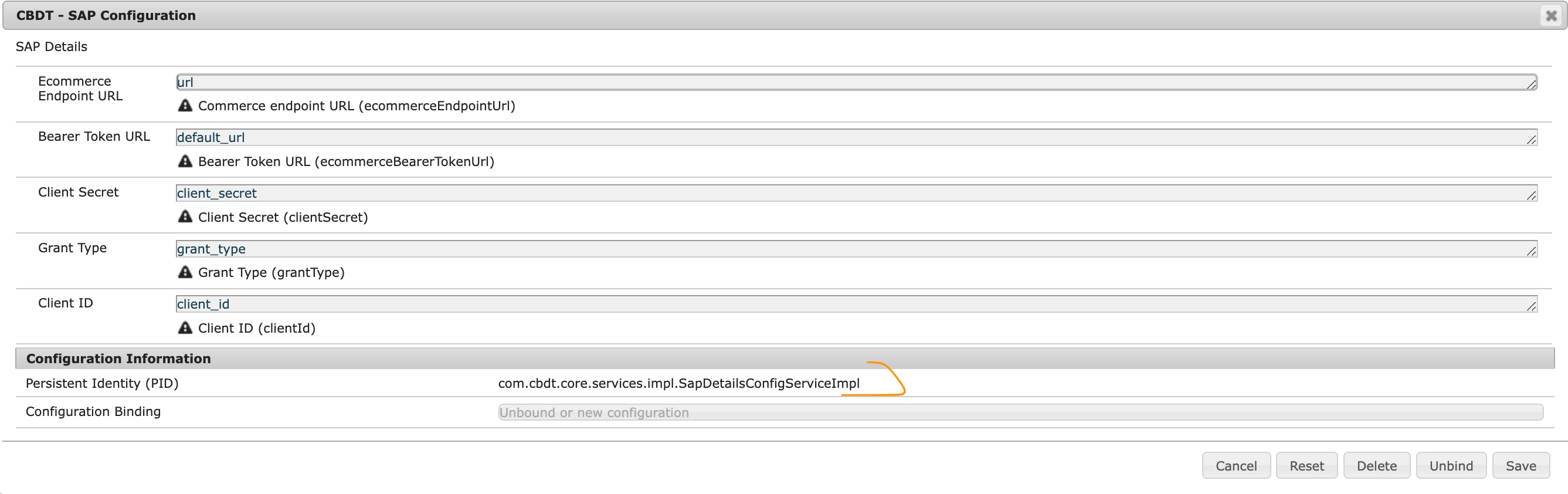
2. When your configuration file name is not correct. By default, it must be a full reference to your impl class, in your case I think `com.cbdt.core.services.impl.SapDetailsConfigServiceImpl.cfg.json`
You can copy the correct PID from configMgr:
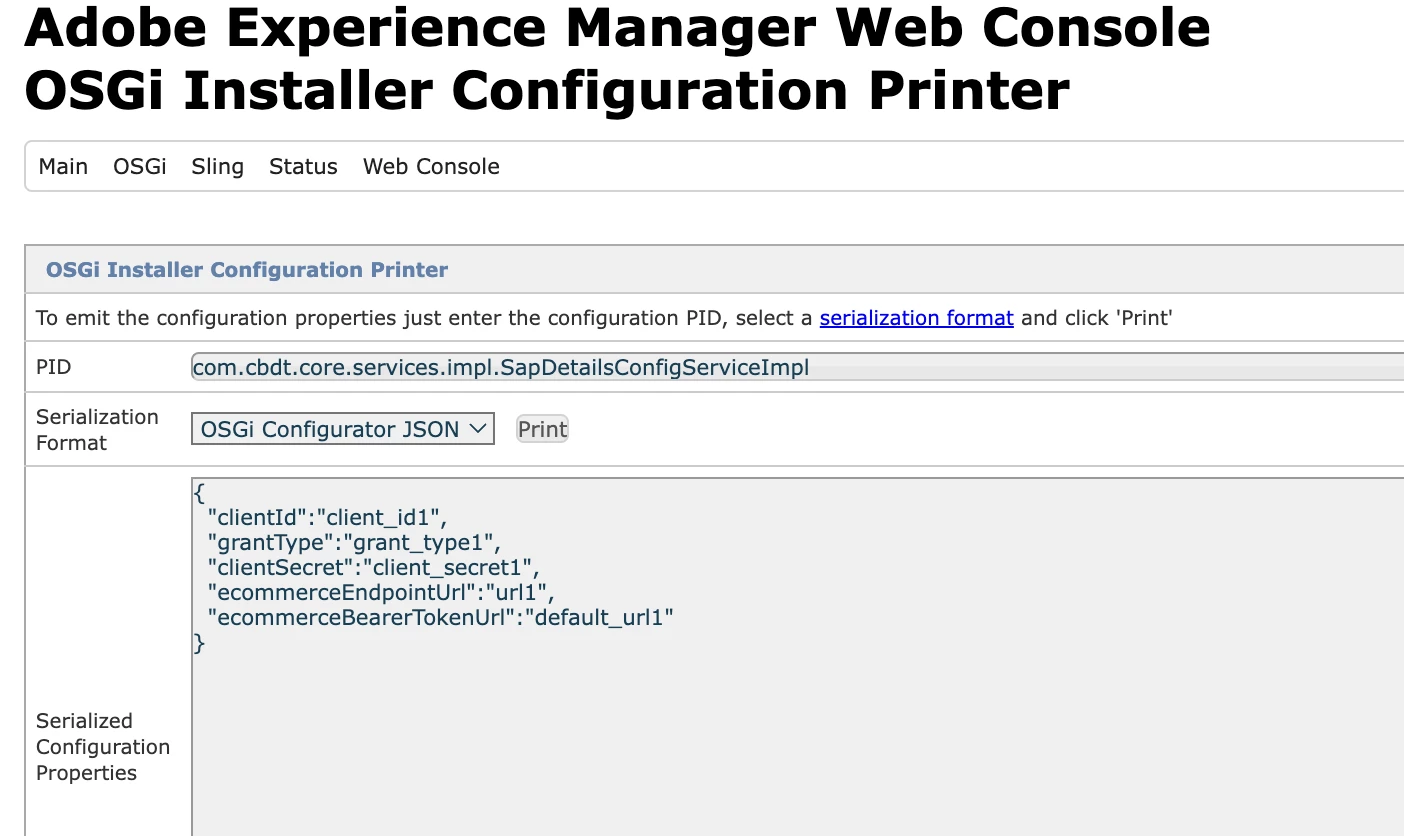
3. If your configuration file is not formatted correctly. To correctly format the configuration it's better to author it using the OSGi Configuration console, and then download the created configuration from your local AEM OSGi > OSGi Installer Configuration Printer (http://localhost:4502/system/console/osgi-installer-config-printer)
Just don't forget to remove the configuration /apps/system/config/com.cbdt.core.services.impl.SapDetailsConfigServiceImpl.cfg.json after you pasted it to your source codes (see #1)
4. Your META-INF/vault/filter.xml for the ui.config doesn't have an entry for your configurations, like this one below:
<?xml version="1.0" encoding="UTF-8"?>
<workspaceFilter version="1.0">
    <filter root="/apps/cbdt/osgiconfig"/>
</workspaceFilter>
Check that you have your configuration files in the CRX DE after the local deployment. It must be automatic though if you created the project using the AEM Maven archetype. Also, you may need to update your ui.apps.structure/pom.xml file to add your project's root, but again it must be there automatically if you used the maven archetype. Check maven build logs, package coverage in PackManager, and folders in CRX after the deployment.
5. Incorrect place (config folder) for the configuration. For example, you put your configuration to config.author.dev, and it should be in config for all servers, or config.author to take place on all author environments or, if I am not mistaken, you can put it into `aem.author.sdk` to make it work only on local SDK.
Also, why in your code this one is in lowercase? I suppose just mistyping bcz it won't work.
 @activate
  protected void activate(SapDetailsConfig sapDetailsConfig) ...
Also, the 'type=String' on configuration fields is by-default, you can omit those declarations if you want. And you have specified default values in your config - that's what will be filled in text boxes by default when you open configMgr, they are not required. If you want default values that will be used if there are no values in configuration, you can use the default operand after a function name, then you may have shorter configuration files:
String ecommerceBearerTokenUrl() default "https://some/default/url";