
org.apache.sling.servlets.post.exceptions.PreconditionViolatedPersistenceException | Community
Skip to main content
sravs
Community Advisor
Community Advisor
December 13, 2021
Solved

org.apache.sling.servlets.post.exceptions.PreconditionViolatedPersistenceException

  • December 13, 2021
  • 2 replies
  • 1538 views

Hi,


When I was trying to update the RTE component I'm getting the error as shown in below SS.
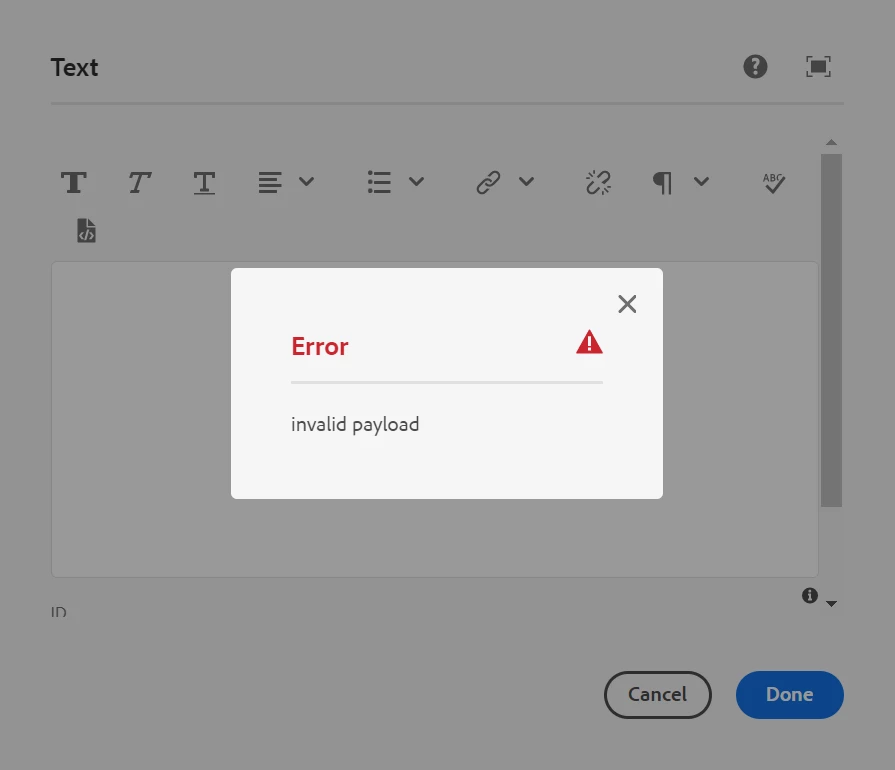
When I checked the logs, I found the below exception.

org.apache.sling.servlets.post.exceptions.PreconditionViolatedPersistenceException: Resource at '/content/mywebsite/master/en_us/test-page/jcr:content/root/article/text' is not modifiable.


Can anyone please help me with this.


Thanks & Regards,

Sravani

This post is no longer active and is closed to new replies. Need help? Start a new post to ask your question.
Best answer by sravs

Hi @joerghoh , 


Thanks for the Reply. I'm having all the permission. I found why the issue happening.


There is property present in the '/content/mywebsite/master/en_us/test-page/jcr:content/root/article' node which is same name as the child node 'text'. After updating the node name its resolved the issue.


Thanks & Regards,

Sravani

2 replies

Kiran_Vedantam
Community Advisor
Community Advisor
December 13, 2021

Hi @sravs 


As per the error, it says the component is not modifiable. Are you trying to update the initial content component in the page?


Thanks,

Kiran Vedantam.

sravs
Community Advisor
sravsCommunity AdvisorAuthor
Community Advisor
December 14, 2021

Hi @kiran_vedantam,


I'm not updating the initial content component in the page. Actually I'm facing the issue only for few pages using this template not all.

joerghoh
Adobe Employee
Adobe Employee
December 15, 2021

This is an exception which is thrown when you try to modify content. As it is a preconditionViolatedException it's not a permanent thing (like a broken repo), but it rather indicates that current request won't be ever succesfull, e.g. because you don't have enough permissions or some other formal reason. You can find more details in the logs.


First thing I would check if you have write permission on that page.

sravs
Community Advisor
sravsCommunity AdvisorAuthorAccepted solution
Community Advisor
December 16, 2021

Hi @joerghoh , 


Thanks for the Reply. I'm having all the permission. I found why the issue happening.


There is property present in the '/content/mywebsite/master/en_us/test-page/jcr:content/root/article' node which is same name as the child node 'text'. After updating the node name its resolved the issue.


Thanks & Regards,

Sravani