Solved
OneTrust cookie scanner takes wrong host from AEM cloud site
Hi!
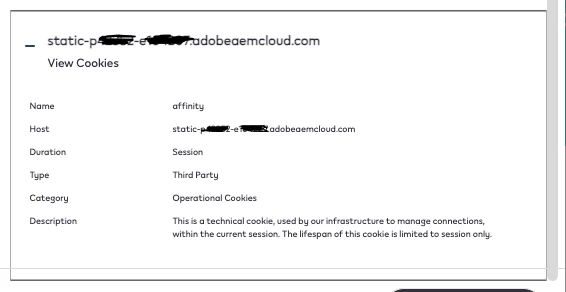
Any idea why OneTrust is taking - static-p12345-e123456.adobeaemcoud.com as host instead of ${real-domain}.com?
Hi!
Any idea why OneTrust is taking - static-p12345-e123456.adobeaemcoud.com as host instead of ${real-domain}.com?
Are the cookies being stored under a different domain when you inspect the 'Application' tab in your browser's Developer tools? I believe it depends on how the OneTrust script is resolving the 'Host,' but according to this thread: https://my.onetrust.com/articles/en_US/Knowledge/UUID-2dc719a8-4be5-8d16-1dc8-c7b4147b88e0, it should work fine.
If you observe the cookies being stored correctly within the domain, you may want to check with OneTrust about your implementation.
Enter your E-mail address. We'll send you an e-mail with instructions to reset your password.