On AEM 6.5 controls on RTE does not show up in regular view, but shows in expanded view | Community
Skip to main content
surenk
Level 4
August 7, 2020

On AEM 6.5 controls on RTE does not show up in regular view, but shows in expanded view

  • August 7, 2020
  • 4 replies
  • 1860 views

Environment: AEM 6.5, SP 6.5.4, MacOs, Chrome 84.0 (On Firefox it showed once, but did not after that).

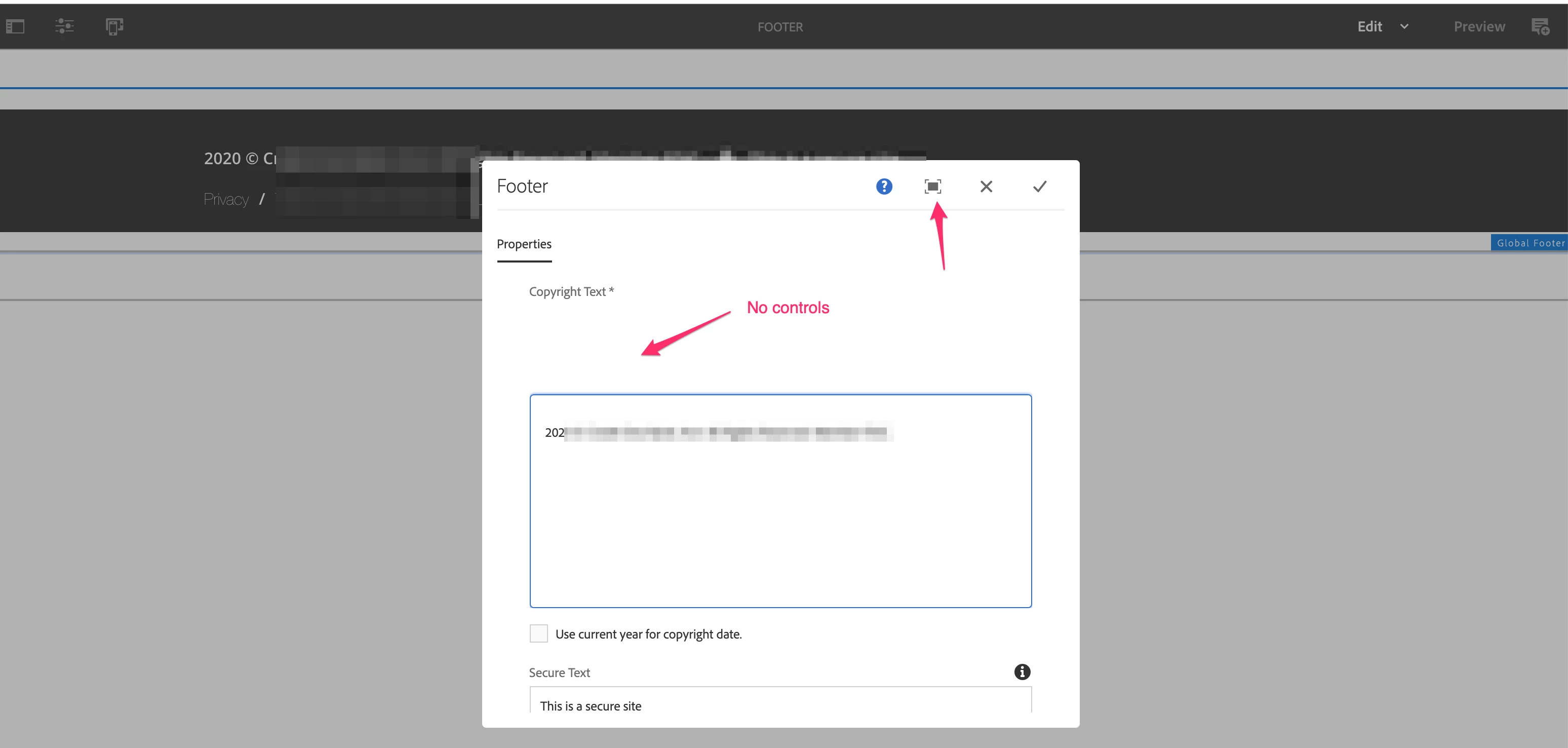
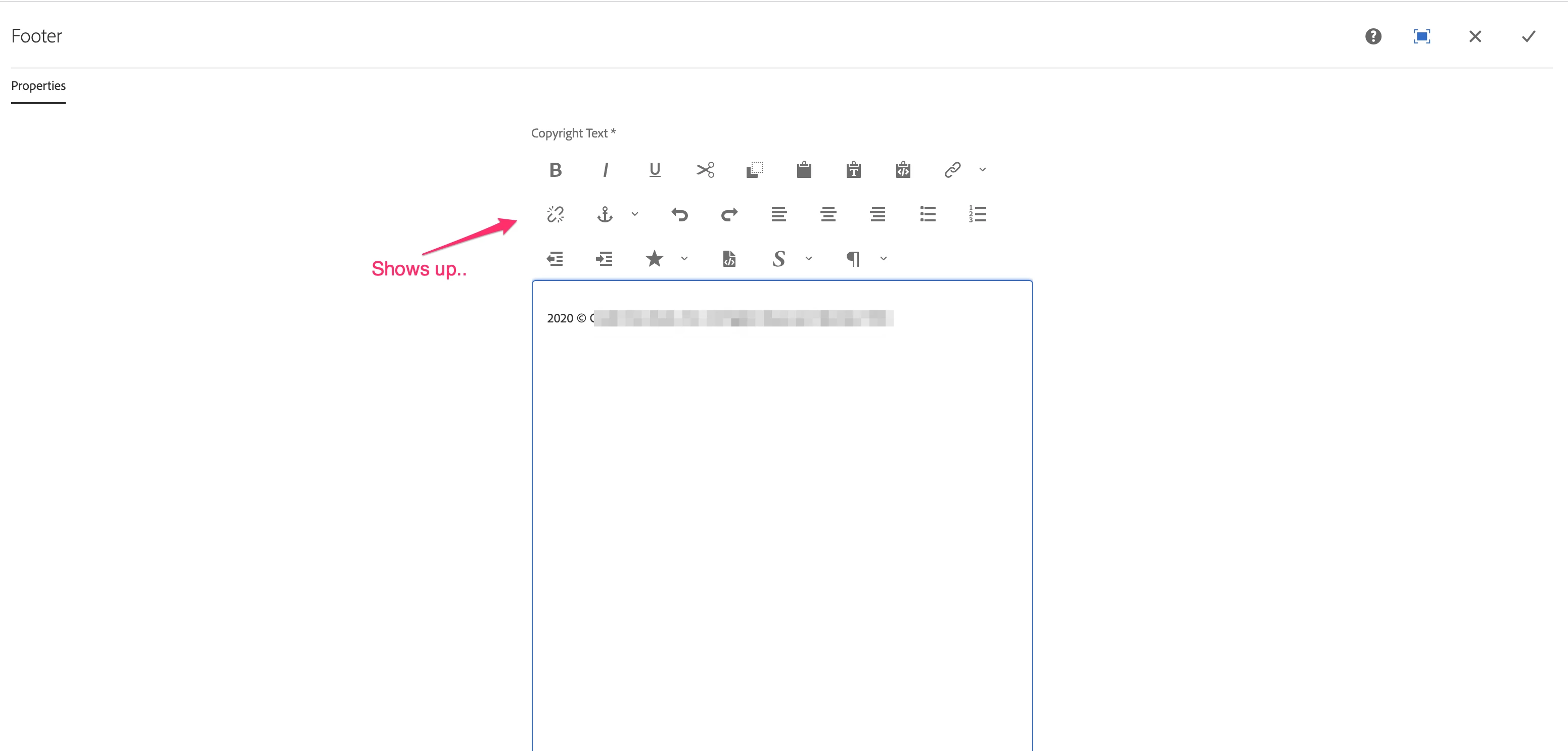
While editing an experience fragment, the controls on the RTE do not show. While in expanded view they do.. what may be the issue?


This post is no longer active and is closed to new replies. Need help? Start a new post to ask your question.

4 replies

vanegi
Adobe Employee
Adobe Employee
August 7, 2020

Hello @surenk,

Inside XF, on which component do you see this behavior? I just checked with OOTB text component in 6.5.4 patch and the controls work fine in RTE.


Thanks!!

surenk
surenkAuthor
Level 4
August 7, 2020

@vanegi 

Using it something like this..

<copyText jcr:primaryType="nt:unstructured" sling:resourceType="cq/gui/components/authoring/dialog/richtext" fieldLabel="Copyright Text" name="./copyRightText" removeSingleParagraphContainer="{Boolean}true" useFixedInlineToolbar="{Boolean}true" required="{Boolean}true"> <rtePlugins jcr:primaryType="nt:unstructured"> <format jcr:primaryType="nt:unstructured" features="*"/> <justify ... <lists ... <paraformat .. <formats .. <default_h1 jcr:primaryType="nt:unstructured" ... ... </formats> </paraformat> <misctools features="[specialchars,sourceedit]" jcr:primaryType="nt:unstructured"/> <edit defaultPasteMode="wordhtml" features="[cut,copy,paste-default,paste-plaintext,paste-wordhtml]" jcr:primaryType="nt:unstructured"/> <styles jcr:primaryType="nt:unstructured" features="*"> <styles jcr:primaryType="nt:unstructured"> ... </styles> </styles> <undo ... </rtePlugins>


BrianKasingli
Community Advisor and Adobe Champion
August 9, 2020

@surenk, there might be a JavaScript error from the Granite UI front-end. Can you please share any errors from the browser's console log?

arunpatidar
Community Advisor
Community Advisor
August 10, 2020

If It doesn't work let me know, I have a css hack to enable it.

Arun Patidar
surenk
surenkAuthor
Level 4
August 10, 2020
That'll be great to try.. can you please share Arun?