Not seeing source edit and other features in the dialog of core text component | Community
Skip to main content
Level 4
June 5, 2018

Not seeing source edit and other features in the dialog of core text component

  • June 5, 2018
  • 1 reply
  • 5147 views

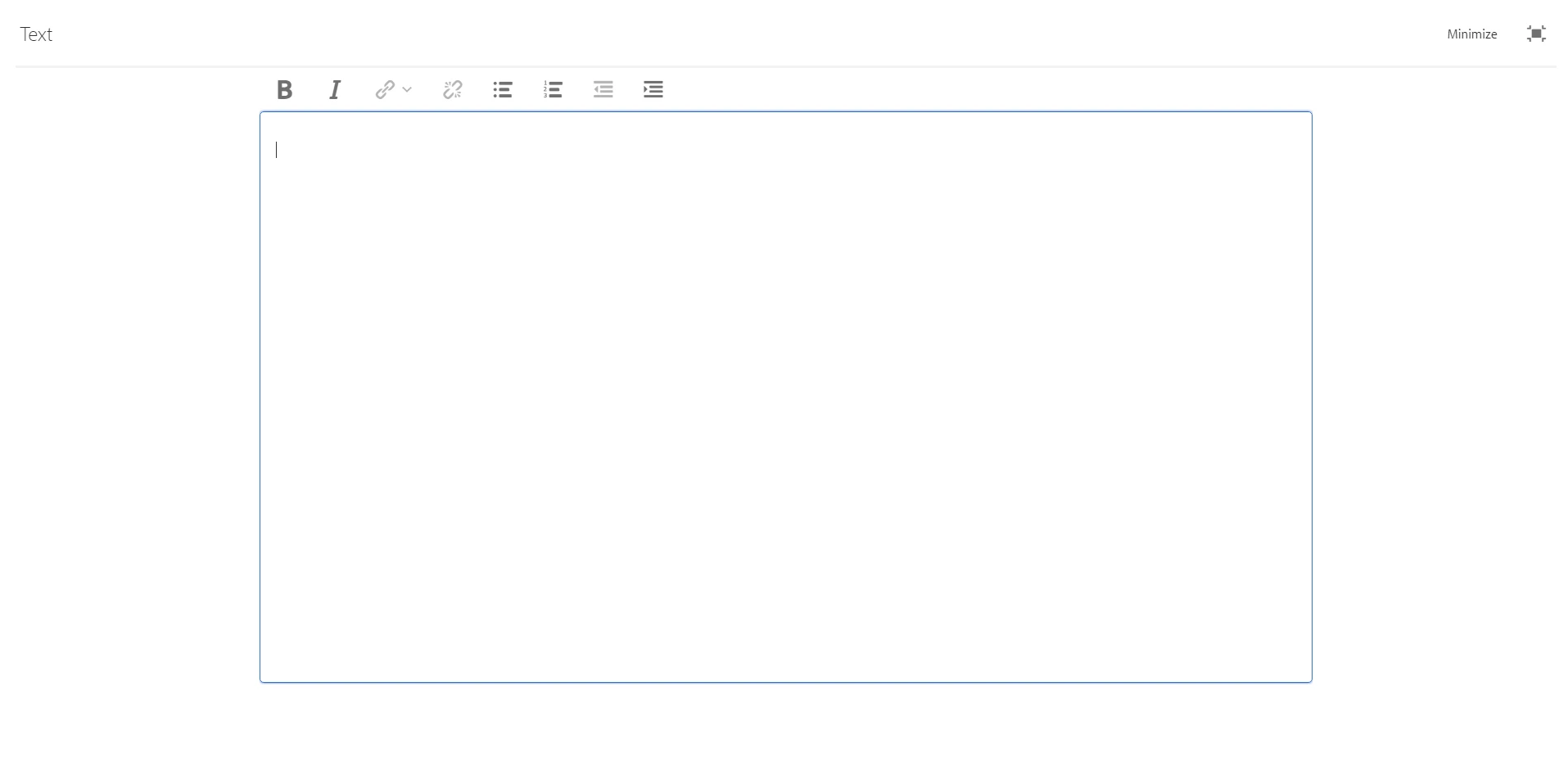
I have installed aem core components package (version 1.1.0) on my 6.3 local instance. This package has all the v1 components. For the text component, I don't see  a lot of features within the rich text editor. For eg, I dont see source editor, copy paste options, find& replace options etc. I have gone to design mode and have enabled all the features within the design dialog of the component as shown in below picture.
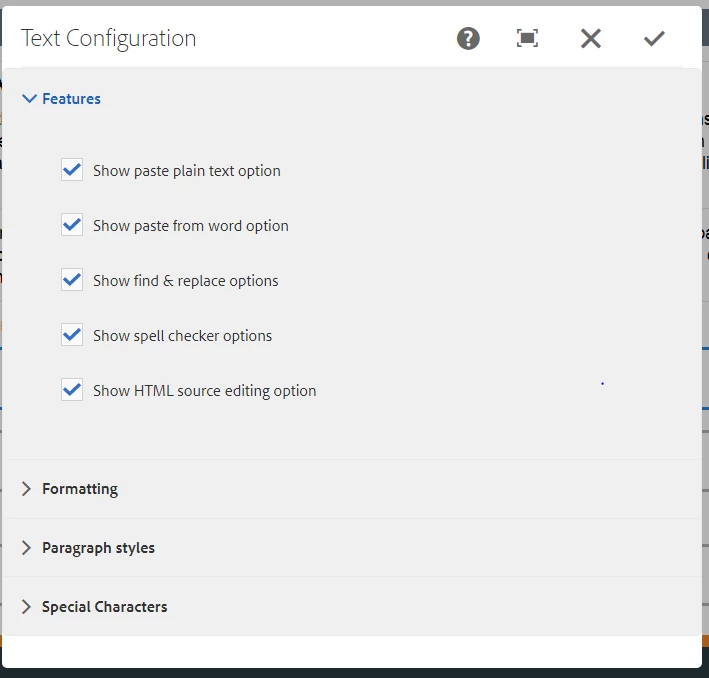
But still I dont see a lot of options in the rich text editor as shown in the below image. Am I missing anything here ?
This post is no longer active and is closed to new replies. Need help? Start a new post to ask your question.

1 reply

nalla0109Author
Level 4
June 6, 2018

Could someone please help me with the above query ?

smacdonald2008
Level 10
June 6, 2018

To get the different RTE plug-ins, modify the dialog by adding the plugin nodes - as discussed here -- Scott's Digital Community: Configuring Experience Manager Rich Text Editor Plugins in a Touch UI Component Dialog

smacdonald2008
Level 10
June 6, 2018

Ratna Kumar​ - more to add?