Not able to find content fragment in published pages in publisher instance | Community
Skip to main content
Level 2
May 11, 2021

Not able to find content fragment in published pages in publisher instance

  • May 11, 2021
  • 3 replies
  • 4932 views

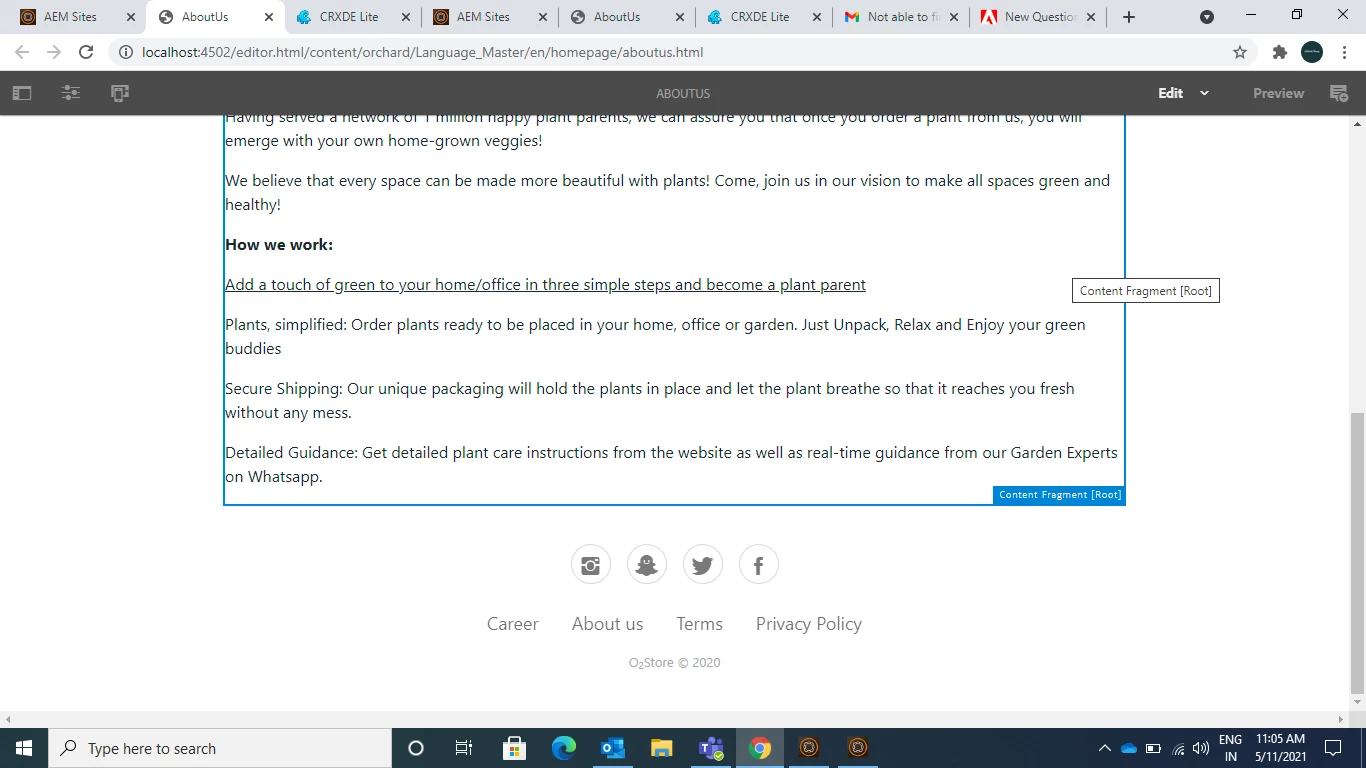
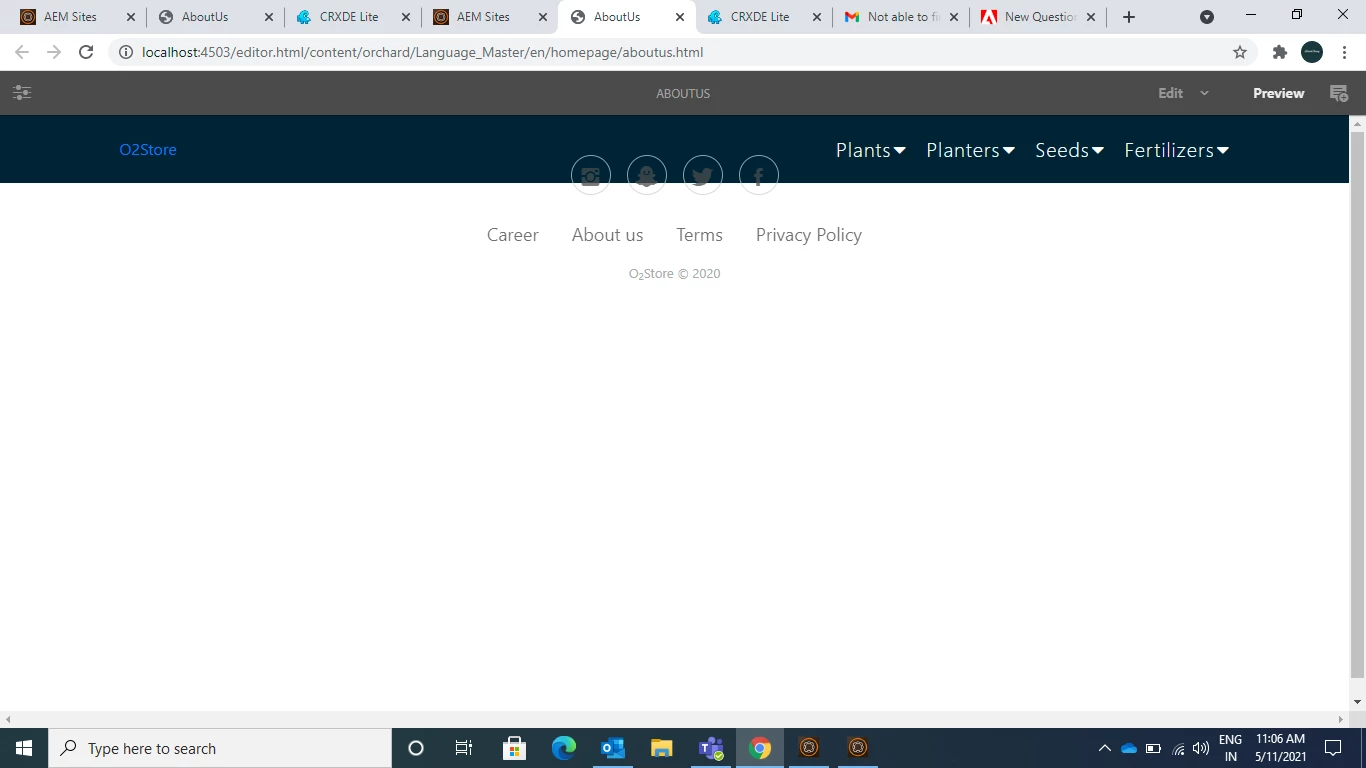
 I have one query regarding Content Fragment, I have Custom Content Fragment in my Author Instance and i dragged and dropped on to my page and i replicated that project and manually published that content fragment as well...but i'm not able to see content fragment on my page in publisher instance but i'm able to see the content fragment under Assets in publisher instance. Please, Help me out.


Below is Author Instnace Page
 

Below is the Publisher Instance Page
 

This post is no longer active and is closed to new replies. Need help? Start a new post to ask your question.

3 replies

Ritesh_Mittal
Community Advisor and Adobe Champion
May 11, 2021

Hi @adarsh1998 ,


Have you validated that the page has been published successfully and not in replication queue. Also check through CRXDE if the page has CF data stored on node. Do you see any issue in logs?


Also, check if on publish http://localhost:4503/api/assets.json gives you a JSON which has added CF details.

Asutosh_Jena_
Community Advisor
Community Advisor
May 11, 2021

Hi @adarsh1998 


Content Fragments are created out of content fragment models and to make the content fragment work on publish instance, the content fragment model also needs to be available on publish instance.


Please check if you have the content fragment along with model is also available on publish instance.

Check the replication queue and see if all the contentn fragments are pushed to publish instance and nothing is pending in queue.


You can check the error.log in publish instance which will give the cause of error why the content fragment is not loading in publish.


Also in publish instance you do not have to use editer.html in the URL. the direct page URL can be accessed without any selector as the editor.html is only used on author instance.


Thanks!

Level 2
May 11, 2021
Content fragment and model are present under Assets->files->content fragment folder in publish instance
Ritesh_Mittal
Community Advisor and Adobe Champion
May 11, 2021

@adarsh1998  Is that a custom component in which you are dropping CF, might be something is breaking somewhere in there, do you see any console error or something in server logs.

Level 2
May 11, 2021
No, I'm using it directly on the page