Not able to copy Graphql URL Getting error | Community
Skip to main content
May 31, 2023
Solved

Not able to copy Graphql URL Getting error

  • May 31, 2023
  • 5 replies
  • 4443 views

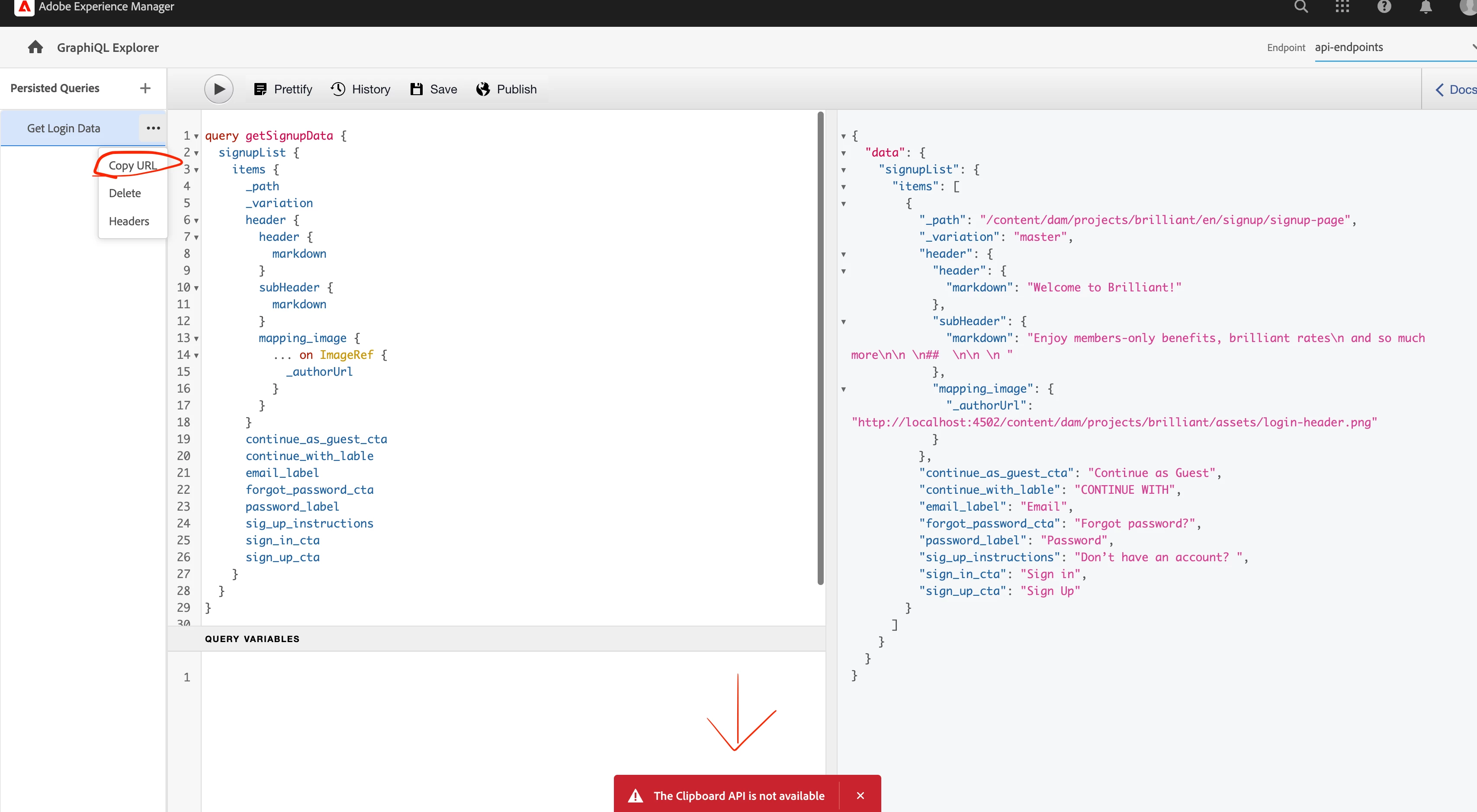
I have created a persisted Graphql query to access headless data and every thing is done I save the Query in Graphql 
and during copy URL click I am getting this error popup 

                       "The Clipboard API is not available"


as shown below please help me in getting the url of the Graphql query 


This post is no longer active and is closed to new replies. Need help? Start a new post to ask your question.
Best answer by EstebanBustamante

For posterity, I found the reason and the fix for this behavior

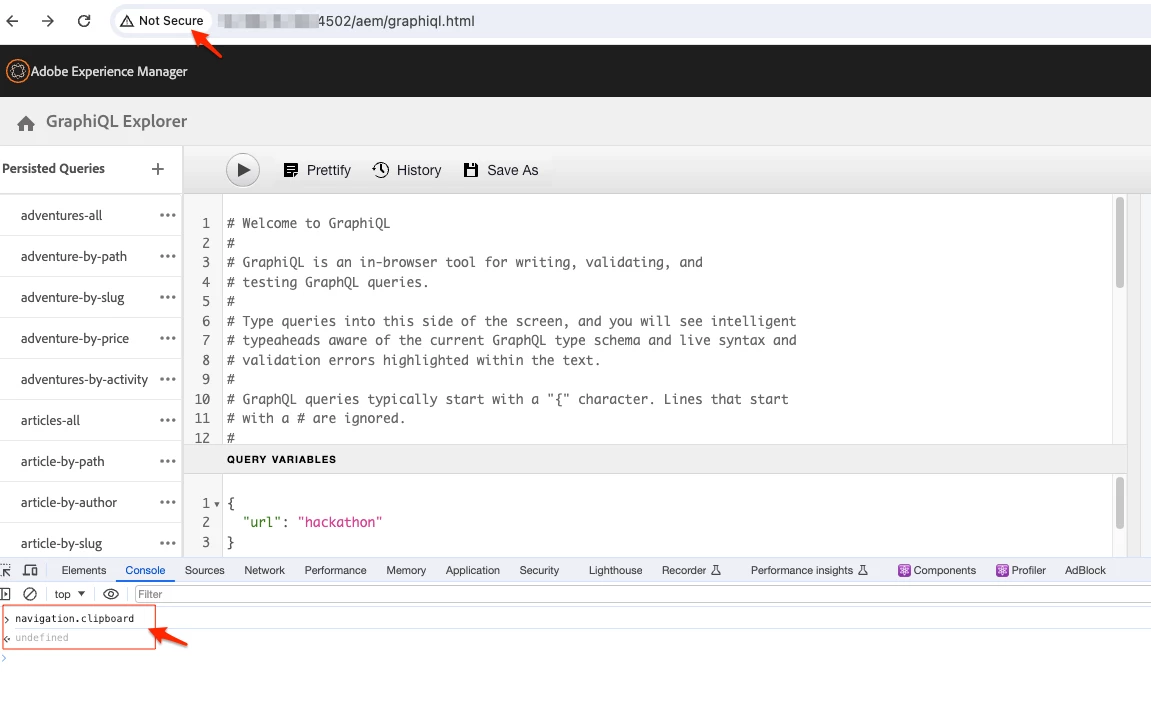
Reason: The clipboard functionality is disabled due to security reasons, the site is not accessing through HTTPS protocol

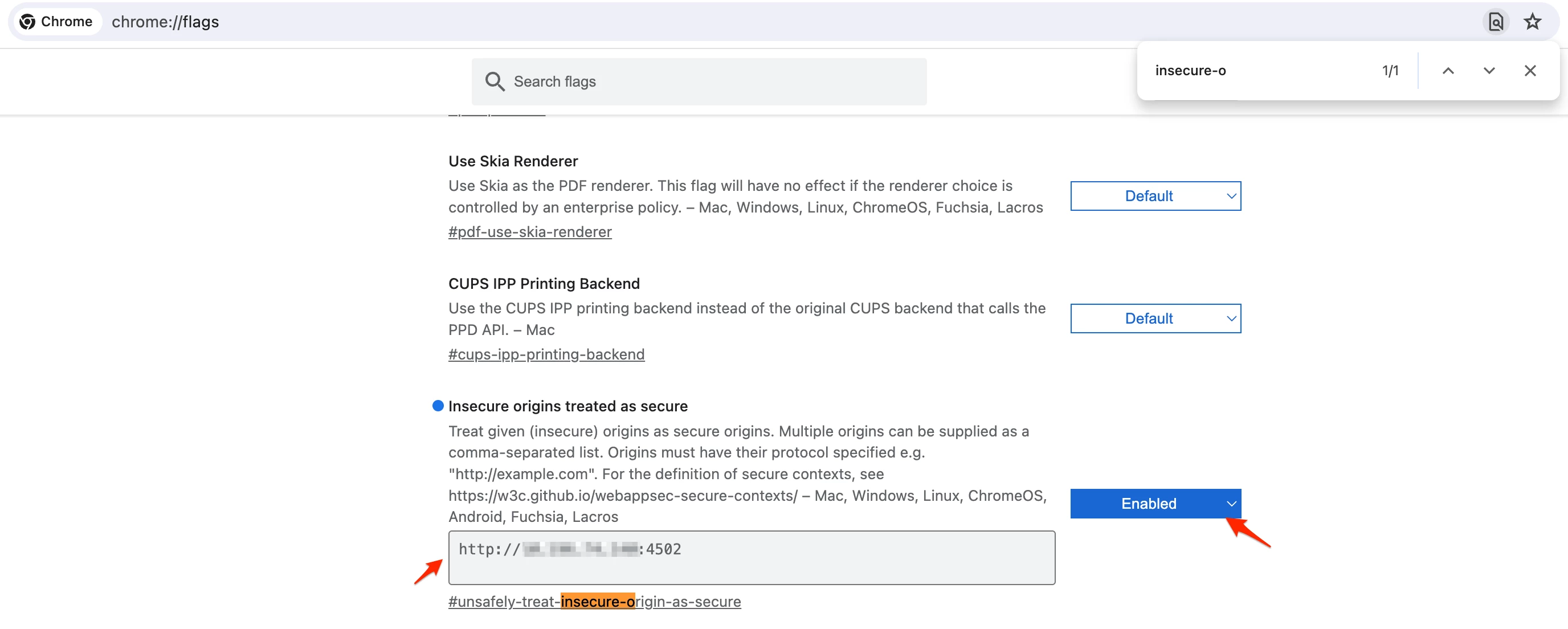
Temp Fix: Allow your site to be treated as "secure" by Google Chrome. Follow this article: https://bobbyhadz.com/blog/navigator-clipboard-is-undefined-in-javascript 


Real Fix: Make sure you use your site under HTTPS protocol, which is true in any non-dev environment. 


Hope this helps.


cc: @kautuk_sahni kindly, you can mark this answer and resolve the question

5 replies

milind_bachani
Adobe Employee
Adobe Employee
May 31, 2023

Hi @pavan4 ,


On which browser are you facing this issue ?
Can you check performing steps on a different browser and check if you see the same behavior ?


Regards,

Milind 

pavan4Author
May 31, 2023

checked in both Safari and Google chrome , getting same issue.

@milind_bachani 

krati_garg
Adobe Employee
Adobe Employee
May 31, 2023

@pavan4 Please validate that you are using the correct version for aem-sdk-api jar. If not, kindly update and rebuild.
https://experienceleague.adobe.com/docs/experience-manager-cloud-service/content/implementing/developing/aem-as-a-cloud-service-sdk.html?lang=en

iamnjain
Community Advisor
Community Advisor
June 1, 2023

Hello @pavan4 


Very silly thing, I am suggesting 
Can you try removing spaces from query name or use - in name to remove space and save and try to copy URL?


Don't know if this works! 🙂

EstebanBustamante
Community Advisor and Adobe Champion
January 17, 2024

@pavan4 do you find a solution for this? I seeing the same behavior on my end

Esteban Bustamante
EstebanBustamante
Community Advisor and Adobe Champion
EstebanBustamanteCommunity Advisor and Adobe ChampionAccepted solution
Community Advisor and Adobe Champion
January 17, 2024

For posterity, I found the reason and the fix for this behavior

Reason: The clipboard functionality is disabled due to security reasons, the site is not accessing through HTTPS protocol

Temp Fix: Allow your site to be treated as "secure" by Google Chrome. Follow this article: https://bobbyhadz.com/blog/navigator-clipboard-is-undefined-in-javascript 


Real Fix: Make sure you use your site under HTTPS protocol, which is true in any non-dev environment. 


Hope this helps.


cc: @kautuk_sahni kindly, you can mark this answer and resolve the question

Esteban Bustamante