
Need help with Adobe Experience Manager desktop app for mac | Community
Skip to main content
Tam123456
Level 2
March 10, 2023
Solved

Need help with Adobe Experience Manager desktop app for mac

  • March 10, 2023
  • 4 replies
  • 2791 views

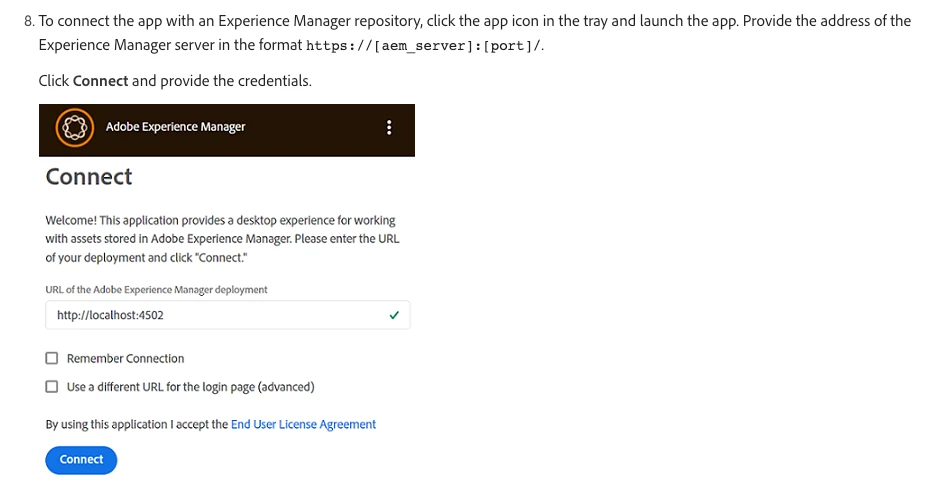
I have installed Adobe Experience Manager Desktop app on my Mac. On the instructions it says I need: Experience Manager server in this format https://[aem_server]:[port]/

How do I find the path on Adobe Experience Manager to put in the desktop app? See screenshot pic below:
 

This post is no longer active and is closed to new replies. Need help? Start a new post to ask your question.
Best answer by DEBAL_DAS

I am not sure what you mean? 

The way I log into AEM is thru a URL like you see below:
https://assets.OurCompanyNameHere.com


Once I go to that URL you see above it takes me to a login page here:
https://login.microsoftonline.com


I login with my company email address and password, which brings me to a URL page like this:
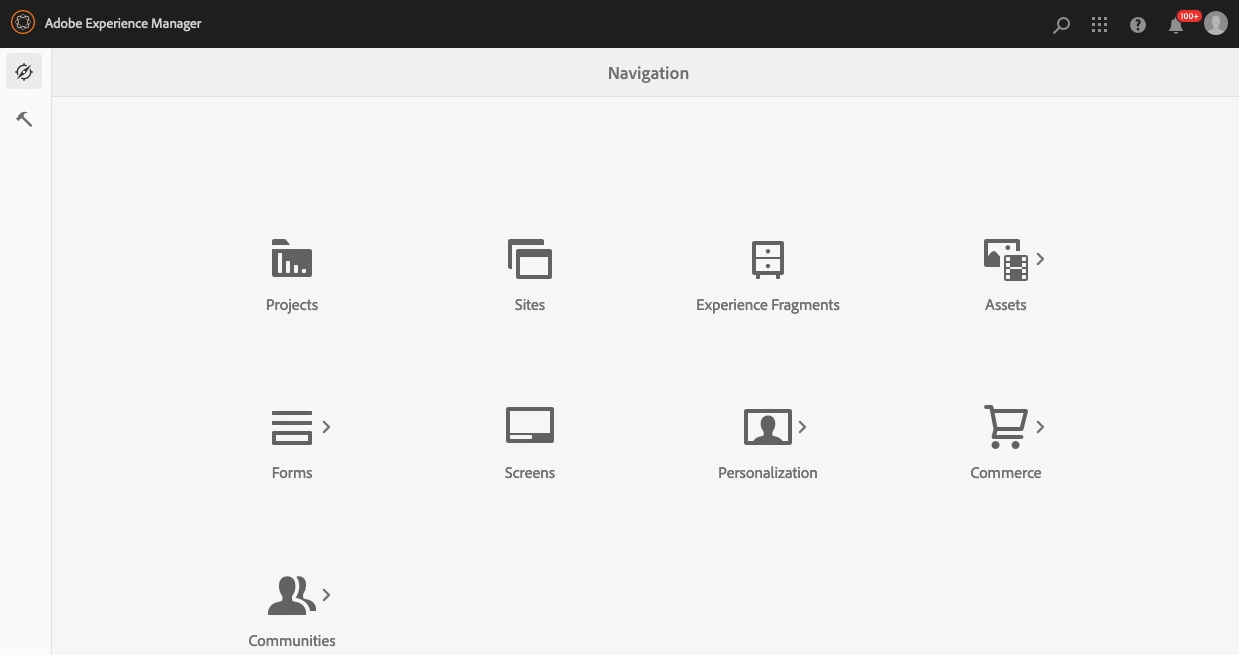
https://assets.OurCompanyNameHere.com/aem/start.html


And I have included a screenshot of the AEM page.


Understood.

Do one thing please ask your infra team or platform team to share IP address and port number of https://assets.ourcompanynamehere.com/.


In my project also infra team has details about IP and port number and we developer access AEM instance with url like https://assets.ourcompanynamehere.com/.

4 replies

Saravanan_Dharmaraj
Community Advisor
Community Advisor
March 10, 2023

@tam123456 If you have AEM Author in your mac running, you will access the AEM with http://localhost:4502 by default. The default username password for AEM is admin/admin. 

You can give the same URL in the app to connect to AEM. 

If you want to connect to dev or integration server, you need to get the URL from the AEM administrator. 

DPrakashRaj
Community Advisor
Community Advisor
March 10, 2023

if you are connecting to local AEM server i assume you have already started your AEM server on you local.

if you haven't made any change in default configuration it will listen to port 4502, so default aem_server value will be localhost and port will be 4502. if you are still not sure then just start the AEM server and wait for browser to pop up for the login page. from there you will be able to know the aem_server and port value from the url

SantoshSai
Community Advisor
Community Advisor
March 11, 2023

Hi @tam123456 ,

The URL in picture for "Connection screen to input server address.

Select Remember Connection to avoid entering the connection details each time you log on to desktop app.

Just ensure there are no leading or trailing spaces before or after the address of the Experience Manager server. Otherwise the app cannot connect to the Experience Manager server.

Upon successful connection, you can view the list of folders and assets available in the root folder of the Experience Manager DAM. You can browse the folders from within the app.

For more details: https://experienceleague.adobe.com/docs/experience-manager-desktop-app/using/install-upgrade.html?lang=en

Hope that helps!

Regards,

Santosh

Santosh Sai
Tam123456
Tam123456Author
Level 2
March 14, 2023

We use AEM on a browser only. How do I get the localhost and port info?

Tam123456
Tam123456Author
Level 2
March 15, 2023

Is https://assets.ourcompanynamehere.com/ not working for you on desktop app ?


When I use the URL for the app, it does work but I am unable to upload files. It creates a mounted desk called DAM on my desktop and it also creates an AEM Assets folder in my hard drive Documents.


I can download files but can't upload. I get an error message saying "There was an unexpected error while uploading". Then the app window on the bottom says "Analyzing assets. This may take awhile". Not sure what that means.


I have let it do that for hours and hours. But nothing happens. I still can't upload. I have taken screenshots so you can see.


DEBAL_DAS
New Member
March 13, 2023

My local AEM instance is running on port 7070 as shown below -

Now to get this AEM instance connected with AEM desktop app I have entered http://localhost:7070 as shown below -


Next, I have got login screen -


Entered username: admin, password: admin and after successful authentication, I am able to use AEM desktop app -


Debal Das, Senior AEM Consultant