Multiple custom Swagger-ui Components on one page
I have a requirement for loading multiple Swagger-UI components on one page on AEM6.5.
My component template in AEM6.5 looks like this:
<sly data-sly-use.model="xxx.aem.component.content.SwaggerModel"
     data-sly-use.template="core/wcm/components/commons/v1/templates.html"
     data-sly-use.clientlib="/libs/granite/sightly/templates/clientlib.html">
</sly>

<sly data-sly-call="${clientlib.all @ categories='xxx.ui.swagger-ui'}"/>

<sly data-sly-call="${template.placeholder @ isEmpty=!model.defined}"></sly>

<div data-sly-test="${model.defined}">
    <h1 class="t-title">
        ${model.title}
    </h1>
    <div id="${model.uniqueId}"></div>
    <sly data-sly-test="${model.defined}" data-sly-call="${swaggerScript @ path=model.swaggerYamlPath, name=model.swaggerYamlName, dom_id=model.uniqueId}"></sly>

</div>
<template data-sly-template.swaggerScript="${ @ path, name, dom_id}">
    <script>
        window.onload = function () {

            window.ui = SwaggerUIBundle({
                urls: [
                    {url: "${path @ context='text'}", name: "${name @ context='text'}"},
                ],
                dom_id: '#${dom_id @ context='text'}',
                deepLinking: true,
                filter: true,
                presets: [
                    SwaggerUIBundle.presets.apis,
                    SwaggerUIStandalonePreset
                ],
                plugins: [
                    SwaggerUIBundle.plugins.DownloadUrl
                ],
                layout: 'StandaloneLayout'
            });

        };
    </script>
</template>
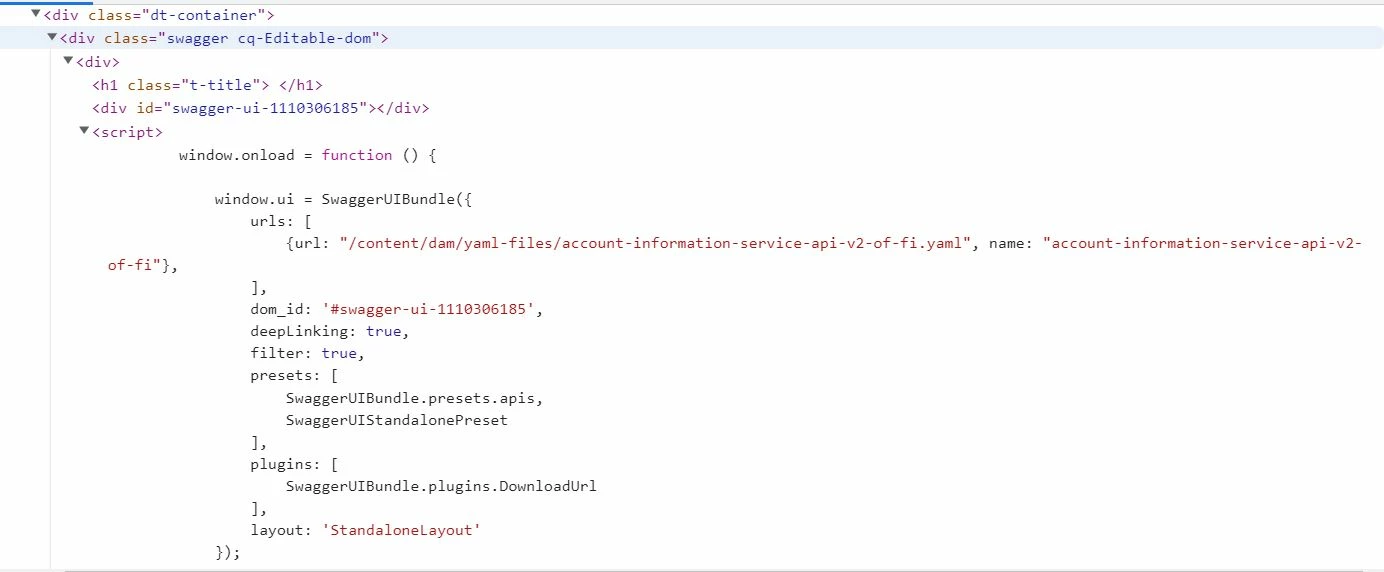
The problem is that no matter I use the unique ID only one swagger component will render on the page and the other will not. I can see the swagger components are correctly loaded in the DOM but as already mentioned only one will render.