Multifield in content fragment model | Community
Skip to main content
This post is no longer active and is closed to new replies. Need help? Start a new post to ask your question.
Best answer by smacdonald2008

Correct - as discussed in the article - they are created on Author.  A component used in a content fragment can have a dialog - where you can use all grainte data types - including MF.

25 replies

Ratna_Kumar
November 10, 2017

Hi,

Yes Scott is correct. Multifield is used to run on author and input the content to the dialog of the component.

It is not used on publish.

Thanks,
Ratna Kumar.

November 10, 2017

Maybe I'm mistaking what a content fragment model is, but isn't creating a content fragment an authoring action? If you create a content fragment based on a content fragment model, is this not akin to adding data to the repository via a component's dialog?

smacdonald2008
November 10, 2017

A content fragment once built - runs on Publish. Therefore Granite APIS are not used within them.

Here is a good article on Content Fragments -- Adobe Experience Manager Help | Working with Adobe Experience Manager Content Fragments

November 10, 2017

I understand the content fragment runs on Publish, but it's still created in the authoring environment? A content editor wouldn't create it on the publisher, right?

smacdonald2008
smacdonald2008Accepted solution
November 10, 2017

Correct - as discussed in the article - they are created on Author.  A component used in a content fragment can have a dialog - where you can use all grainte data types - including MF.

November 10, 2017

If that's the case then, I thought a content fragment model is essentially just a dialog for creating the content fragment (in the author).

smacdonald2008
November 10, 2017

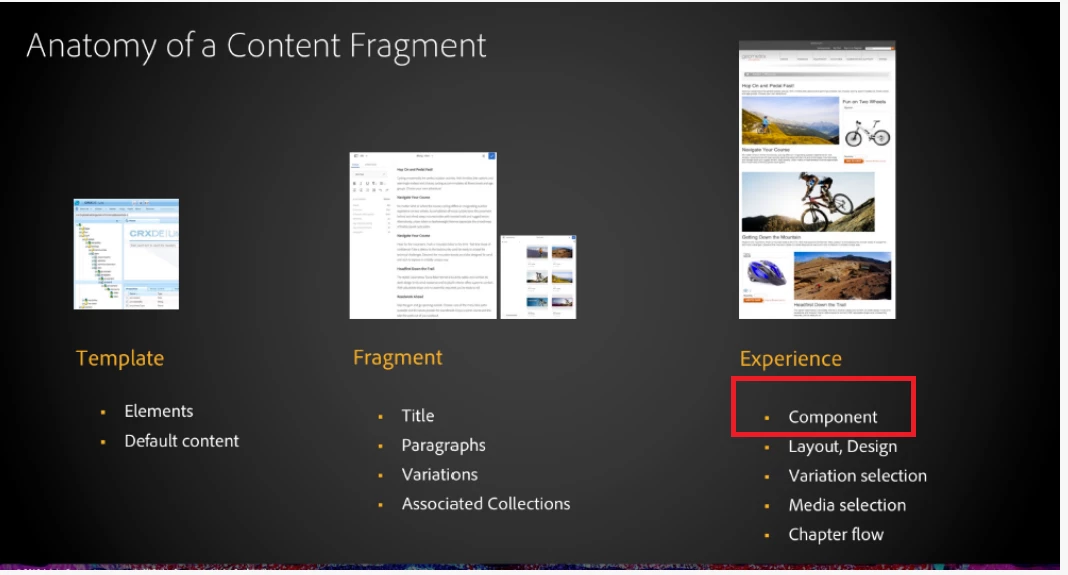
If you look at this illustration--

A component can be part of a Content Fragment. That component can have a dialog which is used to populate that component with data.

Therefore a Multifield can be part of the component dialog - which renders content that is displays within the Content Fragment. However - a MF cannot be used within the Fragment itself.

I hope this clear its up.

smacdonald2008
November 10, 2017

Are you referring to overriding the Content Fragment wizard and injecting a Multifield here:

November 10, 2017

Maybe it would be better to give some context to what we are trying to do. At the moment, to create some content, an editor would add a component to a page then populate it with some values via a dialog. The component then renders those variables appropriately.

We may want multiple instances of the same component across our site where the data within those components is the same. At the moment, to do this we would either add the component to each page and configure them individually via a dialog, or we could create one then copy and paste it onto other pages. The problem with these two methods is that if we want to change a value in that repeated component, we need to repeat the work for each instance on each page.

Our intention to improve this process was to separate the dialog and the view in the component from each other. We would create a content fragment as a central source of the data we wanted to display then create a component that we would point to that fragment and render it.

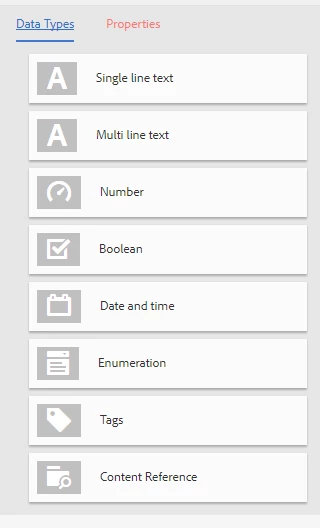
When creating the content fragment, we want the editors to enter data in a structured format (as they would in a dialog) and we identified content fragment models as a way to do that. It's in these models that I was hoping I could add a multifield; as it stands, these are the only field types available:

smacdonald2008
November 10, 2017

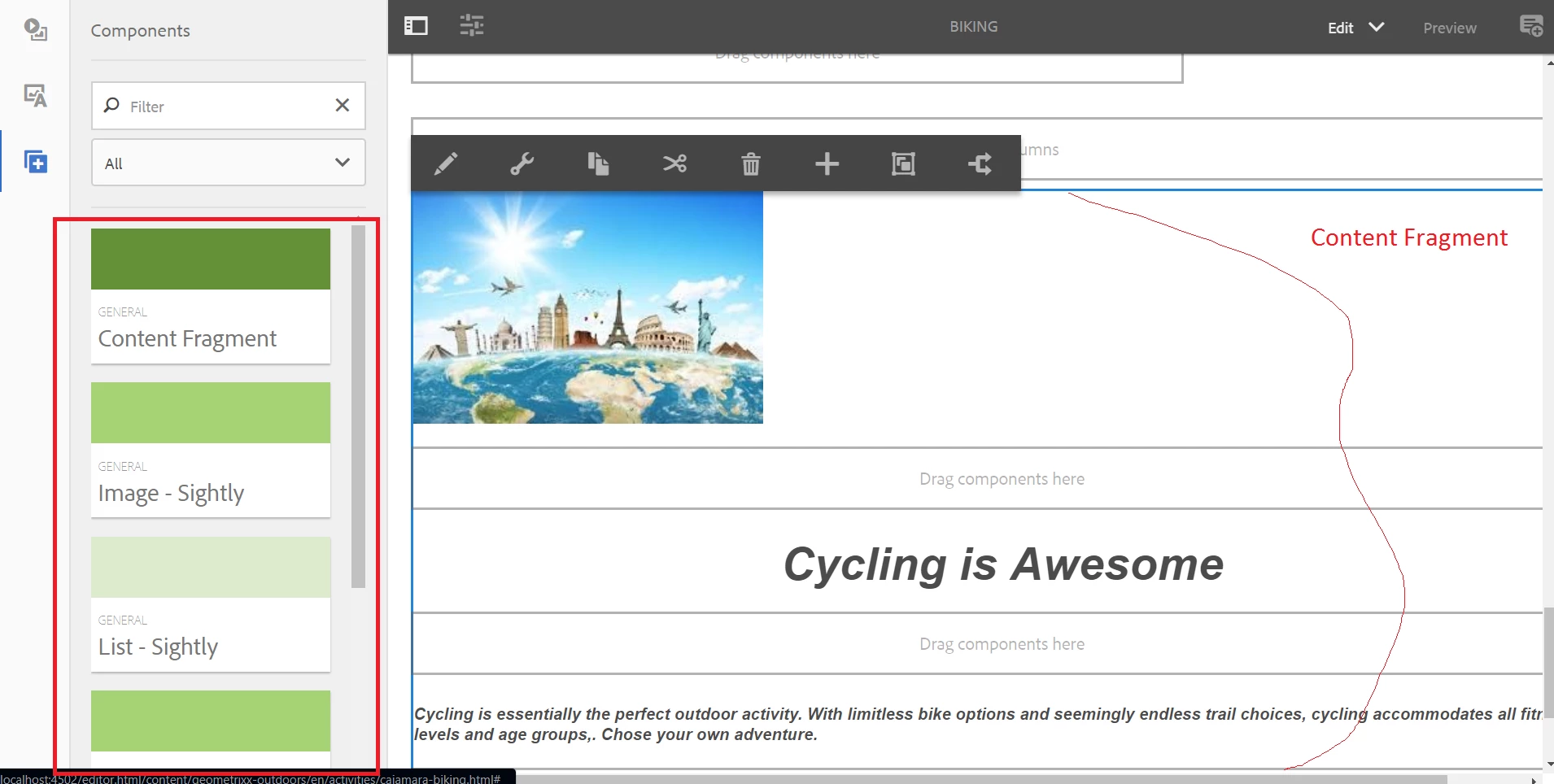
Just to summarize what i meant - here is a content fragment example - you can build by following: Adobe Experience Manager Help | Working with Adobe Experience Manager Content Fragments

You can see component on the left (in red) and content fragment on the right.

What i meant was you can use a Multi-field in a component dialog that you drop onto a content fragment. That is the only role i see a Multifield playing while using a Content Fragment.