Modifying Assign To* dropdown in Create Review Task Workflow | Community
Skip to main content
January 27, 2022
Solved

Modifying Assign To* dropdown in Create Review Task Workflow

  • January 27, 2022
  • 1 reply
  • 1172 views

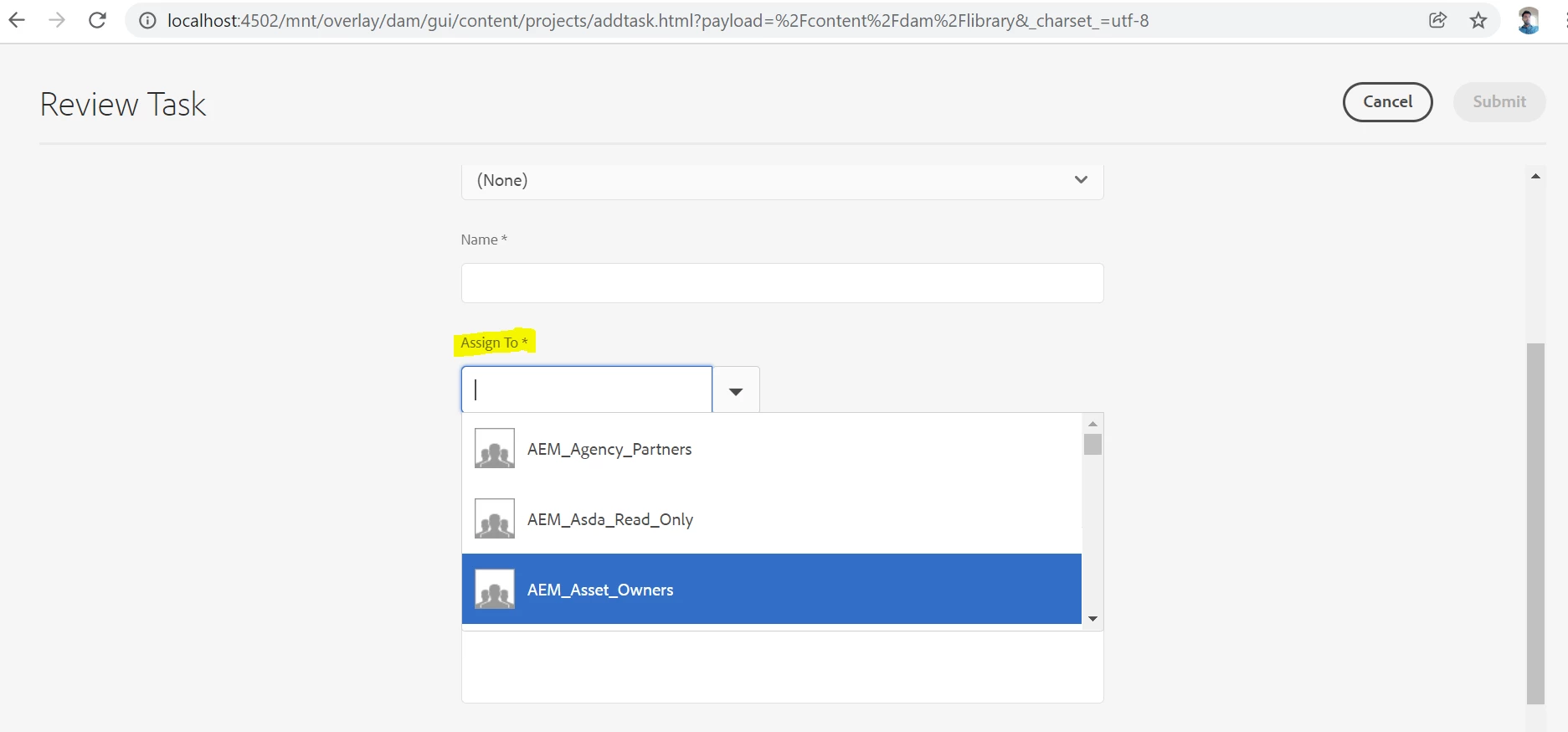
Can anyone help with modifying the OOTB dropdown Assign To* , I need to exclude certain users from the dropdown? Thanks.


This post is no longer active and is closed to new replies. Need help? Start a new post to ask your question.
Best answer by lukasz-m

@amahato, just to be clear userlist is a selector that is added to the request - so it can be handled by specific servlet. You can observe in your browser that when you click on drop down request similar to this is sent

/mnt/overlay/dam/gui/content/projects/addtask/jcr:content/body/items/form/items/wizard/items/tabs/items/basic/items/singlecontainer/items/assign.userlist.html?impersonatesOnly=true&query=&start=0&end=25&_charset_=UTF-8&projectPath=

Above request is handled by/libs/cq/gui/components/projects/admin/userpicker/userlist.jsp - so I think this is what you are looking for.

1 reply

lukasz-m
Community Advisor
Community Advisor
January 27, 2022

Hi @amahato, wizard implementation can be found under /libs/dam/gui/content/projects/addtask and drop-down can be found here /libs/cq/gui/components/projects/admin/userpicker.

Unfortunately both those areas are marked as granite:InternalArea. Base on AEM documentation

Internal (granite:InternalArea) - Defines a node as internal. Nodes classified as internal cannot be overlaid, inherited, or used directly. These nodes are meant only for internal functionality of AEM

This complicates the operation you are trying to do. I would leave it as it is, and maybe write some guidelines for users.

But if you do not have a choice and need to apply some code changes, I would suggest to create Sling Filter that will handle userlist.html request that provides list of options in the drop-down. So in that filter you will need to remove entries that you do not want to expose to the users. However please be aware that /libs/cq/gui/components/projects/admin/userpicker is used in any other places, so your filter should modify data only for this specific scenario. In other case it will affect other functionalists. You can find more information about filters under https://sling.apache.org/documentation/the-sling-engine/filters.html.

The other option could be to write some JavaScript that will remove specific items on client side.

amahatoAuthor
January 28, 2022

I found userlist.jsp which is in the userpicker folder but cannot locate userlist.html, can you please help?

lukasz-m
Community Advisor
lukasz-mCommunity AdvisorAccepted solution
Community Advisor
January 28, 2022

@amahato, just to be clear userlist is a selector that is added to the request - so it can be handled by specific servlet. You can observe in your browser that when you click on drop down request similar to this is sent

/mnt/overlay/dam/gui/content/projects/addtask/jcr:content/body/items/form/items/wizard/items/tabs/items/basic/items/singlecontainer/items/assign.userlist.html?impersonatesOnly=true&query=&start=0&end=25&_charset_=UTF-8&projectPath=

Above request is handled by/libs/cq/gui/components/projects/admin/userpicker/userlist.jsp - so I think this is what you are looking for.
