Missing attibute on list item on style selection for component Text(v2) | Community
Skip to main content
Level 2
January 19, 2023
Solved

Missing attibute on list item on style selection for component Text(v2)

  • January 19, 2023
  • 2 replies
  • 1217 views

Hi.


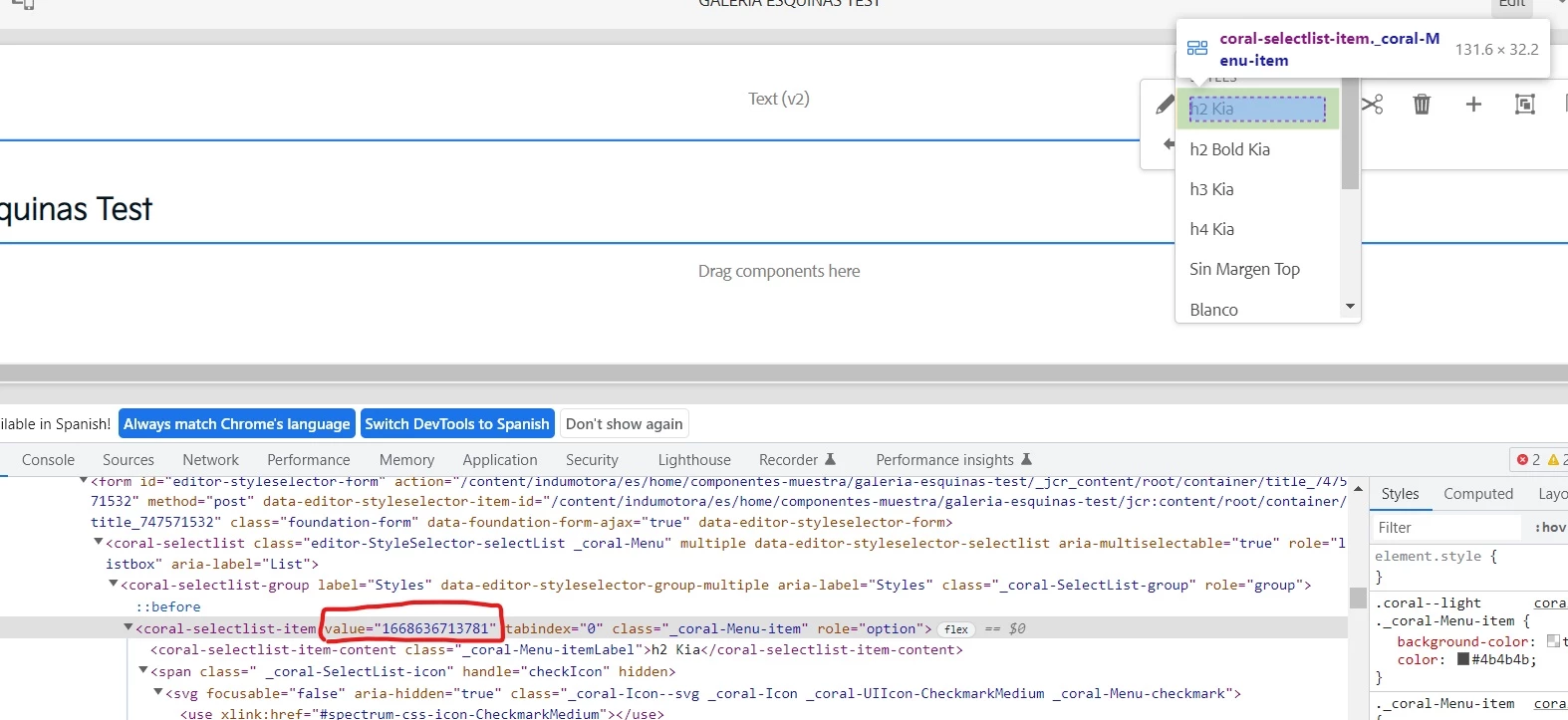
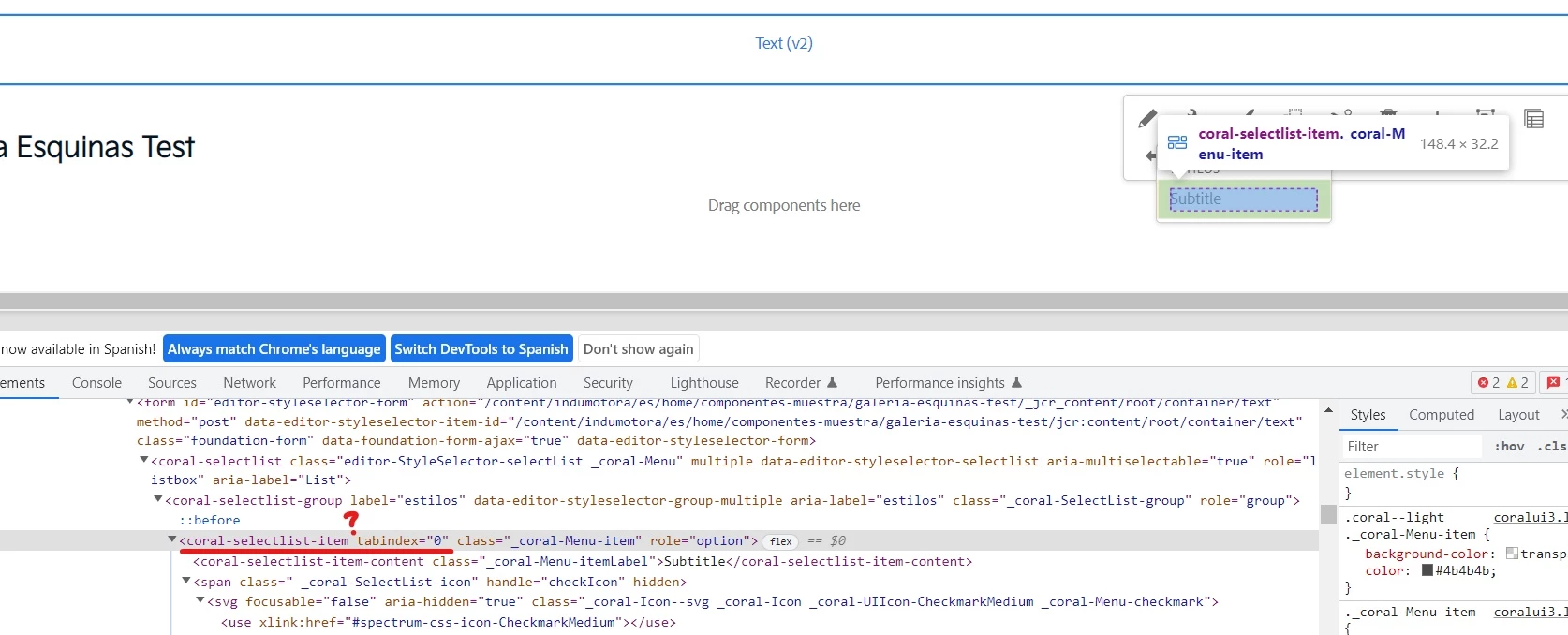
I'm having an issue with the style selection list for the component Text(v2)as  isn't rendering the "value" attribute of each option, making it unselectable.


As a reference I'm attaching two images, one is "working-style" which is from the Title(v3) component, where the list items have a value and the selection works, and the other is "broken-style" wich correspond to the Text(v2) componet where you can see the missed "value" attribue.


To clarify:

1. Both components are in the same template and page

2. All the styles reference real classes, in fact the same class is used in both components

3. This issue only happens when is in the cloud, if you test in local the selection works

4. In Text(v2) if you select and option it shows the check icon, but if you click outside the component and check the style again, the option is not selected.


Working style image (Title v3)


Broken style image (Text v2):
 

Thnaks for your help.
This post is no longer active and is closed to new replies. Need help? Start a new post to ask your question.
Best answer by ArpitVarshney

Hi @pixeldvx 

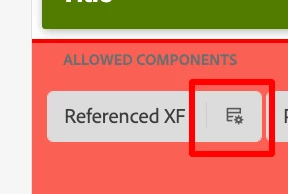
Could you please go to the template of this page and look for the text v2 component in the same container, there you would notice a button to open a component policy like below

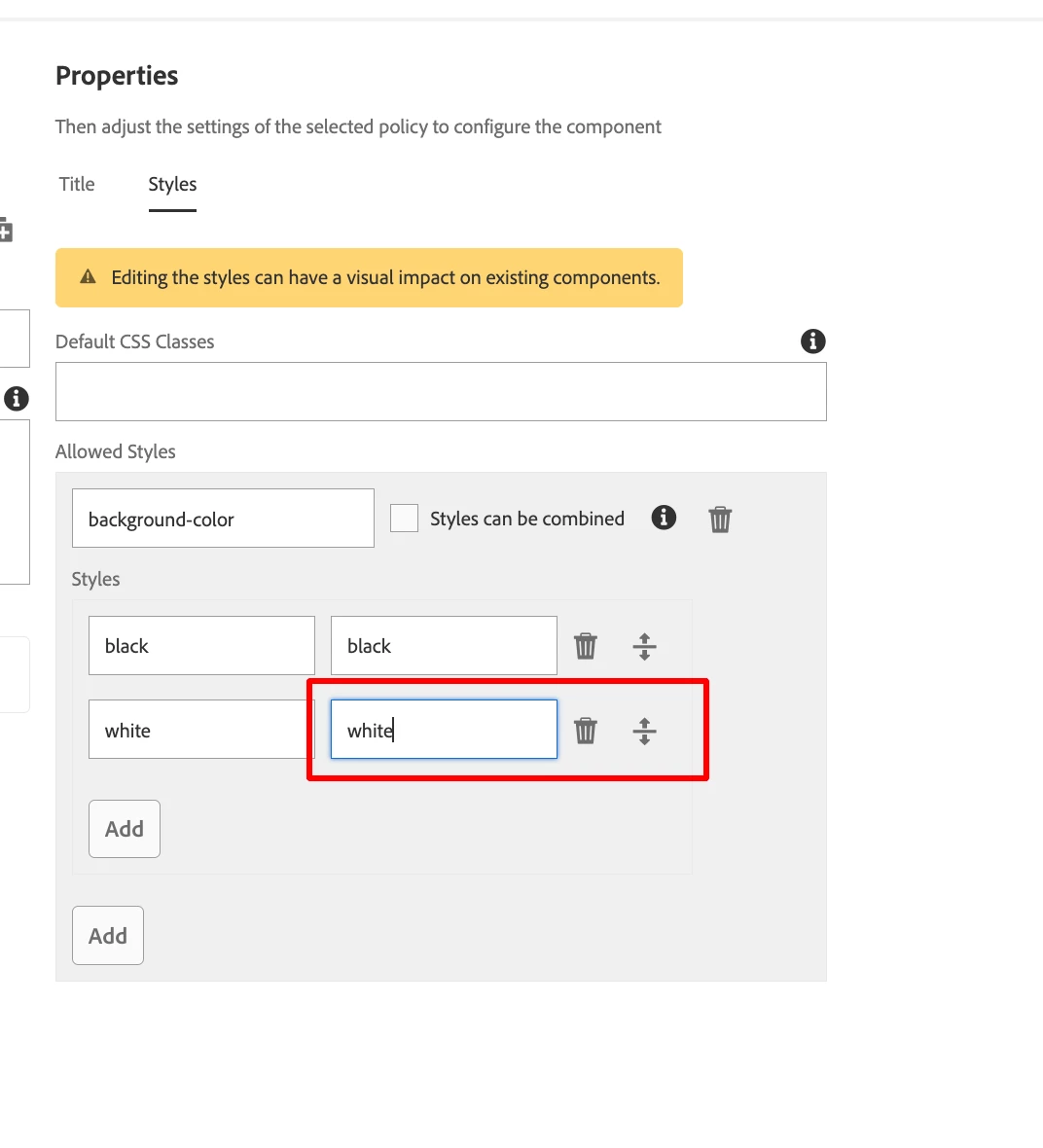
Click on this and then go to the Style tab, where you would notice the style with css classes. It might be possible, css classes are missing in the policy for the corresponding style name. Attaching a screenshot for reference.


Regards,

Arpit Varshney


2 replies

Himanshu_Jain
Community Advisor
Community Advisor
January 19, 2023

Check policies for both the components.

Himanshu Jain
ArpitVarshney
Community Advisor
ArpitVarshneyCommunity AdvisorAccepted solution
Community Advisor
January 19, 2023

Hi @pixeldvx 

Could you please go to the template of this page and look for the text v2 component in the same container, there you would notice a button to open a component policy like below

Click on this and then go to the Style tab, where you would notice the style with css classes. It might be possible, css classes are missing in the policy for the corresponding style name. Attaching a screenshot for reference.


Regards,

Arpit Varshney


pixeldvxAuthor
Level 2
January 19, 2023

Hi, thanks for your answer.


Both compoents have the classes assigned.


Below is the one for Text(v2), the one with the issue


And below is the one for the Title (v3), the one that works