Question
Missing artifact javax.servlet.jsp:jsp.api:jar:2.1 Eclipse error
When I try to UPDATE my Maven project ( Chapter 8 - Using JSP with AEM 6.0 ) after I updated my main pom.xml with the javax.servlet.jsp dependancy, I get the following error :Missing artifact javax.servlet.jsp:jsp.api:jar:2.1
I even tried to compile from command line using mvn compile and get the same error :
[ERROR] Failed to execute goal on project company-training-project-bundle: Could not resolve dependencies for project com.adobe.training:company-training-project-bundle:bundle:1.0-SNAPSHOT:
Could not find artifact javax.servlet.jsp:jsp.api:jar:2.1 in adobe (http://repo.adobe.com/nexus/content/groups/public/) -> [Help 1]
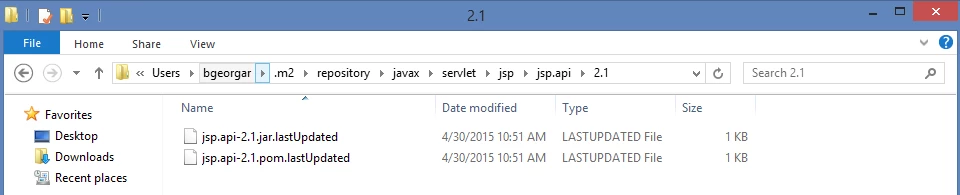
If I look at my .m2 dir, I can see that it attempted to get the jar, but it wasn't able to grab it :