Manage Publication visibility vs crx:replicate | Community
Skip to main content
Level 4
October 27, 2023
Solved

Manage Publication visibility vs crx:replicate

  • October 27, 2023
  • 4 replies
  • 2932 views

Hi All,

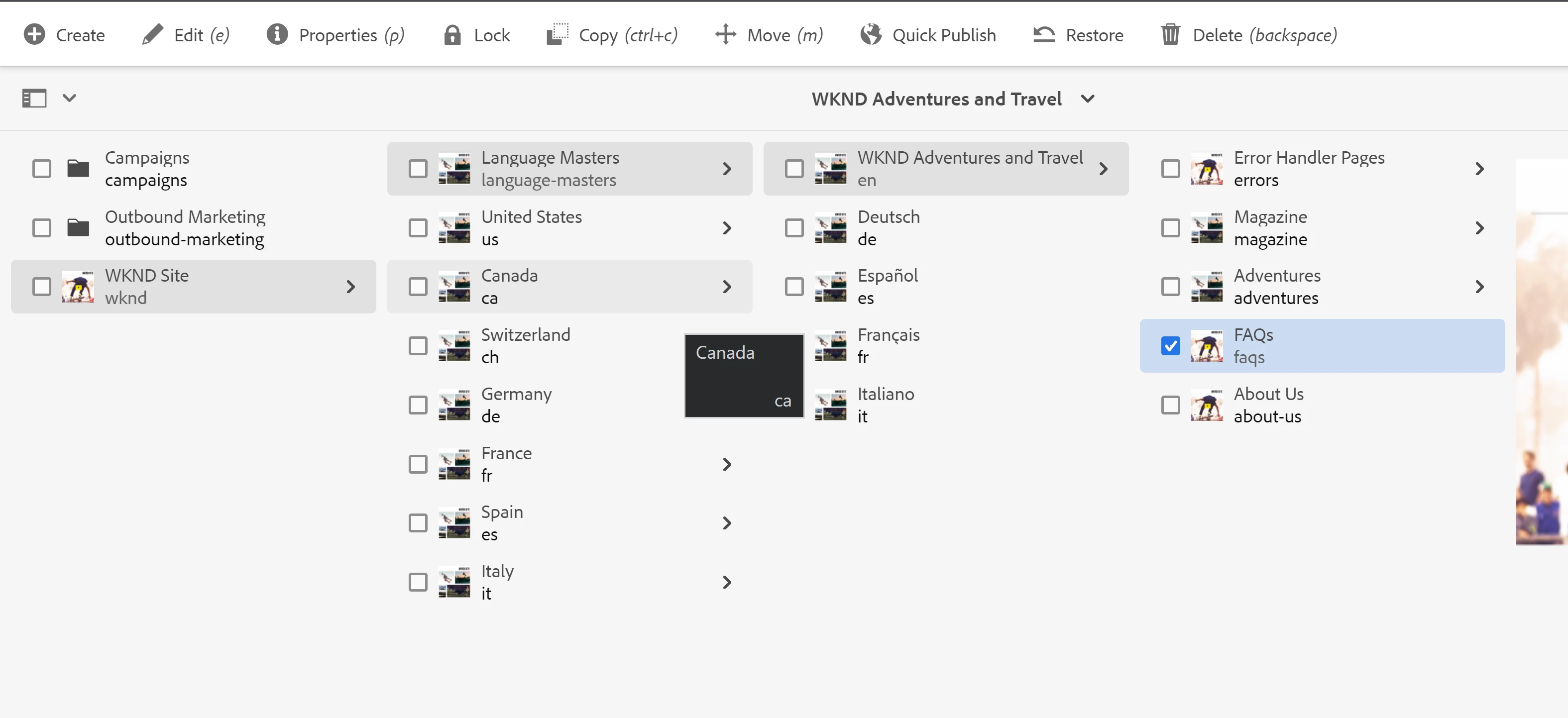
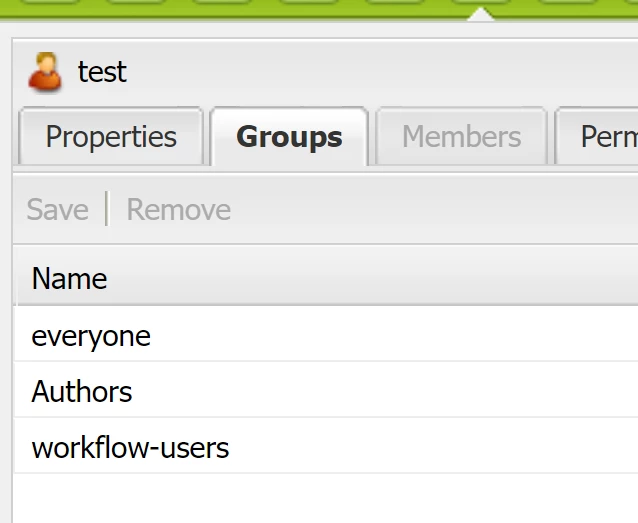
Recently, I am working on an requirement where I need to grant the publish access to a group users on a specific assets folder in Assets. So, I added crx:replicate privilege on the path of the assets folder for the user group, and then I can see the buttons of Quick Publish and Manage Publication, that is good. However, I find that Quick Publish is working for me, but Manage Publication is not working. When doing Manage Publication, it is throwing the error of "Not enough rights to manage publication.". By the investigation, I find it is lack of workflow relevant rights for Manage Publication. After I add the group to the members of the AEM built-in group of "workflow-users", Manage Publication is working in Assets. However, it is also visible and working in Sites pages (where I didn't add crx:replicate privilege), which is not expected.

Does anyone know how to make Manage Publication working based upon crx:replicate? I tried some permissions in workflow-users individually, and it will also make Manage Publication visible even if I don't add crx:replicate privilege. It looks like a bug for me.

AEM Version: AEM as a Cloud Service

Thanks.
This post is no longer active and is closed to new replies. Need help? Start a new post to ask your question.
Best answer by aanchal-sikka

Hello @huideshao 


Here are the settings that are working for me, although user is part of workflow-users group


Manage Publication is unavailable


4 replies

arunpatidar
Community Advisor
Community Advisor
October 27, 2023

Hi,

You can deny read permission for the nodes, so those button won't be visible


Site : /libs/wcm/core/content/common/managepublicationwizard 

Asset : /libs/dam/gui/content/commons/managepublicationwizard

Arun Patidar
HuiDeShaoAuthor
Level 4
October 27, 2023

Hi,
Not sure if I am adding the correctly. It is not working...


aanchal-sikka
Community Advisor
Community Advisor
October 27, 2023

Hello @huideshao 


As @arunpatidar mentioned you can revoke access on wizard, then the user won't be able to access it and trigger actions.


Also, to remove the button from UI, you can add ACL like

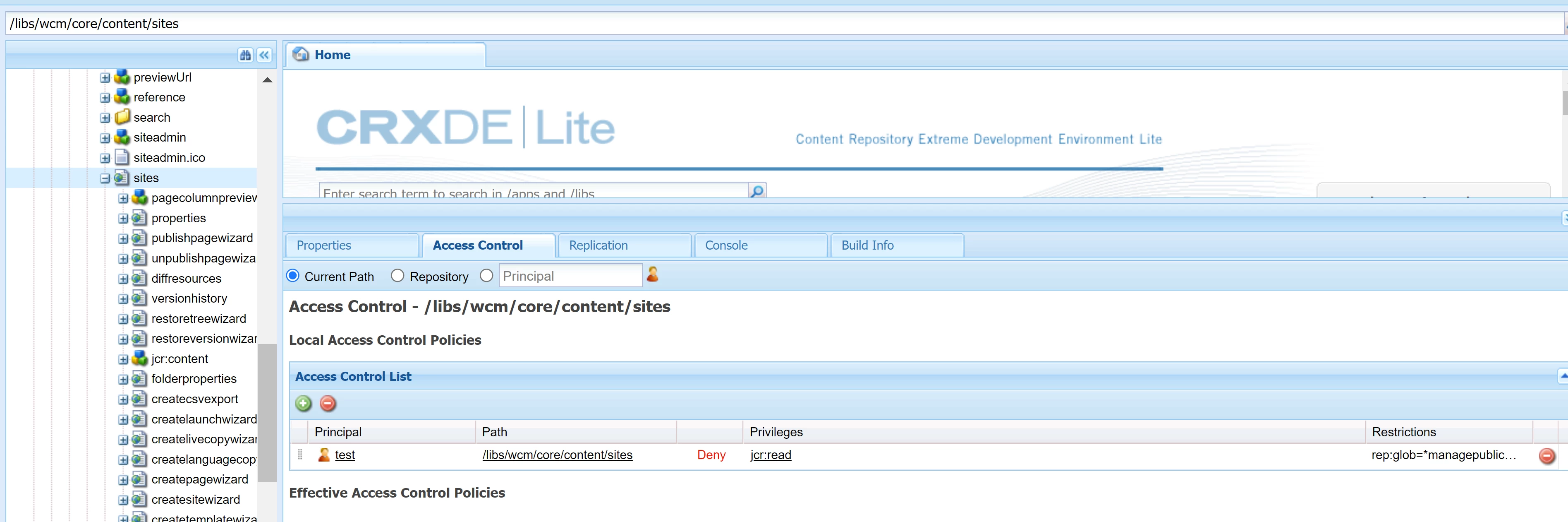
Since, managepublication is under jcr:content, we would need rep:glob to selectively take away read access

Aanchal Sikka
HuiDeShaoAuthor
Level 4
October 27, 2023

Hi @aanchal-sikka 
It looks like workflow-users still have higher priority. Hmm, I will try again later and update. Thanks.

HuiDeShaoAuthor
Level 4
October 30, 2023

Hello @huideshao 


Here are the settings that are working for me, although user is part of workflow-users group


Manage Publication is unavailable


Hi @aanchal-sikka 

This is what I am setting. So weird, anyway.


kautuk_sahni
Community Manager
Community Manager
October 30, 2023

@huideshao Did you find the suggestions from users helpful? Please let us know if more information is required. Otherwise, please mark the answer as correct for posterity. If you have found out solution yourself, please share it with the community.

Kautuk Sahni
HuiDeShaoAuthor
Level 4
October 30, 2023

The following permission is working for me for both of Sites and Assets.