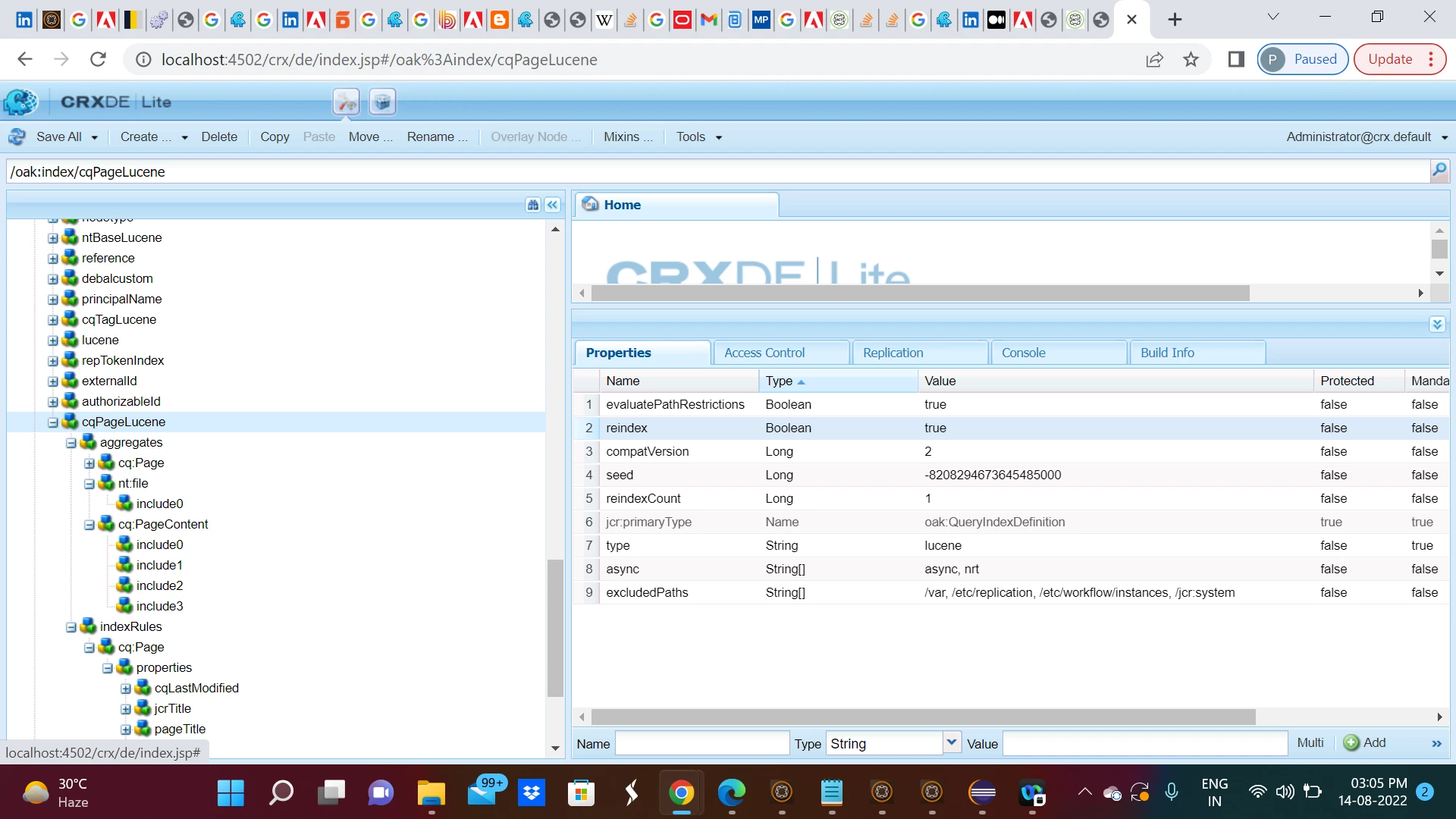
You need to follow this 4 steps approach -
Step 1: Use AEM query builder debugger url http://localhost:4502/libs/cq/search/content/querydebug.html to generate xpath query as shown below -
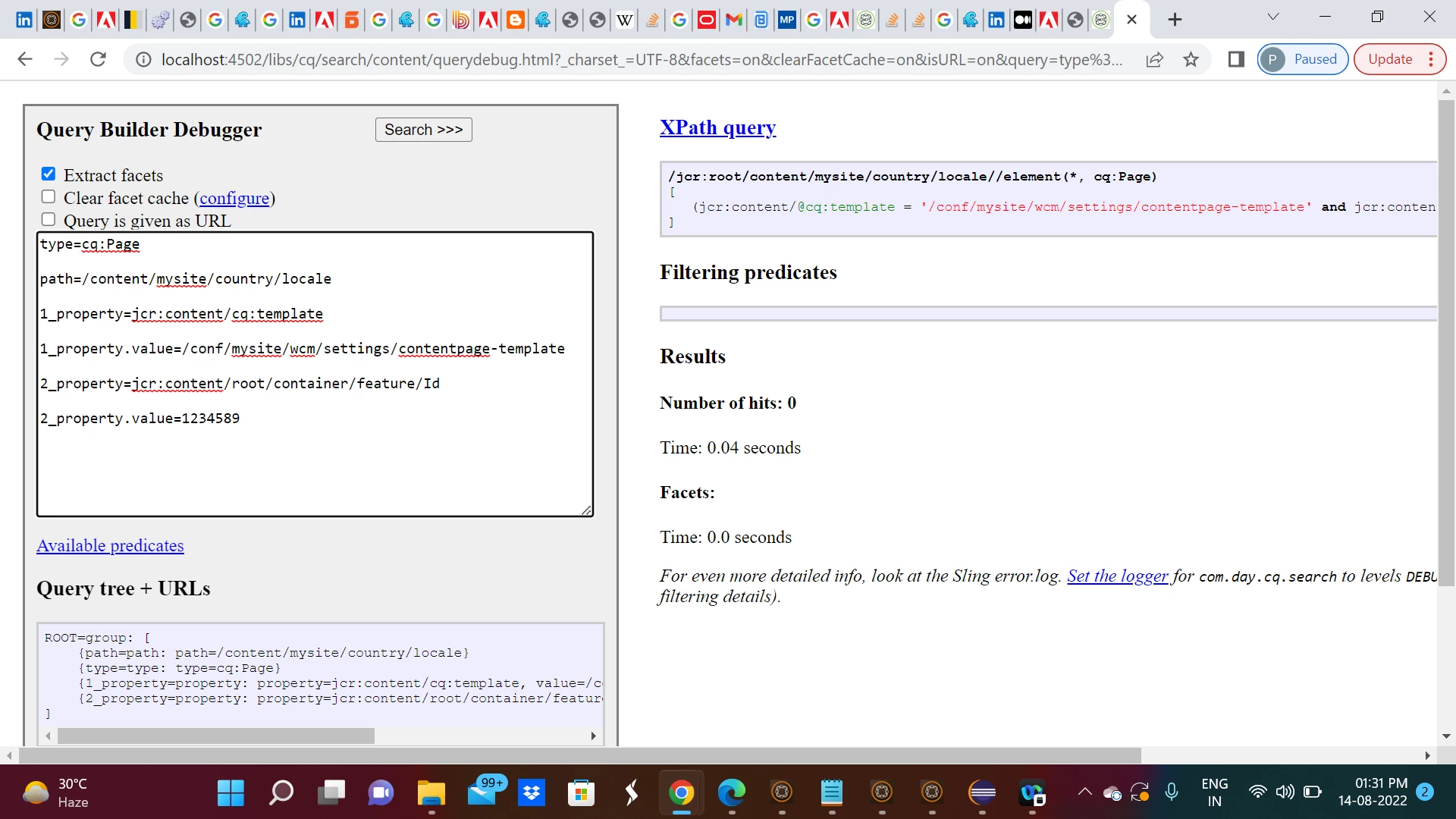
Query builder query -
type=cq:Page

path=/content/mysite/country/locale

1_property=jcr:content/cq:template

1_property.value=/conf/mysite/wcm/settings/contentpage-template

2_property=jcr:content/root/container/feature/Id

2_property.value=1234589
Xpath query -
/jcr:root/content/mysite/country/locale//element(*, cq:Page)
[
(jcr:content/@cq:template = '/conf/mysite/wcm/settings/contentpage-template' and jcr:content/root/container/feature/@Id = '1234589')
]
Step 2: Please copy the above mentioned Xpath query and paste into Oak Index Definition Generator [https://oakutils.appspot.com/generate/index] as shown below -
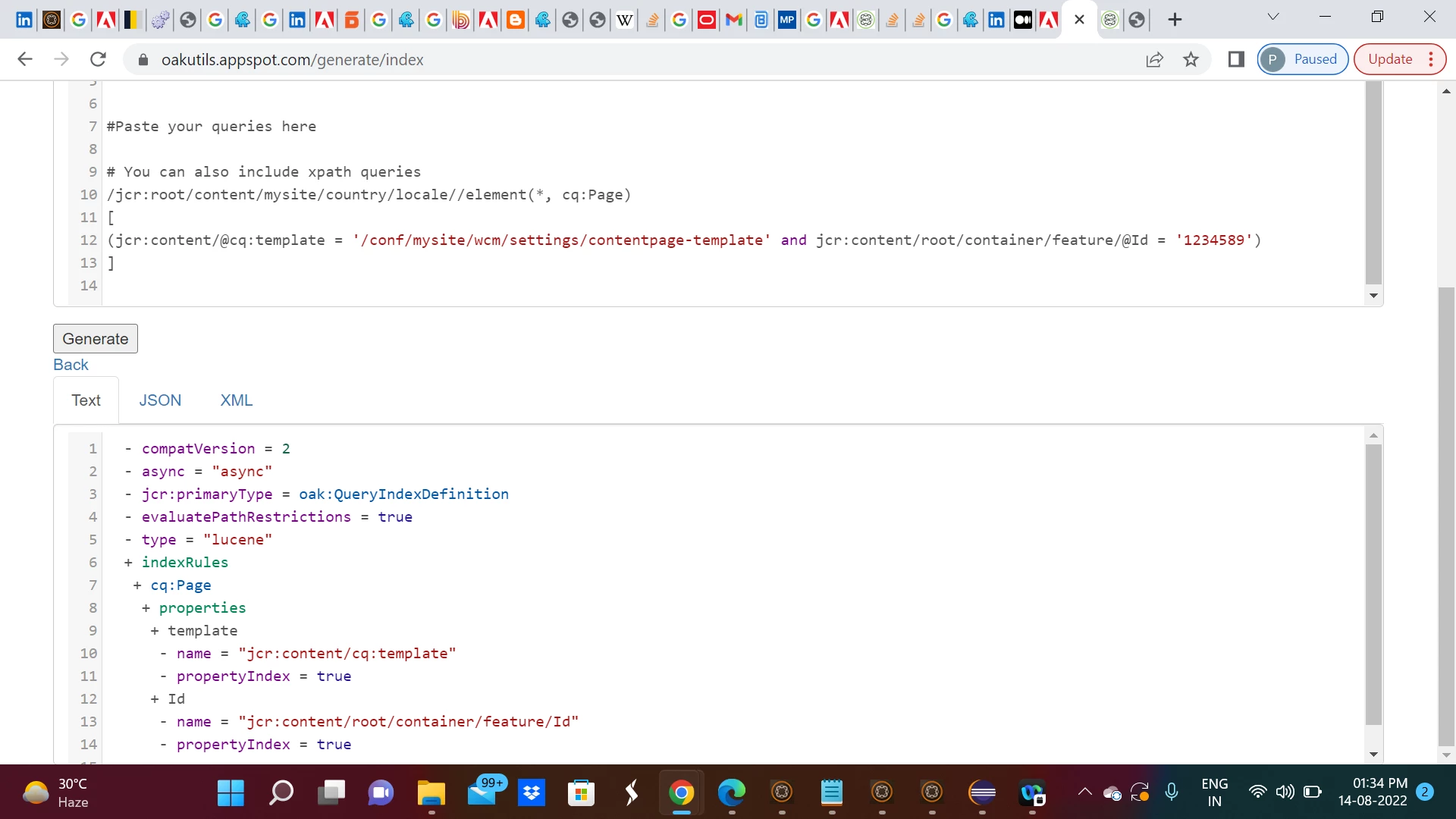
Index details has been given below -
Index details -

  - compatVersion = 2
  - async = "async"
  - jcr:primaryType = oak:QueryIndexDefinition
  - evaluatePathRestrictions = true
  - type = "lucene"
  + indexRules
   + cq:Page
    + properties
     + template
      - name = "jcr:content/cq:template"
      - propertyIndex = true
     + Id
      - name = "jcr:content/root/container/feature/Id"
      - propertyIndex = true
Step 3:
Now you need to add below node and property under /oak:index/cqPageLucene/indexRules/cq:Page/properties -
 template
      - name = "jcr:content/cq:template"
      - propertyIndex = true
     + Id
      - name = "jcr:content/root/container/feature/Id"
      - propertyIndex = true
Step 4:
Now you need to initiate reindexing by making reindex [Boolean] true as shown below -