@kamal_kishor,
I also had a similar requirement like this where a specific editable template requires a specific set of JavaScript and CSS. For example, we had a client library that should only be enabled for our store location pages, and also another client library that should be enabled for our store book pages. You can visualise that all store location pages use a single editable template, while the store book pages use a separate single editable template.
If you utilise the WCM Core Components V2 Page, as your websites base page during the creation of the editable templates, you can utilise the editable template's Page Policies to set specific client libraries for different templates; it's that simple. You can define specific client libraries directly from the Touch UI editable template page editor.
Here are steps for how you can include a custom client library for your editable template (let's use we.retail example project):
From the AEM author environment.
- Navigate to editable templates console, we.retail project - http://localhost:4502/libs/wcm/core/content/sites/templates.html/conf/we-retail
- Choose a target editable template, and navigate to the Touch UI editor for that given editable template - http://localhost:4502/editor.html/conf/we-retail/settings/wcm/templates/content-page/structure.html
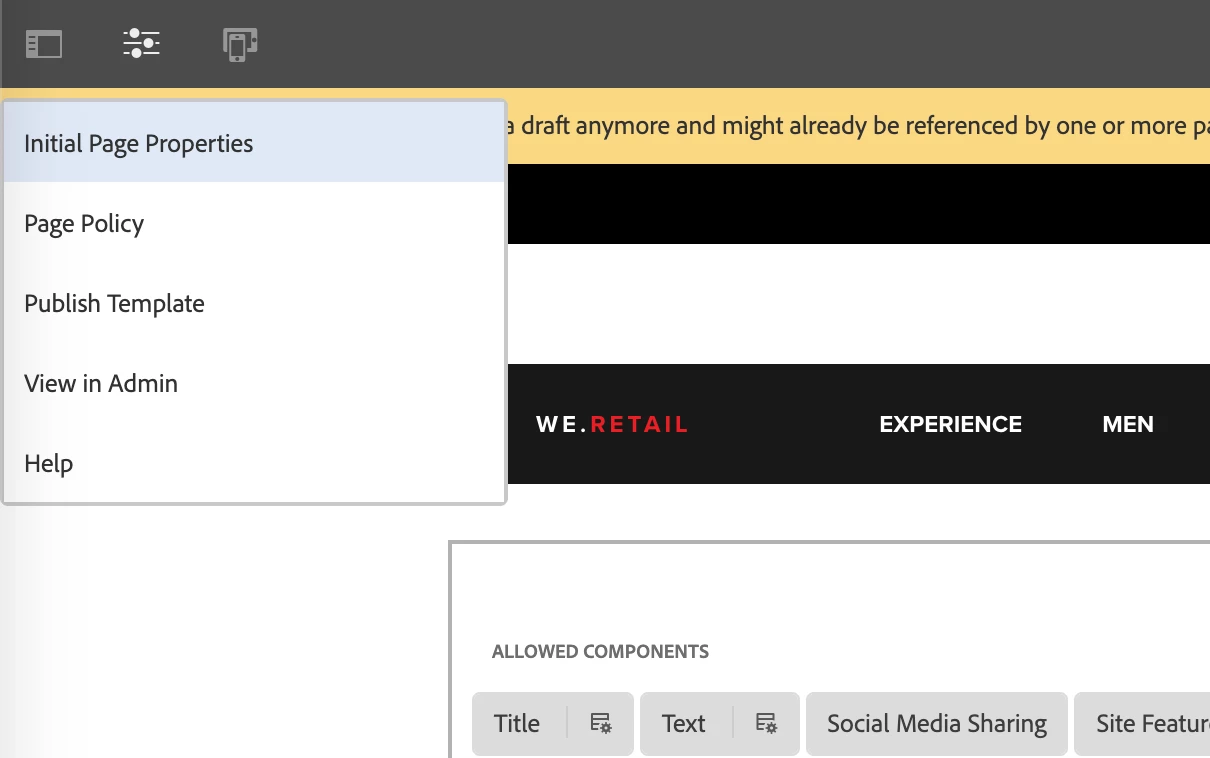
- From the Touch UI editor, click on the drop-down button from the left top main nav, and select on Page Policy; you are presented with the Page Policies configuration page.
screenshot illustrated below:
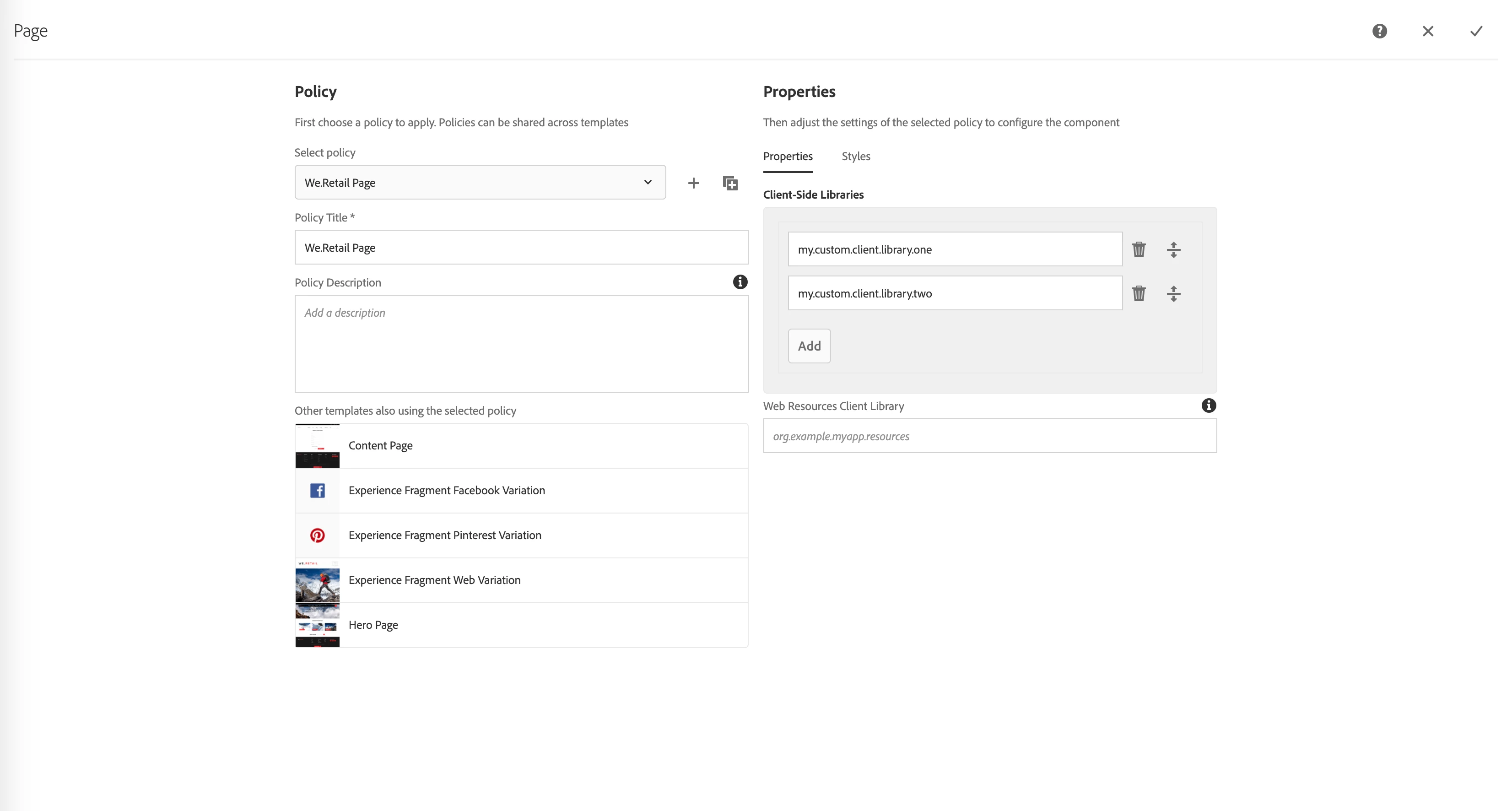
- Next, add your client library category directly into the client-side libraries multi-field, and save.
screenshot illustrated below:
- Done.
- Going live: Publish the editable template with your changes.
- Going live: Flush the cache, if your website is sitting behind a dispatcher.
- Going live: Flush the CDN cache, if your website is sitting behind a CDN.
- Going live: Done.
If you are a visual learner, check out Adobe's video documentation - https://docs.adobe.com/content/help/en/experience-manager-learn/sites/page-authoring/template-editor-feature-video-use.html#:~:text=Editable%20templates%20allow%20specialized%20authors,Experience%20Manager%20(AEM)%20Sites.&text=Editable%20Templates%20are%20the%20recommendation%20for%20building%20new%20AEM%20Sites.


