links to ppt not working on OOB text component | Community
Skip to main content
carolynr5682886
Level 2
January 15, 2019

links to ppt not working on OOB text component

  • January 15, 2019
  • 2 replies
  • 6958 views

Hi,

I have a problem with the OOB text component not publishing the links to pps, ppsx or pps assets within the DAM on a page.

Currently when I add a link to the ppt, ppsx or pps assets in the DAM via the text component it does not keep the link to the asset in the DAM and returns an empty <a href> on the page like so:
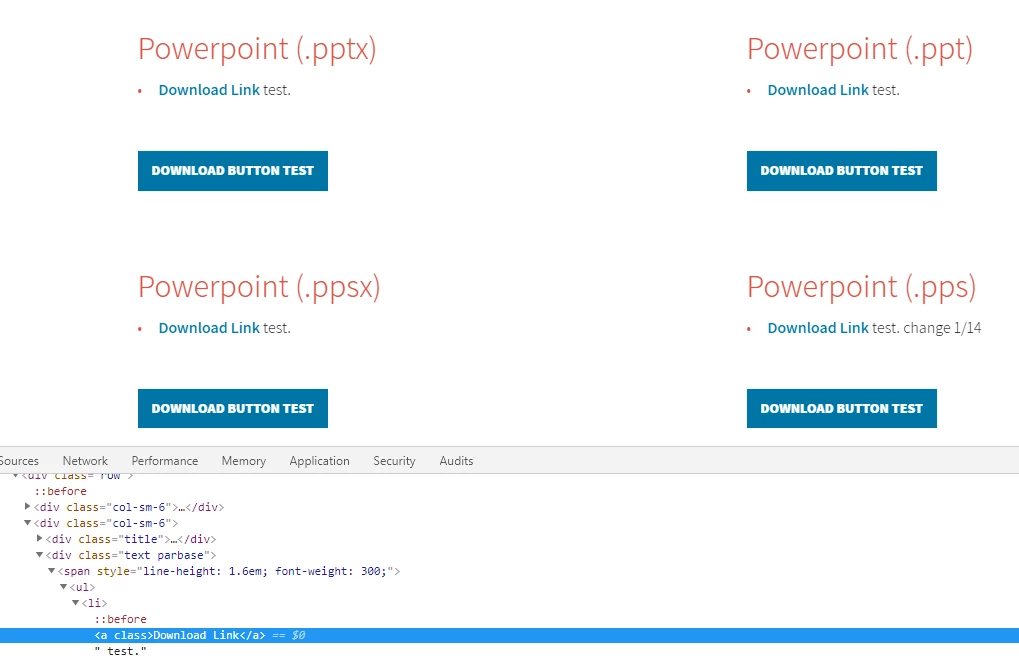
The text component is OOB using sightly on an AEM 6.2 instance.

I've made sure that the ppt, ppsx and pps files have been published, can be accessed through the browser by the DAM link and is not showing as a broken link within the text component on my page. Also I have gone to my instance https://<server_name>/system/console/mimetypes and found the mimetype associated to the ppt, pps and pps.

Example here:

How can I get the OOB text component to keep the links to the ppt, pps and pps dam assets?

This post is no longer active and is closed to new replies. Need help? Start a new post to ask your question.

2 replies

smacdonald2008
Level 10
January 15, 2019

How are you getting the links - are you using PathFinder from a dialog?

carolynr5682886
Level 2
January 15, 2019

Yes Scott, I am using the pathfinder to grab the ppt, ppsx or pps assets from the dam to create the link.


I am also using the OOB text component that calls this text.js

All of the other examples I have on the page using the OOB text component allow the user to download the respective asset from the DAM. The other examples of assets from the DAM are the following: zip, .doc, .docx, .xlsx, .xls, .pptx, pps

Here is an example of the .doc working:

Gaurav-Behl
Level 10
January 15, 2019

Is the place to make the corrections found here?

  1. /libs/cq/xssprotection/config.xml
  2. /libs/sling/xss/config.xml

Yes, overlay it to /apps folder and make the changes in

/apps/sling/xss/config.xml

kautuk_sahni
Community Manager
Community Manager
January 15, 2019

I am not very clear with your questions. What do you mean by "adding links to the PPT", is it links to the text? How are you adding these links?

Kautuk Sahni
