javax.inject,version=[0.0,1) — Cannot be resolved | Community
Skip to main content
Var
Level 4
April 9, 2017
Solved

javax.inject,version=[0.0,1) — Cannot be resolved

  • April 9, 2017
  • 6 replies
  • 11944 views

Is there any other work around to fix the javax.inject,version=[0.0,1) -- Cannot be resolvedissue in OSGI bundle.

I have tried all the approaches provided in the below forum. but still my bundle doesn't resolve.

I am using AEM 6.2 + Java version: 1.8.0_121 + Apache Maven 3.3.9 and archetypeVersion=10 

http://help-forums.adobe.com/content/adobeforums/en/experience-manager-forum/adobe-experience-manager.topic.html/forum__fikl-ive_just_updatedfro.html

The POC code snippet can be found in my drive here

This post is no longer active and is closed to new replies. Need help? Start a new post to ask your question.
Best answer by Feike_Visser1

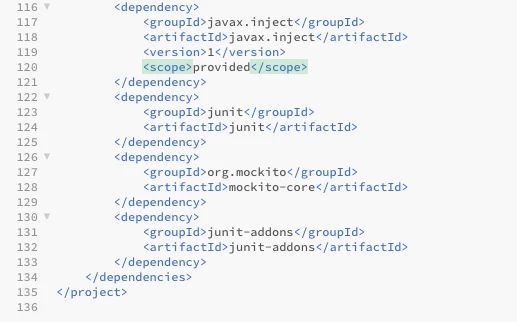
add this dependency:

        <dependency>

            <groupId>javax.inject</groupId>

            <artifactId>javax.inject</artifactId>

            <version>1</version>

            <scope>provided</scope>

        </dependency>

6 replies

vjetty
Level 4
April 10, 2017

Hi, Try these dependencies.

<dependency> <groupId>org.apache.sling</groupId> <artifactId>org.apache.sling.models.api</artifactId> <version>1.2.2</version> <scope>provided</scope> </dependency> <dependency> <groupId>org.apache.sling</groupId> <artifactId>org.apache.sling.models.impl</artifactId> <version>1.2.2</version> <scope>provided</scope> </dependency> <dependency> <groupId>org.apache.geronimo.specs</groupId> <artifactId>geronimo-atinject_1.0_spec</artifactId> <version>1.0</version> <scope>provided</scope> </dependency>

And also check the required uber-jar is present.

<dependency> <groupId>com.adobe.aem</groupId> <artifactId>uber-jar</artifactId> <version>6.2.0</version> <classifier>apis</classifier> <scope>provided</scope> </dependency>

Hope this helps!

Thanks,

Vamsi

Feike_Visser1
Adobe Employee
Feike_Visser1Adobe EmployeeAccepted solution
Adobe Employee
April 10, 2017

add this dependency:

        <dependency>

            <groupId>javax.inject</groupId>

            <artifactId>javax.inject</artifactId>

            <version>1</version>

            <scope>provided</scope>

        </dependency>

Prince_Shivhare
Community Advisor
Community Advisor
April 10, 2017

Hi,

This issue is only in AEM 6.2 once you create or deploy new project. you need to add the below dependency in your core project:

<dependency> <groupId>javax.inject</groupId> <artifactId>javax.inject</artifactId> <version>1</version> </dependency>

AEM versions prior to 6.2, there was a dependency to javax.inject version 0 whereas now they need version 1 and that's not reflected in the pom.xml.


~ Prince

Var
VarAuthor
Level 4
April 10, 2017

Feike Visser wrote...

add this dependency:

        <dependency>

            <groupId>javax.inject</groupId>

            <artifactId>javax.inject</artifactId>

            <version>1</version>

            <scope>provided</scope>

        </dependency>


Thanks Feike,

after so many rebuilds with modification of pom files finally found it works with

<dependency><groupId>org.apache.sling</groupId><artifactId>o‌​rg.apache.sling.mode‌​ls.api</artifactId><‌​/dependency> <dependency> <groupId>org.apache.sling</groupId> <artifactId>org.apache.sling.models.impl</artifactId> </dependency> <dependency> <groupId>javax.inject</groupId> <artifactId>javax.inject</artifactId> </dependency>

 as mandatory in build and remaining uber-jar and geronimo-atinject_1.0_spec jars as optional. even both together works.

Level 2
July 23, 2017

It's working!

Level 2
February 19, 2021


add this dependency in your core/pom.xml