Issue with database connection pool | Community
Skip to main content
prashantonkar
May 3, 2018

Issue with database connection pool

  • May 3, 2018
  • 2 replies
  • 14820 views

I have created multiple data sources through sling:OsgiConfig nodes in the run mode configuration.
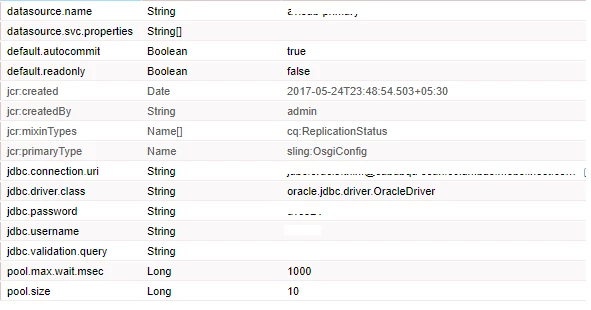
I can also see these configurations in configurations manager screen.
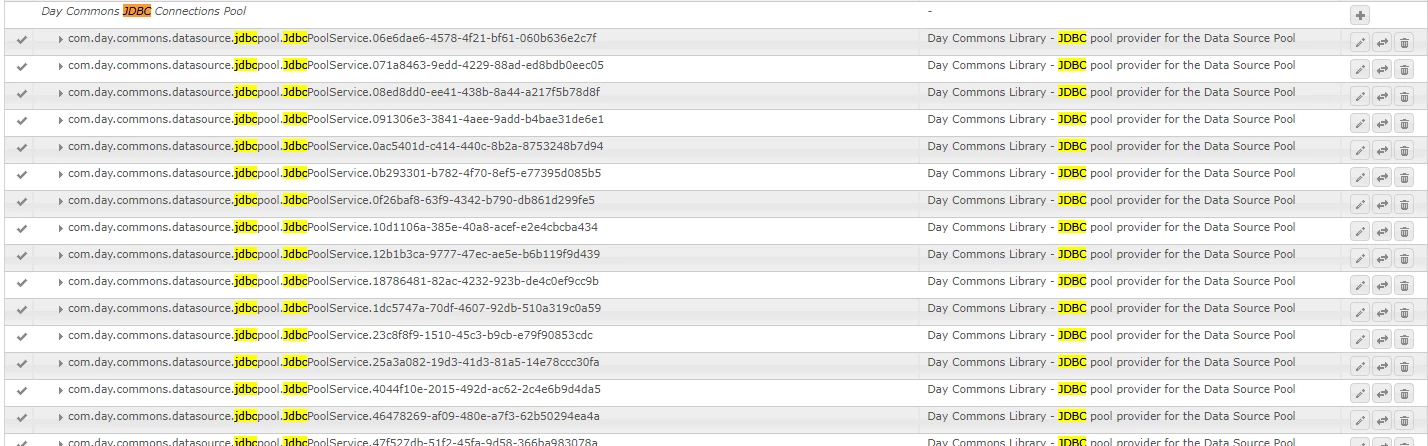
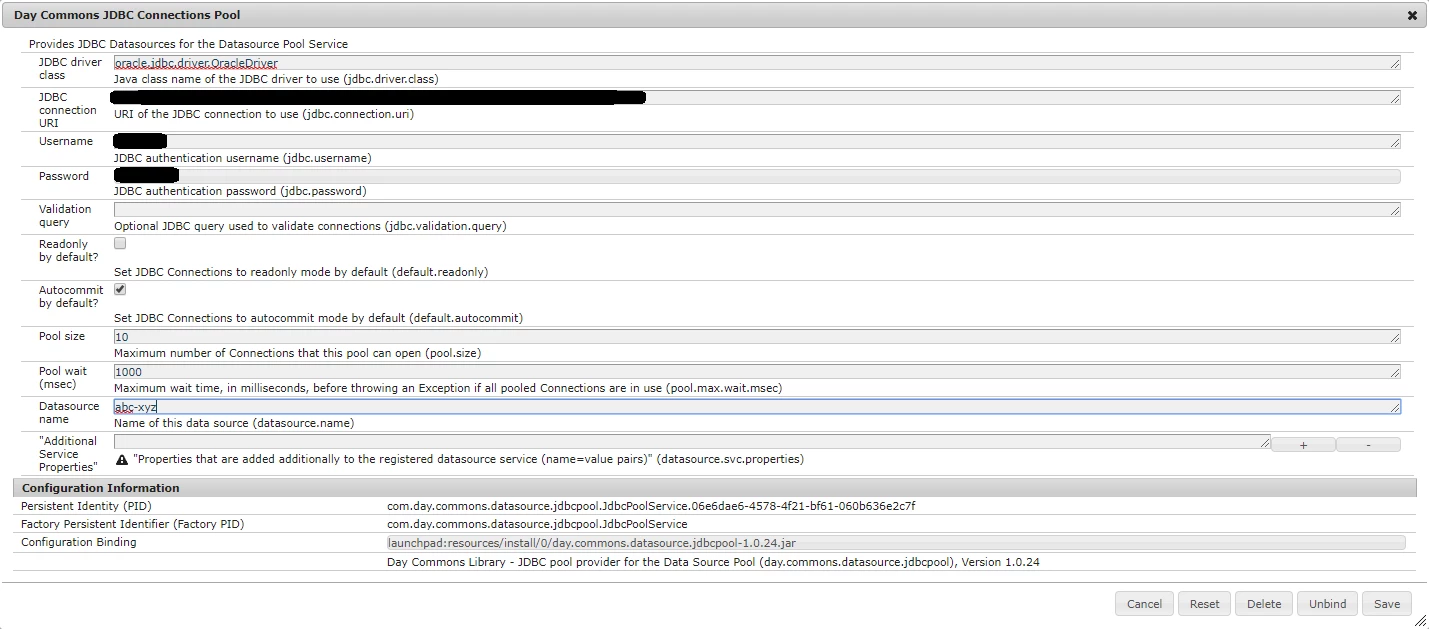
I am trying to get database connection using below code:

@Reference

    private DataSourcePool dspService;

....

getConnection(){

     DataSource ds = (DataSource) dspService.getDataSource("abc-xyz");

.....

}

I get an error:

com.day.commons.datasource.poolservice.DataSourceNotFoundException: No data source found with name 'abc-xyz' (after asking 0 providers).

If I open the config manager and save the configurations again, connection works successfully. Why is the behavior shown ?

I tried the following solution.

I created a bundle activator and put the code to programmatically update the configurations

ServiceReference serviceRef = context

.getServiceReference(ConfigurationAdmin.class.getName());

ConfigurationAdmin configAdmin = (ConfigurationAdmin) context

.getService(serviceRef);

String filter = '(' + ConfigurationAdmin.SERVICE_FACTORYPID + '='

+ "com.day.commons.datasource.jdbcpool.JdbcPoolService"

+ ')';

Configuration[] allLoggerConfigs = configAdmin

.listConfigurations(filter);

for (Configuration conf : allLoggerConfigs) {

conf.setBundleLocation(conf.getBundleLocation());

Dictionary prop = conf.getProperties();

log.info("Initializing : " + prop.get("datasource.name"));

conf.update(prop);

But I think the above is not required and should work without the above code. Please help

This post is no longer active and is closed to new replies. Need help? Start a new post to ask your question.

2 replies

jantzen_b
Adobe Employee
Adobe Employee
May 3, 2018

Hi,

You've posted this question in our Experience Cloud community. Is there a more specific community that this question might fit better in? I'm not familiar with the connection you're trying to make but it appears that it may be related to AEM or Analytics? If this is the case, I'm happy to move the question to one of those communities where more people are likely to see it and thus provide solutions. Please let me know if you'd like me to move your question.

Thanks,
Jantzen

prashantonkar
May 4, 2018

Yes Jantzen,

This question is on Adobe AEM. Please move the question to an appropriate community.

Thanks,

Prashant

smacdonald2008
May 4, 2018

See this article that describes how to successfully work with a DataSourcePool.

Scott's Digital Community: Injecting a DataSourcePool Service into an Adobe Experience Manager OSGi bundle

You can see it all in action too with the video in the the above URL!

PS -- NOT NEEDED

I created a bundle activator and put the code to programmatically update the configurations

  1. ServiceReference serviceRef = context 
  2. .getServiceReference(ConfigurationAdmin.class.getName()); 
  3. ConfigurationAdmin configAdmin = (ConfigurationAdmin) context 
  4. .getService(serviceRef); 
  5. String filter = '(' + ConfigurationAdmin.SERVICE_FACTORYPID + '=' 
  6. + "com.day.commons.datasource.jdbcpool.JdbcPoolService" 
  7. + ')'
  8. Configuration[] allLoggerConfigs = configAdmin 
  9. .listConfigurations(filter); 
  10. for (Configuration conf : allLoggerConfigs) { 
  11. conf.setBundleLocation(conf.getBundleLocation()); 
  12. Dictionary prop = conf.getProperties(); 
  13. log.info("Initializing : " + prop.get("datasource.name")); 
  14. conf.update(prop); 

June 1, 2021

@prashantonkar   were you able to resolve this issue ? I am facing the same issue and none of the solutions worked. If you can share your thoughts would be helpful.
