Issue Setting Up AEM SDK Local Environment for Practice | Community
Skip to main content
Level 2
September 27, 2024
Solved

Issue Setting Up AEM SDK Local Environment for Practice

  • September 27, 2024
  • 5 replies
  • 2419 views

Hello Adobe Community,


I’m currently trying to set up my local environment using the AEM SDK version aem-sdk-2023.12 for practice purposes.
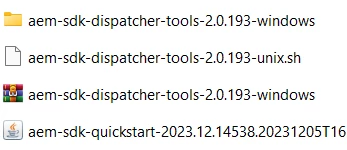
 

However, I'm encountering some issues:

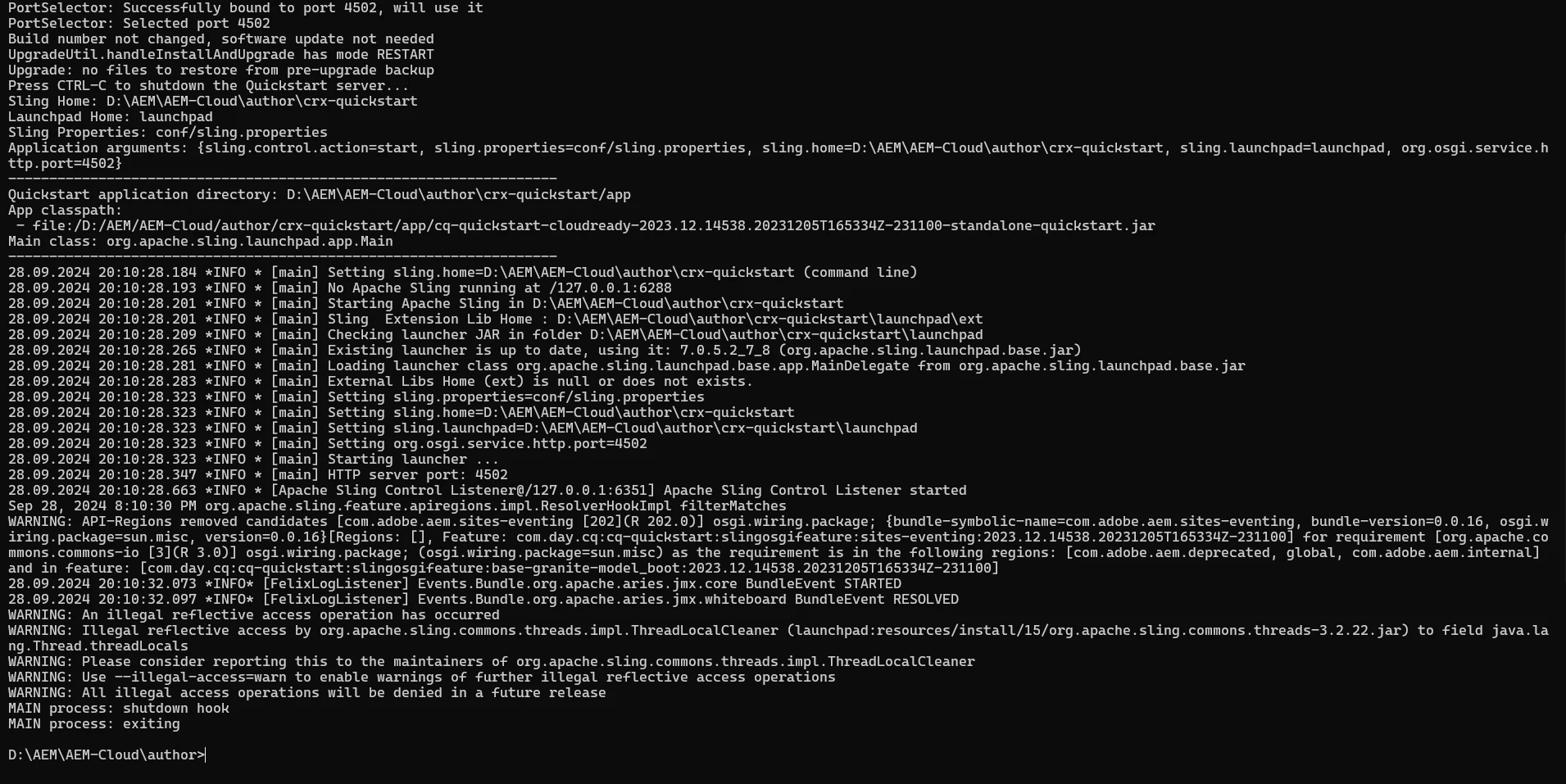
  1. First-time startup worked fine, but now when I try to start the instance a second time, it fails to launch.
  2. I'm looking for best practices or steps to correctly set up a local AEM environment for development and testing, including any configuration tweaks or troubleshooting advice.
  3. Any additional resources or recommendations for working with the SDK in a local environment would be greatly appreciated.
This post is no longer active and is closed to new replies. Need help? Start a new post to ask your question.
Best answer by arunpatidar

Hi @mukeshyadav_ 


It was exited automatically


Hi @rohitku17 

Can you check the java version?

try to allow warnings with below flag when you start aem using jar

--illegal-access=permit


5 replies

daniel-strmecki
Community Advisor and Adobe Champion
September 27, 2024

Hi @rohitku17,

the most important thing is to ensure that you always gracefully shut down your AEM instance like explained here: https://aemgeeks.wordpress.com/2017/08/24/starting-and-stopping-aem-instance/

Then you should be able to start it again with no issues.


Hope it helps,

Daniel

EstebanBustamante
Community Advisor and Adobe Champion
September 27, 2024

Hi,


In addition to what @daniel-strmecki mentioned, please run the latest version of the AEM SDK. You could likely encounter issues with older versions, especially if you are installing custom code. Also, could you elaborate on the errors you are seeing when you try to run AEM the second time?

Esteban Bustamante
RohitKu17Author
Level 2
September 28, 2024

@estebanbustamante

Please let me know which one is the latest version used by You and others 


It start and then exits automatically 

Rohan_Garg
Community Advisor
Community Advisor
September 28, 2024

Hi @rohitku17,

The best resource to setup AEM Local SDK is Set up local AEM SDK
Can you share the error logs when you try to fire up the instance the second time - Does deleting the crx-quickstart folder and running the java-jar arm-author-p4502.jar work for you?

Please note You cannot start the AEM as Cloud Service Quickstart Jar by double-clicking.


Hope this helps!
Rohan Garg

RohitKu17Author
Level 2
September 28, 2024

@rohan_garg 

Yes, it is working. But do I have to delete that folder every time before I start the instance a second time?

Thanks for answering 

RohitKu17Author
Level 2
September 28, 2024

Hi @rohitku17 ,

We don't need to delete crx-quickstart every time unless instance get corrupt.

 If its started well and working fine.

One approach can be just double click on start.bat file (for windows) or run ./start(linux) and stop.bat file or ./stop command to stop from next time

These files are present in /crx-quickstart/bin folder

We can even edit start file to setup/change parameters like port number or run modes.

Thanks,


Hi @mukeshyadav_ 


It was exited automatically


arunpatidar
Community Advisor
Community Advisor
September 30, 2024