Issue displaying saved value on Autocomplete | Community
Skip to main content
josuev40522873
November 7, 2018
Solved

Issue displaying saved value on Autocomplete

  • November 7, 2018
  • 14 replies
  • 9264 views

Hello,

I am using the coral autocomplete (granite/ui/components/foundation/form/autocomplete) and a custom datasource for filling the options to be displayed. I am using this on a custom component, on the author dialog.

This is the code used on the datasource.jsp for sending the options to be displayed:

List<APIOption> apiOptions = optionsService.getOptions(data, source);
if (apiOptions != null) {
   apiOptions.forEach(option -> {
   ValueMap valueMap = new ValueMapDecorator(new HashMap<>());
   valueMap.put("value", option.getValue());
   valueMap.put("text", option.getLabel());
   optionsToDisplay.add(new ValueMapResource(resolver, new ResourceMetadata(), "nt:unstructured", valueMap));
  });
}

request.setAttribute(DataSource.class.getName(), new SimpleDataSource(optionsToDisplay.iterator()));

This is the xml definition for the autocomplete field I am using:

<course
   jcr:primaryType="nt:unstructured"
   sling:resourceType="granite/ui/components/foundation/form/autocomplete"
   fieldLabel="Course"
   name="./course"
   forceSelection="{Boolean}true"
   mode="contains">
  <datasource
   jcr:primaryType="nt:unstructured"
   sling:resourceType="aristotle/datasources/formapioptions"
   source="mock"
   data="course"/>
  <options
   jcr:primaryType="nt:unstructured"
   sling:resourceType="granite/ui/components/foundation/form/autocomplete/list"/>
</course>

The most of it is working fine: the options are displayed correctly, the text property is displayed for the user and the value property is what is saved on the related node. But once the info is saved and I reopen the dialog for the component, the field is displayed but the value displayed as selected is the value property no the text one. Which is confusing because for the user which should be displayed always is the text property no the value, the value should be only for internal purposes.

This screenshot shows how the options are displayed correctly:
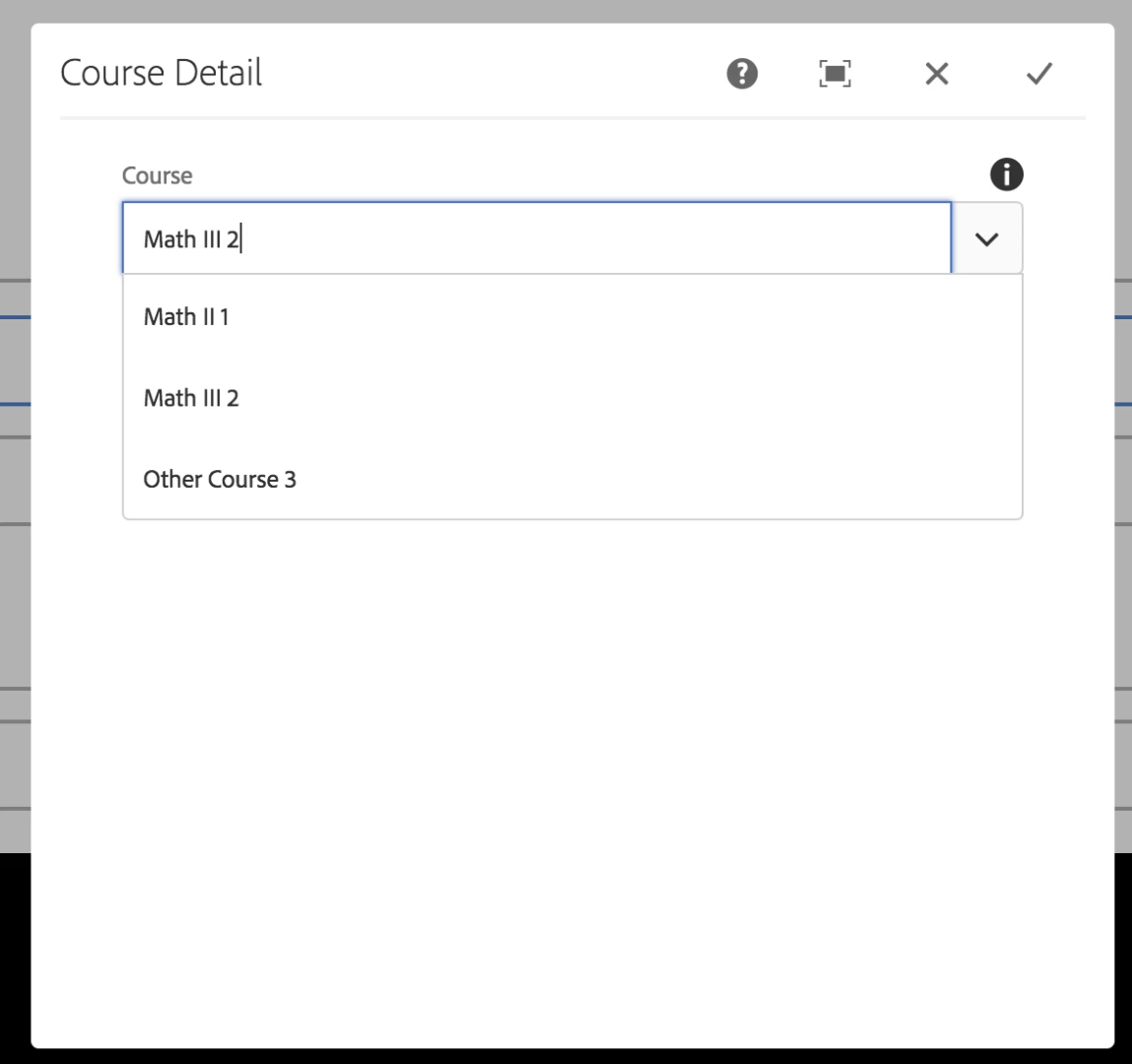
This screenshot shows how the text for the option selected is displayed correctly before saving the info:

This screenshot shows how the value property is displayed instead of the text one when the author dialog is reopened:
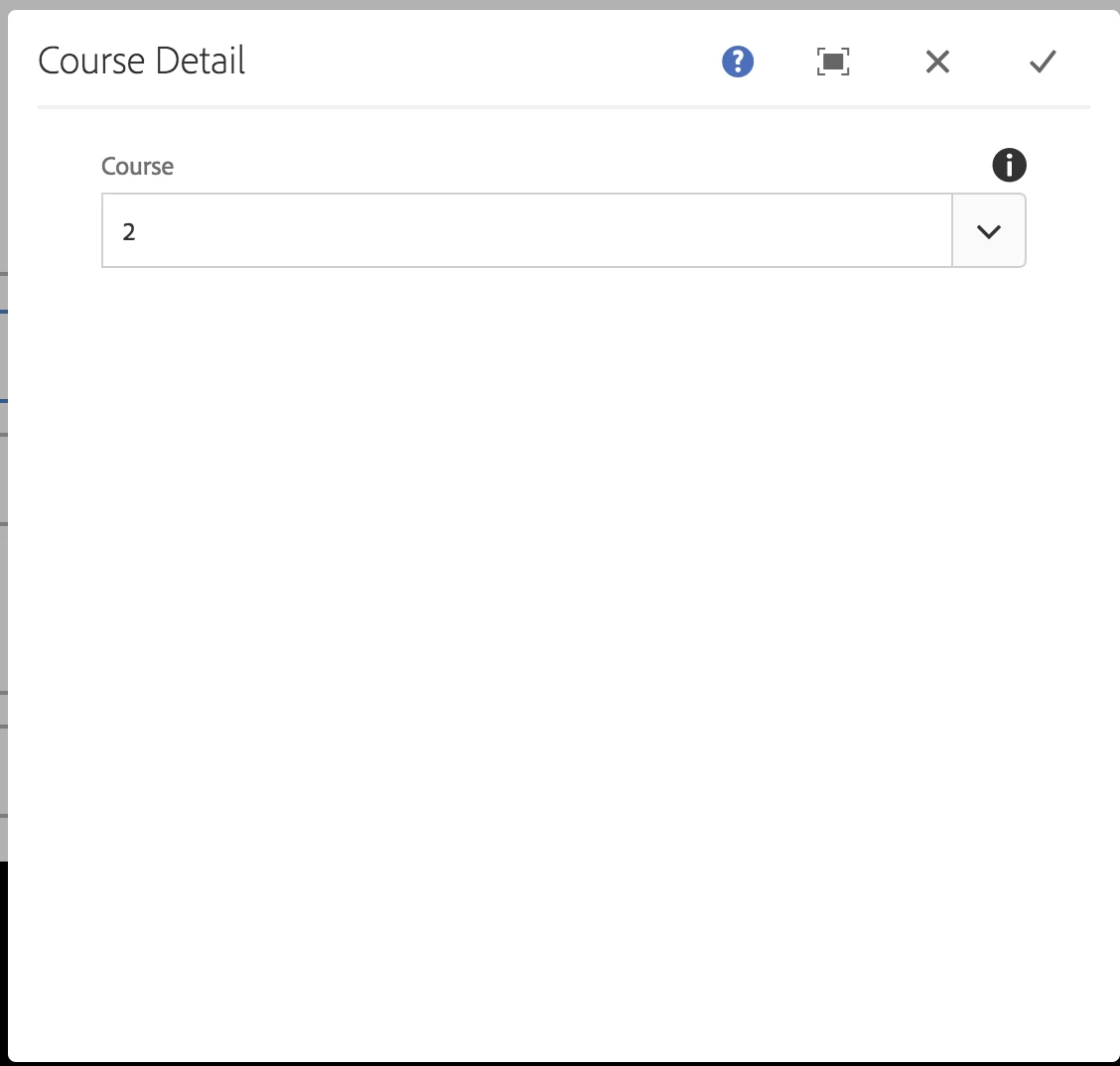
I tried using the select field and it works fine, it seems to be an issue only with the autocomplete field. I highly doubt that I am the first person seeing this issue and even more, that the correct behavior is not already implemented(find the match option and display the text property instead of the stored value).

I would appreciate any help I can receive because I already tried a lot of things and I ran out of options.

This post is no longer active and is closed to new replies. Need help? Start a new post to ask your question.
Best answer by smacdonald2008

Team responded:

I am checking with the rest of the AEM team about this. It could be a bug. The same value should show up in the dialog field regardless if autocomplete is used or not

14 replies

smacdonald2008
November 7, 2018

When you save the value - what is the value in the property for the component under /conent/<yoursite>?

smacdonald2008
November 7, 2018

I am testing this too on AEM 6.4

josuev40522873
November 7, 2018

The value property is saved, which in my case is the id of the object, which is the expected behavior. The problem is when author dialog is reloaded the value is displayed on the field instead of the text property which is displayed when you initially select the option from the list of options.

I am using AEM 6.4 as well

smacdonald2008
November 7, 2018

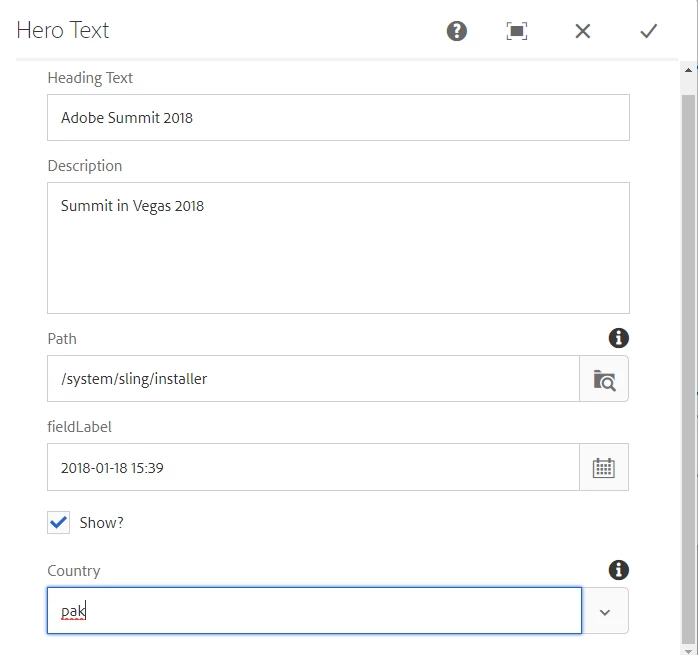
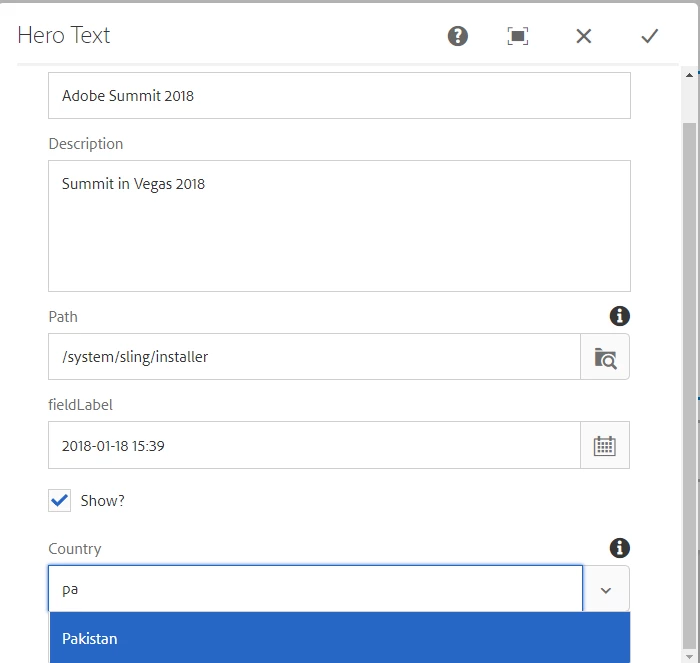
I am selecting the value fine from autocomplete:

I select the value and its displayed in the field:

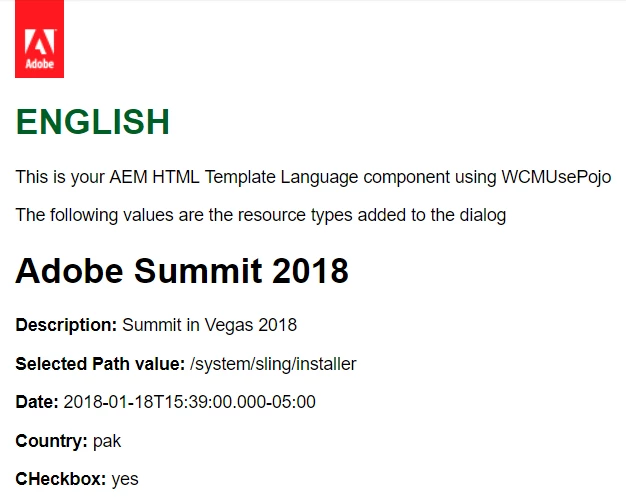
The value is written to the AEM page as expected:

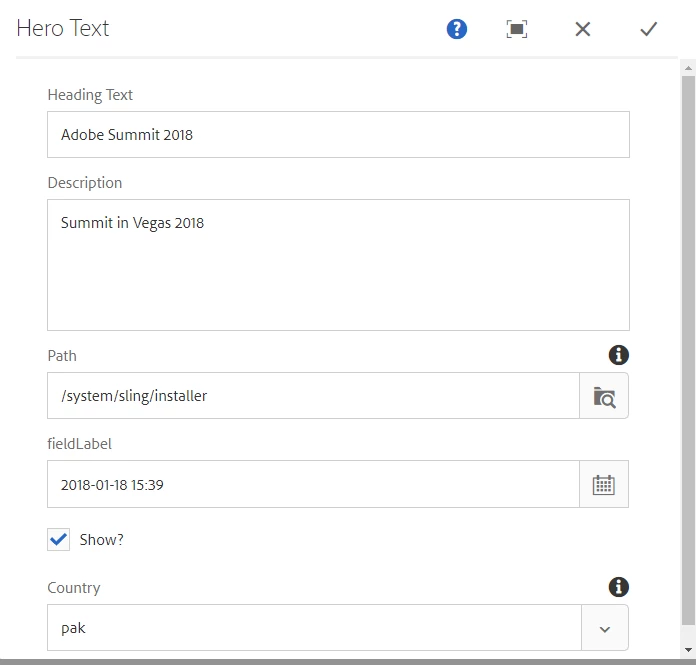
When I reopen the dialog - the value remains in the dialog:

The value pak is used in both the dialog and the page  -- given this data source.

countries.put("in", "India");

countries.put("us", "United States");

countries.put("aus", "Australia");

countries.put("pak", "Pakistan");

countries.put("sri", "Srilanka");

So, its the key that is showing up in the field and the page.

Is this what you are seeing?

smacdonald2008
November 7, 2018

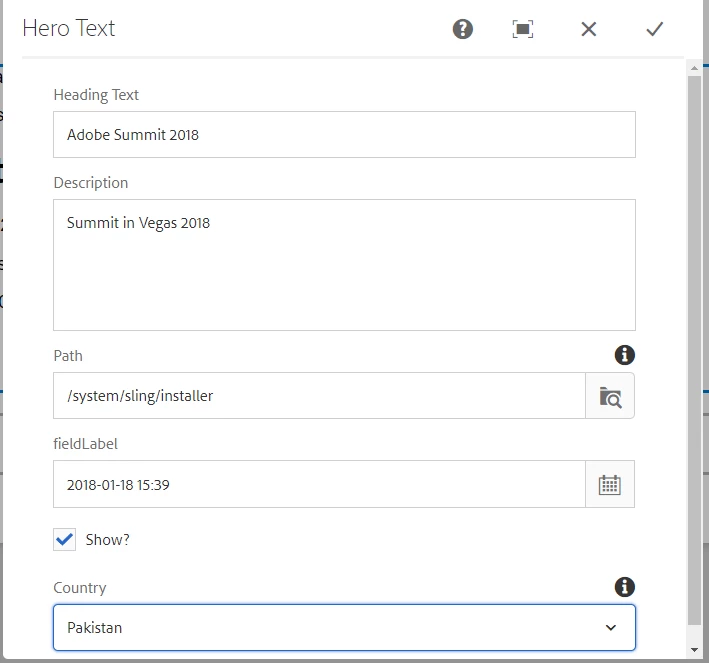
Interesting - when i remove the autocomplete - the value is displayed in the component dialog - not the key:

smacdonald2008
November 7, 2018

So there is a difference. I am checking with the AEM team about this. It could be a bug. The same value should show up in the dialog field regardless if autocomplete is used or not.

josuev40522873
November 7, 2018

That is exactly the problem, on the example you provided "Pak" should be always saved, but what should be displayed to the user is "Pakistan", as you saw that is the behavior if you use the select field, but it is not the case for the autocomplete.

The expected behavior is when the dialog is reloaded, the autocomplete should display "Pakistan" which was the option selected by the user. "Pak" is the value related with the option selected by the user but should not be visible for the user, only saved on AEM. That is how all the fields on web apps work.

So, for the example using the regular select, it is working fine and that behavior is what I would expect on the autocomplete field as well.

smacdonald2008
November 7, 2018

I have reached out to the team asking about this. I suspect this is a bug. The same behavior should exist if autocomplete is used or not used. In my example, Pakistan should be displayed.

josuev40522873
November 7, 2018

Thanks, please keep me posted as soon you receive more info about this.

Thanks in advance,

smacdonald2008
smacdonald2008Accepted solution
November 7, 2018

Team responded:

I am checking with the rest of the AEM team about this. It could be a bug. The same value should show up in the dialog field regardless if autocomplete is used or not

March 24, 2022

Hi

Do you have any update on this bug please? Is it resolved in some patch / service pack the mean time? 

Thanks

Steven