Include only one JS SCRIPT in a page level
Hello everyone!
I am having trouble to find a solution to include js scritpts in page level, here it is what we want:
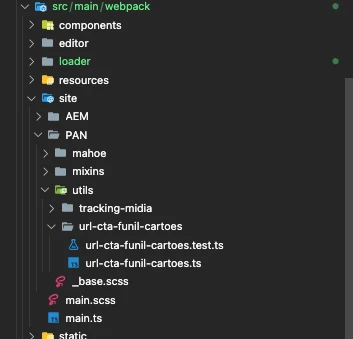
I have a JS file in ui.frontend module: site -> ... -> utils -> myFile.js
I have a page create in a website/ project: My Page
I want to add the myFile.js to My Page, and ONLY
What we don't need:
1.This cannot be in a template level (I don't need - for performance reasons - to add to all the pages that uses that template)
2.This is script should NOT be a componente (I have seen another question here like this, the answers were to create a whole componente and treat the script as a component - It does not make sense at all, since a script is not a component)
2.1 The Content Manager should not see the script in the middle of the component list (since it is not and it would be confusing for the many components we have)
The workflow we want to have:
1. The Developer should create a script
2. The script should be able as a clientLib separated (how?)
3. The Content Manager should be able to add the component to a specific page only
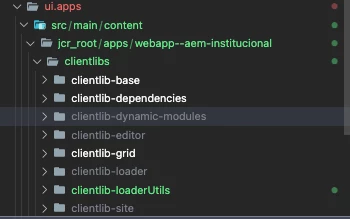
Here you are my project structure:
ui.frontend
ui.apps
What would be the perfect solution (that I need help to implement 🙂 😞
The files in UTILS directory should be a clientLib (each file a new clientLib)
- Is it possible to build files in UTILS directory to clientLib like this?: clientLib-utils -> FILE.js
How can we call a specific JS file in a PAGE ONLY?
- Create a new page in a project
- Include only the scripts we want - Is it possible to create a new edit option in a page properties?
I hope I could explain it well, sorry for the long explanation as well, I tried many things 🙂
Thanks in advance!