In RTE I want to add some html tag | Community
Skip to main content
Level 6
January 20, 2023
Solved

In RTE I want to add some html tag

  • January 20, 2023
  • 3 replies
  • 2442 views

I wanted to add some HTML tags in RTE; with CSS class names how can I achieve that? If there is any possible way to do so. 
For Del tag, I tried creating it from text component policy but
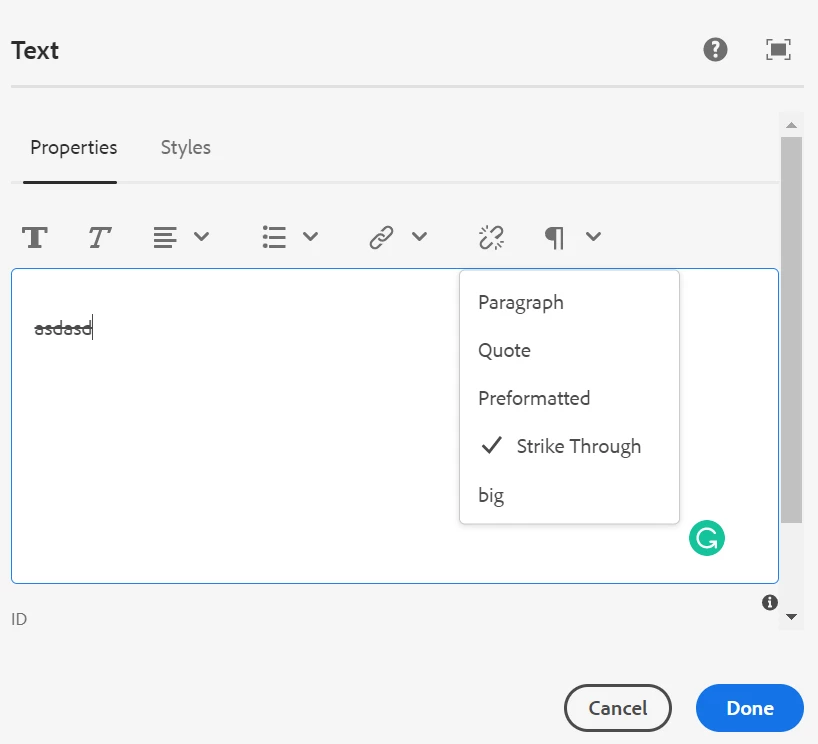
Now if I click on Paragraph it won't let me select, once Strikethrough (del) tag is selected


This post is no longer active and is closed to new replies. Need help? Start a new post to ask your question.

3 replies

Aditya_Chabuku
Community Advisor
Community Advisor
January 20, 2023

Hi @ronnie09 ,


If you want to use tags in RTE, I suggest using data-sly-element.

<div data-sly-element="${properties.tagName}">Blah</div>
<!--/* outputs: */-->
<h1>Blah</h1>
Follow these steps if this requirement is repetitive.
1.  Use the above code in the HTML of the RTE component.
2. Determine tag Name from author dialog
 
Hope this helps,
Aditya Ch
2. 
Thanks,Aditya Chabuku
Ronnie09Author
Level 6
January 20, 2023

Not like this but using style or paraformat 

Asutosh_Jena_
Community Advisor
Asutosh_Jena_Community AdvisorAccepted solution
Community Advisor
January 21, 2023
jerinraj5555
Level 3
January 22, 2023

Hi @ronnie09 ,


You can use "Styles", which is another RTE plugin. The styles are implemented by adding <span> around the selected content therefore it will support multiple styles as well. Please see the documentation,

https://experienceleague.adobe.com/docs/experience-manager-64/administering/operations/configure-rich-text-editor-plug-ins.html?lang=en#text-styles


Thanks,