In AEM how to add a new node called “listeners” in the component dialog ,without using dialog.xml file.
Actaully i am using "before submit" listener to do some validation for my selection box
I have reffered the following link:
https://helpx.adobe.com/experience-manager/using/classic_dialog_validation.html .
But "before submit" method calling only when i place ,
dialog listener in the dialog root level only.
how to place dialog listener in dialog root level(I checked in my project there is no dialog.xml file ,they using only java code to construct component dialog).
Can anyone please help me in this ?
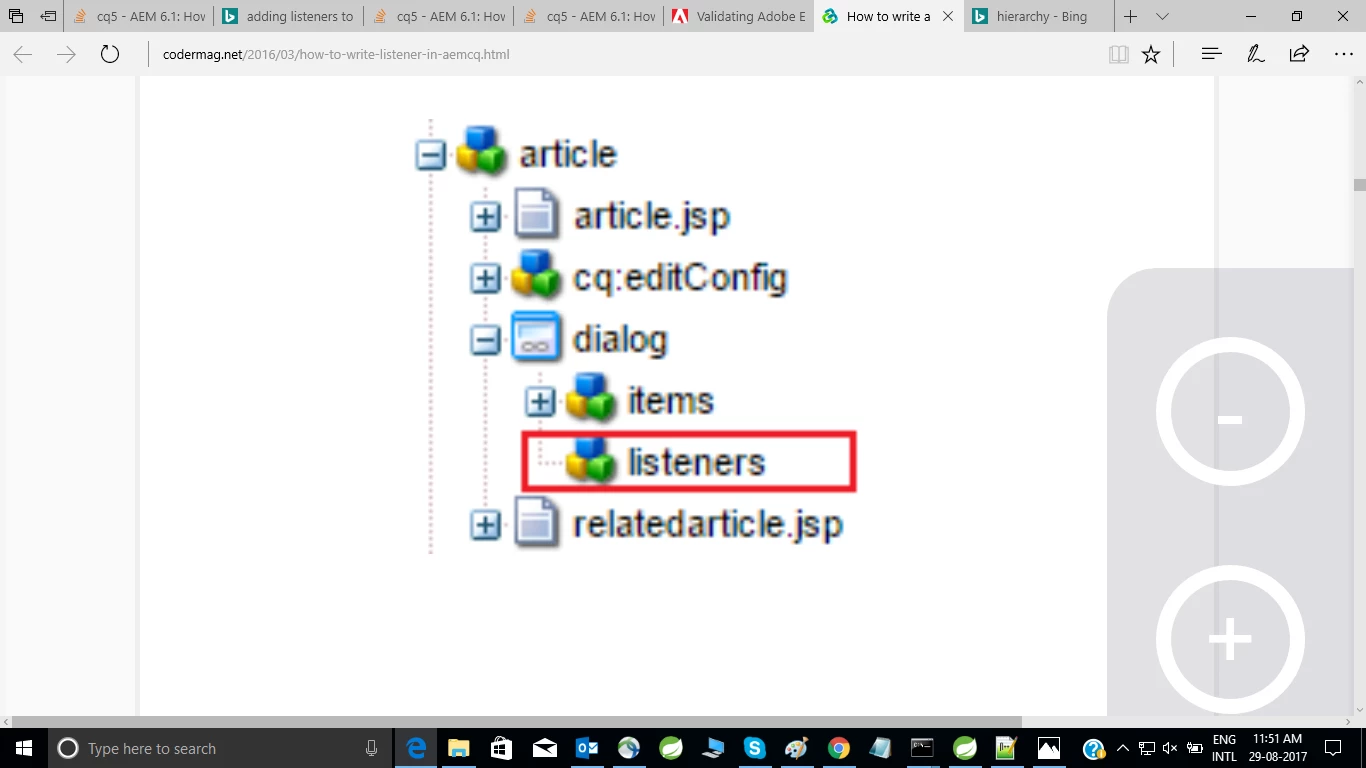
Dialog construction code :
@DialogField(name = DialogConstants.FIELD_NAME_PREFIX + PROPERTY_GNF_PROGRAM, fieldLabel = "GNF Program",
fieldDescription = "(synchronized)",
additionalProperties = {
@Property(renderIn = Property.RenderValue.TOUCH,
name = DialogConstants.PROPERTY_VALIDATION,
value = "mt-gnf-program")
},
listeners = {
@Listener(name ="beforesubmit",
value = "function(dialog){" +
" return gnfProgramValidation.beforeSubmit(dialog);" +
"}")
})
@Selection(
type = DialogConstants.TYPE_SELECT,
optionsProvider = "function(path, record) {" + " return CQ.HTTP.eval('/content/global.gnfprograms.json');" + "}",
dataSource = GnfProgramsDataSource.RESOURCE_TYPE)
public final String gnfProgram;
Java script code :
window.onload = function() {
gnfProgramValidation.init();
};
var gnfProgramValidation = gnfProgramValidation || (function($) {
function initialize() {
};
function validate() {
alert("inside validate method");
var res = true;
return res;
};
return {
beforeSubmit: validate,
init: initialize
}
})(jQuery);